CloudStation
  • How it works
  • Use cases
  • Solo foundersAn assistant that answers your customersStartupsSales, support and research without new hiresAgencies and studiosMore client work from the same teamCTOsAgents behind your own softwareEnterpriseThe whole platform on your own servers

    Industries

    Media and entertainmentResearch and academiaHealthcareFinancial servicesEducationE-commerce and retail
  • Templates
  • Pricing
  • Blog
  • Changelog
Start with Charlie
  • How it works
  • Use cases
  • Templates
  • Pricing
  • Blog
  • Changelog

Built for

  • Solo founders
  • Startups
  • Agencies and studios
  • CTOs
  • Enterprise

Industries

  • Media and entertainment
  • Research and academia
  • Healthcare
  • Financial services
  • Education
  • E-commerce and retail
Start with Charlie

Template store

Ready-made apps, set up by Charlie.

Databases, CRMs, analytics, support desks and workflow tools. CloudStation hosts each one with its own address, storage and logs. Deploy an app yourself, or ask Charlie to set it up for your team.

Browse the appsStart with Charlie
Template storeMost deployed
  1. Picked from the store
  2. Set up by Charlie
  3. Running

The catalog

Search the apps, or browse by category.

Sorted by how often each app has been deployed. Open one to read what it does and deploy it.

How it works

From the store to a working address.

  1. 01

    Pick an app

    Search by name or open a category. Each page says what the app does and how many times it has been deployed.

  2. 02

    Deploy it yourself

    Deploy opens the template in your CloudStation workspace. Fill in the settings it asks for and start it.

  3. 03

    Or ask Charlie

    Tell Charlie which app you want and what your team will use it for. Charlie sets it up and reports back in the thread.

  4. 04

    Share the address

    The app gets its own web address. Point your own domain at it when you want, and CloudStation sets up SSL.

Running today

A sales team's CRM runs on one of these apps.

Twenty CRM is in the store. One sales team runs it on CloudStation, and eight agents work in it.

They find companies, research them, find the decision maker and draft the first email. A person on the team approves every email.

AI CRM for a sales team, on Twenty

  1. 01Company scout
  2. 02Account researcher
  3. 03People finder
  4. 04Outreach writer
  5. 05Follow-up keeper
  6. 06Daily reporter
  7. 07Product expert
  8. 08Coordinator

A person approves each email before it is sent.

Hosting

What every app gets.

The same hosting your own apps get when Charlie builds them.

  • Data that survives restarts

    A storage volume keeps the app's data across restarts and redeployments.

  • Logs in your workspace

    Read the app's logs from your workspace when something looks wrong.

  • Every deployment listed

    The deployment history shows what changed and when.

  • From 1 app to 16

    Basic hosts 1 app, Essential 4, Pro 9 and Team 16. Pricing has the current prices.

Questions

About the apps.

Who makes these apps?

Most are open-source projects, packaged so they start on CloudStation. Each template page shows who packaged it and links to the project when there is a link.

What does it cost to host one?

Hosting comes with the cloud plans. Basic runs 1 app, Essential 4, Pro 9 and Team 16. The pricing page has the current prices.

Can Charlie work inside the app once it runs?

That depends on the app. Charlie works with an app through its API or a connected tool, the way a sales team's eight agents work in their Twenty CRM. Ask Charlie about the app you have in mind before you deploy it.

Is my data kept when the app restarts?

Yes. Data on the app's storage volume stays through restarts and redeployments. A volume is not a backup, and deleting the app deletes its data.

The app I need is not in the store. What now?

CloudStation also runs apps from a Docker image or a Git repository. Tell Charlie what you need and it can deploy one, or build the tool for you.

Tell Charlie which app your team needs.

Name the app and what it is for. Charlie sets it up on CloudStation, and your team opens it at its own address.

Start with Charlie


CloudStation

Charlie runs a team of AI specialists on CloudStation. Work starts from a customer message, a schedule or your own app, and Charlie asks you only when it matters.

Products
  • How it works
  • Use cases
  • Tools
  • Pricing
  • Enterprise
Resources
  • Template Store
  • Use case videos
  • Changelog
  • Blog
  • Careers
  • FAQ
Legal
  • Privacy Policy
  • Terms & Conditions
  • Refund Policy
  • Cancellation Policy
  • Data Processing Agreement

©2026 CloudStation

Template storeMost deployed
  • Evolution Api
  • Bolt.new
  • N8N Advanced
  • N8N Light
  • Redis
  • PostgresSQL
  1. Picked from the store
  2. Set up by Charlie
  3. Running

https://evolution-api-•••.cloud-station.apphttps://bolt-•••.cloud-station.apphttps://n8n+worker-•••.cloud-station.apphttps://n8n-•••.cloud-station.apphttps://redis-•••.cloud-station.apphttps://postgres-•••.cloud-station.app

30 apps

All apps 79Dev & Deployment 37AI & Automation 30Data & Databases 20Customer & Marketing 15Communication 14Business & Finance 7Security & Auth 3Content & CMS 2Other 1
  • Evolution Api

    CloudStation

    Evolution API: Open-Source WhatsApp Business Integration Deploy a production-ready WhatsApp Business API in 60 seconds. Connect directly to WhatsApp protocols without per-message fees or vendor lock-in. What Makes Evolution API Different? Direct WhatsApp Protocol Connection Unlike expensive API services, Evolution API connects directly to WhatsApp servers - no middleman fees or message limits. Complete Cost Control Unlimited messaging for one flat monthly rate. No per-message charges that scale with your business success. Enterprise-Ready Features Multi-instance management, webhook automation, media handling, and contact management - all included. Core Capabilities Multi-Instance Management - Run multiple WhatsApp business numbers from one deployment REST & GraphQL APIs - Complete programmatic access to all WhatsApp functions Webhook Integration - Real-time notifications for messages, status changes, and interactions Media Support - Send/receive images, documents, audio, video, and location data Group & Broadcast Management - Handle WhatsApp groups and customer broadcast lists Contact & Conversation History - Full customer communication tracking and analytics Perfect For E-commerce : Order confirmations, shipping updates, customer support SaaS Companies : User onboarding, support tickets, product notifications Service Businesses : Appointment booking, reminders, customer follow-ups Digital Agencies : WhatsApp solutions for clients without recurring API costs Technical Specifications Stack : Node.js/TypeScript backend Database : PostgreSQL, MySQL, or MongoDB support Architecture : Docker containerized for reliable deployment Security : End-to-end encryption, API key authentication, audit logging Integrations : Comprehensive webhook system with custom payloads CloudStation Benefits ✓ One-Click Deployment - Production-ready in 60 seconds ✓ SSL & Monitoring - Enterprise security and uptime tracking included ✓ Automatic Scaling - Resources scale with your message volume ✓ Backup & Recovery - Automated data protection and disaster recovery ✓ Team Access - Multi-user management with role-based permissions Pricing CloudStation Hosting: $17.99/month Unlimited WhatsApp messages All Evolution API features included SSL certificates and domain management Monitoring, backups, and automatic scaling Compare to Traditional Providers: Twilio WhatsApp API: $100-500/month for same message volume WhatsApp Business API: $500-2000/month minimum You save $482-1982/month with Evolution API Quick Start Deploy - Click deploy to launch Evolution API on CloudStation Connect - Scan QR code to link your WhatsApp Business number Configure - Set up webhooks and API endpoints for your systems Integrate - Start sending messages through REST API or webhooks Documentation & Support Complete API documentation with code examples Webhook configuration guides Multi-instance setup tutorials Active community forum and GitHub repository Deploy Now Transform your customer communication with unlimited WhatsApp messaging at a fraction of traditional API costs. Evolution API on CloudStation: Direct connections. Unlimited messaging. $17.99/month.

    13,387 deployments

  • Bolt.new

    CloudStation

    Deploy Bolt.diy : The Ultimate BOLT.new Fork for AI-Powered Web Development One-Click Deploy Template for Bolt.diy Transform the powerful Bolt.diy into your personal AI-powered development environment with a single click. This template lets you instantly deploy your own instance with support for multiple AI models. Getting Started If the LLM modules do not load, try reloading the page or clearing the cache and performing a hard reload of the page. ⚠️ Important: API Key Configuration Free LLM API resources : https://github.com/cheahjs/free-llm-api-resources Required Environment Variables You must configure at least one AI provider's API key in your environment variables tab after deployment. Here are the available providers and their required variables: # Core AI Providers OPENAI_API_KEY # OpenAI (GPT models) ANTHROPIC_API_KEY # Anthropic (Claude models) GROQ_API_KEY # Groq GOOGLE_GENERATIVE_AI_API_KEY # Gemini # Additional Providers OPEN_ROUTER_API_KEY # OpenRouter DEEPSEEK_API_KEY # DeepSeek MISTRAL_API_KEY # Mistral HuggingFace_API_KEY # HuggingFace XAI_API_KEY # xAI/Grok COHERE_API_KEY # Cohere Updating API Keys After your initial deployment, you can add or modify API keys through the Variables tab: Navigate to your application's Variables tab Add your new API key(s) to enable additional AI providers Click "Redeploy" for changes to take effect Why Choose This Template? Real-time Execution : See your applications executed instantly, streamlining the development process Multi-Model Support : Freedom to choose and switch between different AI models Browser-Based : Complete development environment in your browser Integrated Debugging : Debug errors as they occur Perfect For Developers : Who want to experiment with different AI models Startups : Needing quick deployment of AI-powered development tools Teams : Who want to use specific AI providers Educators : Teaching web development with customizable AI assistance Supported Features Choose between multiple AI models Install and run npm packages Execute Node.js servers Interact with external APIs Deploy to production from chat Share via URL Download projects as ZIP Publish directly to GitHub Local folder sync support Experience the synergy of Bolt.new on CloudStation—your gateway to customizable AI-powered web development. #NoCode #WebDevelopment #CloudStation #FullstackSolutions #AIDevTools Based on the bolt.diy fork of bolt.new Deploy your own instance and start building with your preferred AI models today!

    1,002 deployments

  • N8N Advanced

    CloudStation

    N8N Advanced: High-Performance Self-Hosted Automation Optimized n8n Setup with Redis Caching and Worker Management Experience enhanced performance and reliability with our advanced n8n configuration, designed for teams running complex automation workflows at scale. Key Features: PostgreSQL Database - Reliable workflow and execution data storage Redis Caching - Improved execution speed and response times Queue Workers - Efficient parallel workflow processing Enhanced Webhook Management - Better handling of incoming triggers Real-time Execution - Live workflow status tracking Advanced Recovery - Improved failure handling and retries Perfect For: High-volume automation needs Teams requiring reliable performance Complex multi-step integrations Production-grade workflows CloudStation Advantages: Pre-configured PostgreSQL and Redis setup Optimized worker configuration Enhanced reliability for critical workflows Flexible resource scaling Simplified maintenance #WorkflowAutomation #SelfHosted #Redis #Integration #AutomationAtScale #n8n

    458 deployments

  • N8N Light

    CloudStation

    N8N Light: Streamlined Self-Hosted Automation Essential n8n Setup for Individual Users and Small Teams Get started quickly with a simplified n8n deployment that includes all core automation capabilities in an easy-to-manage package. Key Features: PostgreSQL Backend - Reliable workflow storage Standard Webhooks - Basic trigger handling Core Automation - Essential workflow execution Basic Recovery - Standard error handling Direct Access - Built-in database management Perfect For: Individual developers Small business automation Testing and development Basic workflow requirements CloudStation Advantages: One-click deployment Minimal configuration needed Cost-effective solution Simple upgrade path to Advanced #WorkflowAutomation #SelfHosted #Automation #n8n #CloudStation #Development

    415 deployments

  • LinkedOut

    Max & Oumnya

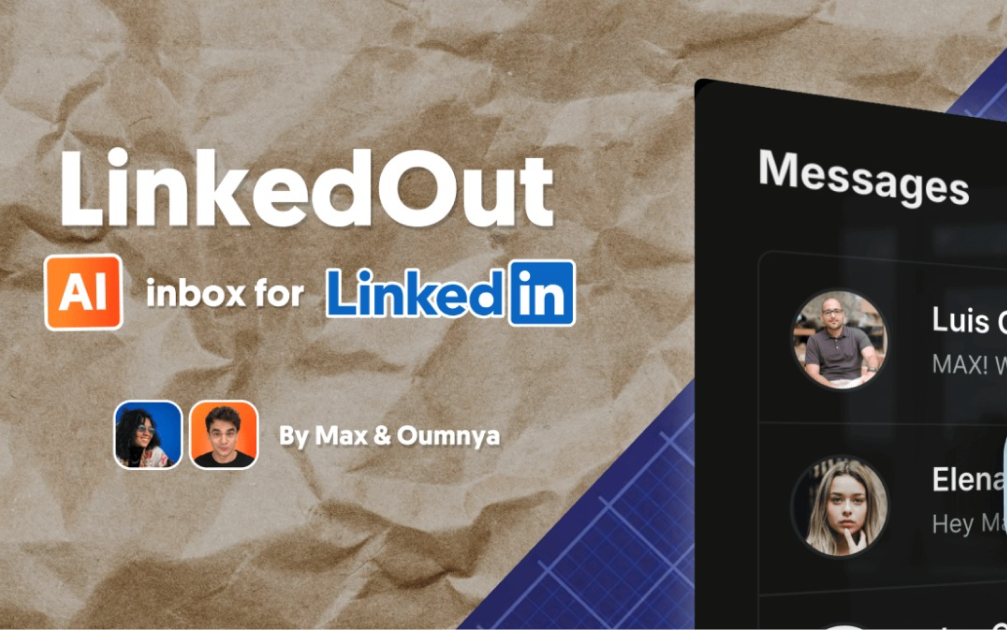
    LinkedOut - AI-Powered LinkedIn Inbox LinkedOut was built to help manage hectic LinkedIn inboxes on mobile and desktop. It includes AI draft replies and static text snippets library, making it a nimble assistant without being ChatGPT. Front-end built with Next.js, TypeScript, and Tailwind CSS. Backend runs on n8n and PocketBase. Clone it, tweak it, make it yours.Features AI-powered message drafts Responsive design for mobile and desktop Beautiful UI with dark mode support Secure authentication Setup wizard to deploy backend and set up database Open source: Self-host it, fork it. Known Outscope Emoji reactions will not show Group threads do not show (only Classic LinkedIN inbox, no Sales navigator either). Should be easy to tweak. Draft reply only takes previous message (and name) as context. Text Snippets can be Created/ Updated / Deleted via PocketBase, not yet in-app. Frontend Framework: Next.js (App Router) Language: TypeScript Styling: Tailwind CSS UI Components: shadcn/ui Authentication: Custom auth with JWT Backend Database & Auth: PocketBase Workflows as Backend: n8n via webhook endpoints, and n8n api for /setup LinkedIn API Access: Unipile Prerequisites n8n instance for automation workflows. Get 50% off n8n cloud for 12 months with MAX50. Enter coupon after free trial when choosing a plan. A Unipile account for LinkedIn API access. Get 50% off Unipile for 3 months with MAXFROMN8N code (message support with code after sign up) Installation Watch a set up video on YouTube . Via CloudStation Template Set up the one-click LinkedOut + PocketBase template on CloudStation: CloudStation LinkedOut Template . You'll need an n8n instance ready by this step. Open LinkedOut front end from CloudStation dashboard and sign in with PocketBase superuser credentials (see them in PocketBase deployment env variables in CloudStation dashboard) Complete the setup wizard (go to /setup if you get redirected to /inbox) Open your n8n workflows and replace any AI model steps with your own (not yet part of setup flow).

    116 deployments

  • Minio

    Cloudstation

    High-Performance Object Storage with CloudStation's 1-Click Deploy MinIO is an open-source object storage solution designed for cloud-native applications and provides high performance, scalability, and reliability. Why Choose This Template? High Performance : MinIO is engineered for high performance, ensuring faster data access and throughput. Scalability : MinIO scales out with ease, handling large-scale data operations efficiently. Reliability : Known for its robust performance, MinIO is trusted by enterprises for its reliability. CloudStation Integration : Seamlessly deploy MinIO on CloudStation with improved management and functionality. CloudStation Advantages: One-Click Deployment : Simplify your setup process with CloudStation's easy, one-click deployment feature. Scalability : Benefit from CloudStation's scalable infrastructure to handle your data growth. Cost-Effectiveness : Manage your budget better with CloudStation's cost-effective services. Easy Integration : Integrate MinIO effortlessly with other CloudStation tools and services. Perfect For: Developers : Who need robust and scalable object storage for their cloud-native applications. Enterprises : Looking for a reliable and high-performance object storage solution. Data Scientists : Managing large datasets that require scalable and quick access storage. Deploy MinIO on CloudStation to enhance your data management with high-performance and reliability, ensuring seamless operation and scalability for your applications. #objectstorage #cloudcomputing #highperformance #scalablestorage #S3

    91 deployments

  • Open WebUI

    CloudStation

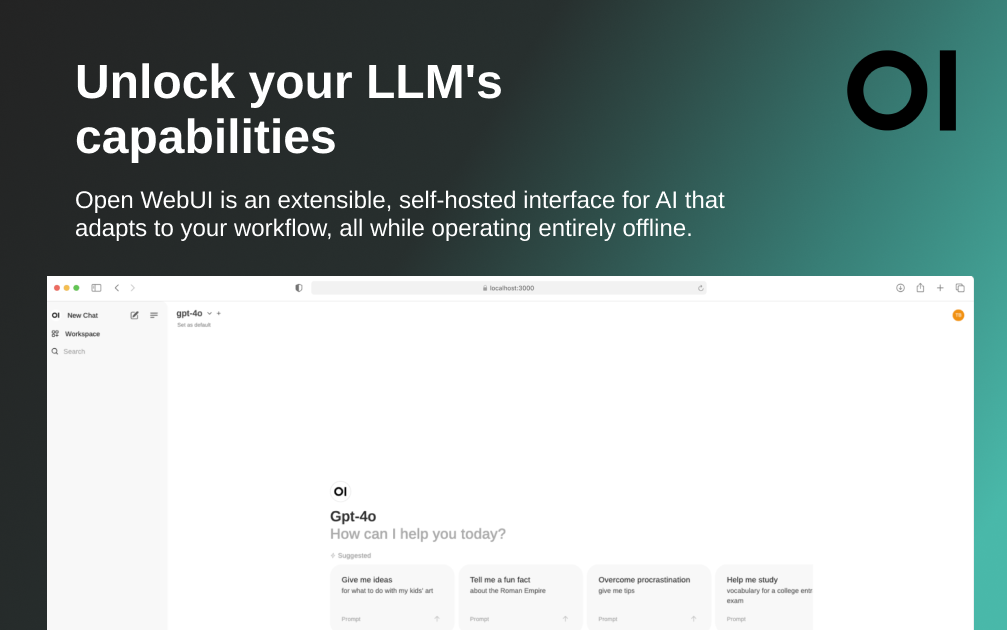
    Open WebUI Deploy Open WebUI on CloudStation Without Managing Servers What is Open WebUI? Open WebUI is a self-hosted AI platform and chat interface for teams that want a private ChatGPT-style workspace they can run on infrastructure they control. It is designed to work offline, supports Ollama and OpenAI-compatible APIs, and can power local-model chat, team AI portals, and document-assisted workflows from one interface. Deploy Open WebUI on CloudStation when you want a self-hosted AI chat UI without spending your time on Docker setup, domains, SSL, backups, or routine hosting work. It is a strong fit for teams that want model flexibility, more privacy, and a cleaner path to production than a DIY VPS setup. Best For and Not Best For Best for: teams that want a private AI workspace, an Ollama web UI, a self-hosted ChatGPT alternative, or a shared interface for OpenAI-compatible providers. Not best for: teams that need a full visual AI app builder with workflow orchestration and API publishing first. In that case, Dify is usually the better fit. Why Teams Choose Open WebUI Private AI Chat Workspace Give users a familiar chat interface for local or API-based models Use Open WebUI as a private ChatGPT alternative for internal research, drafting, and team experimentation Standardize how your team accesses AI instead of relying on scattered individual tools Ollama and OpenAI-Compatible Flexibility Connect Ollama for local models or use OpenAI-compatible endpoints for hosted providers Choose models based on privacy, cost, speed, or quality needs Keep portability across providers instead of locking your team into one AI vendor workflow RAG and Team Knowledge Workflows Use document-assisted chat and built-in retrieval features for practical internal knowledge workflows Support policy Q&A, research assistance, onboarding help, and support drafting Grow from simple chat to deeper AI workflows as your stack matures Admin and Team Controls Manage users, permissions, and shared access in one self-hosted AI workspace Keep the interface on your own CloudStation domain Use self-hosting when privacy review, vendor control, or offline operation matters Open WebUI vs Alternatives Open WebUI vs ChatGPT Teams : Choose Open WebUI when self-hosting, provider flexibility, and infrastructure control matter more than a fully managed SaaS workspace. Open WebUI vs Dify : Choose Open WebUI for a model-flexible AI workspace and chat interface. Choose Dify when you need visual workflows, agent pipelines, datasets, and API publishing. Open WebUI vs AnythingLLM or LibreChat : Choose Open WebUI when you want a broad self-hosted AI platform with strong Ollama support, team controls, and offline-friendly deployment options. Why Deploy Open WebUI on CloudStation? Deploy without a VPS checklist : CloudStation gives you a faster path than piecing together Open WebUI hosting, reverse proxy setup, SSL, storage, and updates on your own. Good Basic-plan entry point : A standard Open WebUI deployment that connects to external model APIs can fit CloudStation Basic. Upgrade when your stack expands : If you add bundled Ollama, vector databases, or more supporting services, Essential or higher is the safer fit. Pricing and Plan Fit 🚀 CloudStation Basic Plan : $17.99/month total ✓ 1 app deployment ✓ 10GB storage ✓ 1 vCPU and 2GB RAM per app ✓ Custom domains ✓ Free SSL ✓ Docker support ✓ Automatic backups Best fit: Use Basic for a standard Open WebUI deployment connected to external model APIs. Use Essential or higher if your implementation includes extra AI infrastructure such as bundled Ollama or additional retrieval services. Common Open WebUI Use Cases Private ChatGPT alternative : Give your team a shared AI workspace without defaulting to a consumer SaaS app. Ollama web UI hosting : Run a polished browser interface for local-model workflows. Internal knowledge assistant : Use retrieval and file-based workflows for team documentation and policy answers. Model test bench : Compare local and hosted models from one interface. FAQ Can Open WebUI run offline? Yes. Official Open WebUI documentation describes it as a self-hosted AI platform designed to operate entirely offline. Does Open WebUI require Ollama? No. It supports Ollama, but it also supports OpenAI-compatible APIs, so you can use hosted model providers too. Is Open WebUI just for personal use? No. It can also work as a team AI workspace with user management and permission controls. Is Open WebUI the same as Dify? No. Open WebUI is primarily an AI interface and workspace. Dify is better suited to teams that need visual AI workflows, app publishing, and broader AI application building. Start Your Private AI Workspace If you are searching for self-host Open WebUI , Open WebUI hosting , Ollama web UI hosting , or deploy Open WebUI without managing servers , this CloudStation template is built for that intent. Launch the interface, connect your models, invite your team, and use AI in a workspace you control. Deploy Open WebUI Now → Private AI workspace. Flexible model support. Less infrastructure work. Open WebUI on CloudStation: a self-hosted AI workspace for teams that want a private ChatGPT-style interface, Ollama support, and deployment control without running the stack by hand.

    60 deployments

  • Qdrant

    CloudStation

    Streamline Data Management with CloudStation's 1-Click Deploy qdrant is an open-source project designed to optimize and simplify data management. By using CloudStation, you can deploy qdrant with just one click, making it easier than ever to manage your data solutions efficiently. Why Choose This Template? Ease of Use: qdrant is designed to simplify data management workflows. Open-Source Flexibility: Enjoy the benefits and transparency that come with open-source solutions. Enhanced Efficiency: Streamline your data handling tasks for optimal performance. CloudStation Integration: Seamlessly deploy qdrant within CloudStation’s robust environment. CloudStation Advantages: One-click deployment: Launch qdrant quickly and effortlessly. Scalability: Easily scale your resources to meet your growing data management needs. Cost-effectiveness: Optimize costs with flexible pricing structures. Easy integration with other tools: Connect qdrant with CloudStation's wide array of tools. Perfect For: Data Analysts: Enhance data management processes. Developers: Integrate a powerful data management solution into your projects. Small to Medium Enterprises (SMEs): Streamline business data workflows efficiently. Unlock the full potential of qdrant with CloudStation—experience a seamless, scalable, and efficient data management solution. #CloudStation #OpenSource #DataManagement #qdrant

    58 deployments

  • Agent-zero

    CloudStation

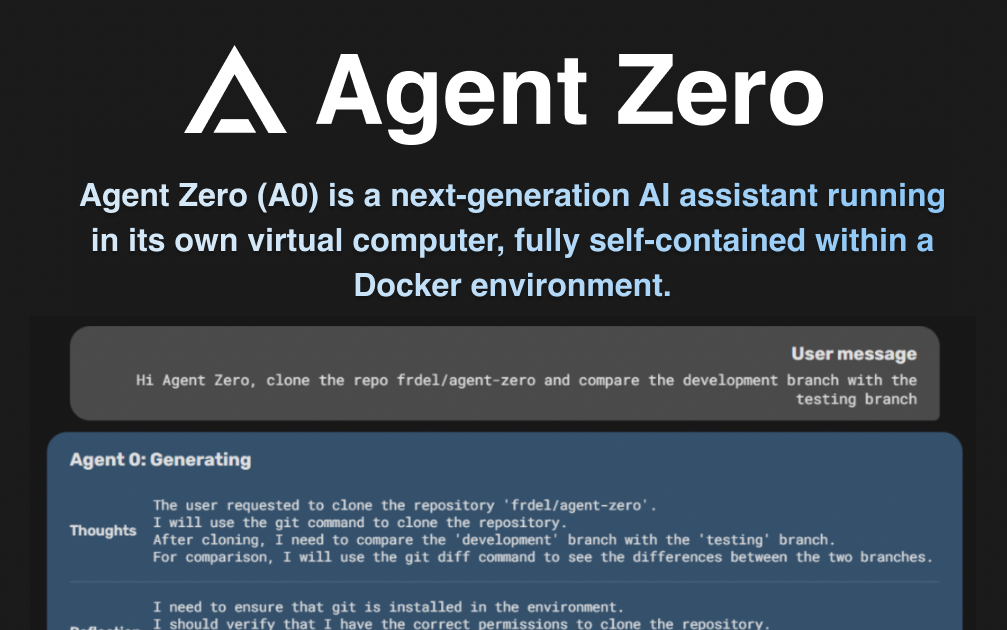
    Agent Zero: Deploy Your Own Autonomous AI Assistant in 60 Seconds Give your AI the ability to actually DO things, not just chat. Agent Zero is an open-source autonomous AI framework that writes code, executes commands, browses the web, and learns from every interaction - now available as a one-click CloudStation deployment. What Makes Agent Zero Different? True Autonomous Execution While other AI assistants just generate text, Agent Zero actively executes code, automates tasks, and gets real work done. It's like having a junior developer who never sleeps and gets smarter every day. No Waitlist, No Restrictions Stop refreshing your email for exclusive AI agent invites. Agent Zero is fully open-source and immediately available. Deploy it today and start delegating real tasks within minutes. Self-Improving Intelligence Unlike static chatbots, Agent Zero learns from every interaction, builds its own tools, and remembers your preferences. Your AI assistant becomes more capable and efficient over time. Real Tasks Agent Zero Handles Development & Coding "Build a REST API with authentication and deploy it" "Debug this Python script and optimize its performance" "Create a web scraper for competitor price monitoring" "Set up a CI/CD pipeline for my project" Data Analysis & Research "Analyze these CSV files and create visualizations" "Research the latest AI papers and summarize key findings" "Monitor social media for brand mentions and compile reports" "Extract insights from our sales data and identify trends" Automation & Workflows "Organize my Downloads folder by file type and date" "Create a system to backup important files daily" "Build an email classifier that sorts my inbox" "Automate my daily standup reports" Content & Creative Tasks "Generate a landing page with modern design" "Create social media content calendar with images" "Build an interactive dashboard for metrics" "Design a documentation site for my API" Key Capabilities That Set It Apart Multi-Language Code Execution Agent Zero doesn't just write code - it runs it. Python, JavaScript, bash scripts, and more. It debugs errors, optimizes performance, and delivers working solutions. Web Browser Control Need research done? Agent Zero browses the web, reads documentation, extracts data, and synthesizes information just like a human would. Tool Creation & Memory When Agent Zero solves a problem, it can save the solution as a reusable tool. Over time, it builds a personalized toolkit for your specific needs. Multi-Agent Orchestration Complex tasks? Agent Zero spawns specialized sub-agents, delegates work, and coordinates results - like having an entire team at your disposal. Why Deploy on CloudStation? Instant Production Environment Skip the Python dependencies, environment variables, and configuration headaches. CloudStation provides a pre-configured, optimized environment that just works. Secure Execution Sandbox Agent Zero executes real code, which requires proper security. CloudStation runs it in isolated containers with proper safeguards built in. Persistent Memory & Backups Your agent's learned knowledge and custom tools are automatically backed up. Never lose the intelligence your AI has built up. Team Collaboration Ready Share your AI assistant with team members instantly. Manage permissions, track usage, and collaborate on complex projects. Automatic Scaling As your usage grows, CloudStation automatically scales resources. No manual intervention needed. Perfect for Various Use Cases Startups & Small Teams Automate repetitive tasks without hiring Build MVPs and prototypes rapidly Handle customer support inquiries Generate marketing content at scale Developers & Engineers Accelerate coding with an AI pair programmer Automate testing and deployment Generate documentation automatically Debug and optimize existing code Data Scientists & Analysts Automate data cleaning and preprocessing Generate analysis reports on demand Build custom visualization tools Monitor data sources for anomalies Content Creators & Marketers Generate and schedule social media content Create landing pages and email campaigns Analyze competitor strategies Automate SEO optimization Advanced Features API Integration Ready Connect Agent Zero to your existing tools and services. It can interact with databases, APIs, and third-party services. Custom Model Support Use with OpenAI, Anthropic Claude, or run completely free with local Ollama models. Choose the AI brain that fits your needs and budget. Extensible Architecture Add custom tools, modify behaviors, and extend capabilities. Agent Zero grows with your requirements. Real-Time Learning Watch your AI assistant improve in real-time as it learns your preferences, coding style, and business processes. Getting Started is Simple Click Deploy - Launch Agent Zero on CloudStation in 60 seconds Configure Your AI - Choose your preferred language model Start Delegating - Give your first task and watch it work Build Your Toolkit - Let Agent Zero create custom tools for your workflow Why Teams Choose Agent Zero on CloudStation Immediate Value : Start automating tasks today, not after weeks of setup Cost Effective : One AI assistant that replaces multiple tools and services Always Available : 24/7 autonomous assistant that works while you sleep Continuously Improving : Gets smarter and more efficient with use Fully Managed : CloudStation handles updates, security, and infrastructure Transform Your Workflow Today Stop waiting for exclusive AI agent invites. Deploy Agent Zero on CloudStation and experience what it's like to have an AI that actually gets work done. From code generation to data analysis, from web automation to creative tasks - your autonomous AI assistant is ready to start working for you. Deploy Agent Zero Now - Your AI assistant awaits, no waitlist required. Agent Zero on CloudStation: Where AI meets action. Deploy in 60 seconds, delegate in 61.

    55 deployments

  • Crawl4AI | Web Scraping & Data Extraction

    CloudStation

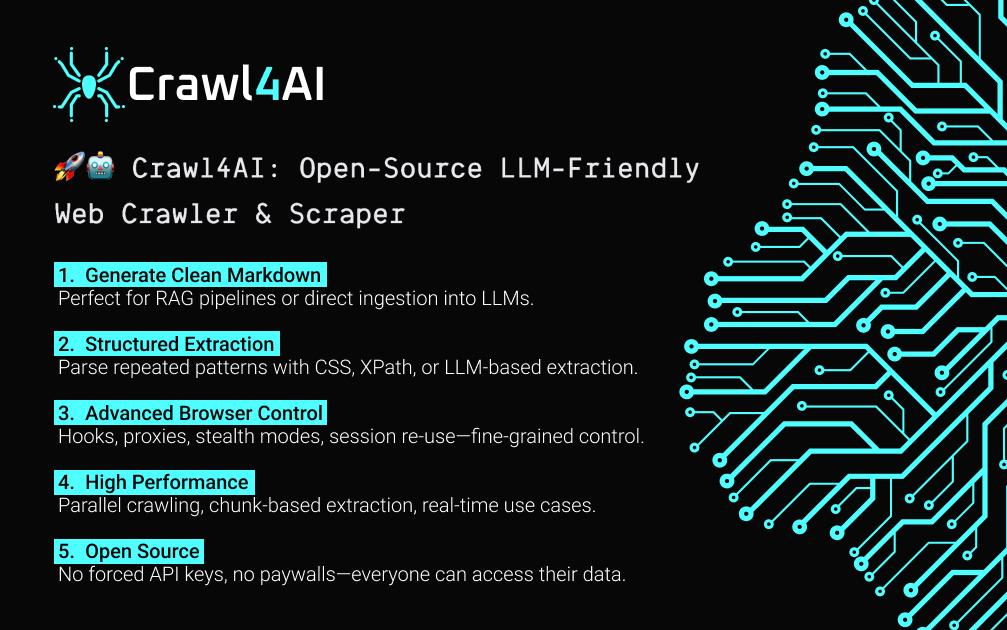
    One-Click Deploy Crawl4AI | AI-Powered Web Scraping & Automation Launch Crawl4AI instantly—a pre-built Docker template for scraping dynamic websites, extracting data, and automating tasks. No code, no setup. Deploy in seconds! Deploy Now → What is Crawl4AI? Crawl4AI is a pre-configured Docker image designed for AI-driven web scraping, data extraction, and workflow automation . Deploy it in one click on CloudStation to: Scrape JavaScript-heavy websites (e.g., React/Next.js apps) Extract structured data from HTML, PDFs, or dynamic content Automate repetitive tasks like price monitoring or lead generation Key Features Zero Configuration : Works instantly—no coding, API keys, or DevOps Dynamic Content Handling : Built-in Playwright and Puppeteer for infinite scroll, modals, and SPAs AI-Powered Extraction : Optional integration with OpenAI/Gemini to parse unstructured text (e.g., reviews, articles) Export & Integrate : Save data as CSV/JSON or auto-sync to Google Sheets, Airtable, or webhooks How to Use Crawl4AI Deploy : Click the Crawl4AI template on CloudStation Access Dashboard : Open the auto-generated URL to start scraping Run Tasks : Example 1 : "Scrape all products under $100 from BestBuy.com " Example 2 : "Extract phone numbers and emails from a directory site" Example 3 : "Monitor Twitter/X for trending keywords hourly" Built-In Tools Playwright : Used for scraping JavaScript-heavy sites (e.g., Next.js) BeautifulSoup : Fast HTML parsing for static pages Proxy Rotation : Avoid IP bans with automatic IP switching Scheduled Crawls : Daily/hourly scraping (e.g., stock prices) Who Uses Crawl4AI? Developers : Quickly gather datasets for ML/AI training Marketers : Track competitor prices, social trends, or SEO metrics Researchers : Extract data from journals, forums, or government sites Businesses : Automate lead generation or inventory monitoring Why Cloud-Station.io? One-Click Simplicity : Launch Crawl4AI faster than brewing coffee ☕ Scalable Infrastructure : Auto-scaling, SSL Free Trial : Start small, upgrade only when you scale Example Workflows 1. E-Commerce Price Monitoring Crawl product pages → Extract prices → Alert via email if prices drop 2. Real Estate Lead Generation Scrape Zillow → Export property details → Auto-upload to CRM 3. News Aggregation Extract headlines from 50+ news sites → Generate daily summaries with AI Get Started in 10 Seconds Visit CloudStation Click "Deploy" → Done! #WebScraping #DataAutomation #CloudStation #NoCodeAI

    53 deployments

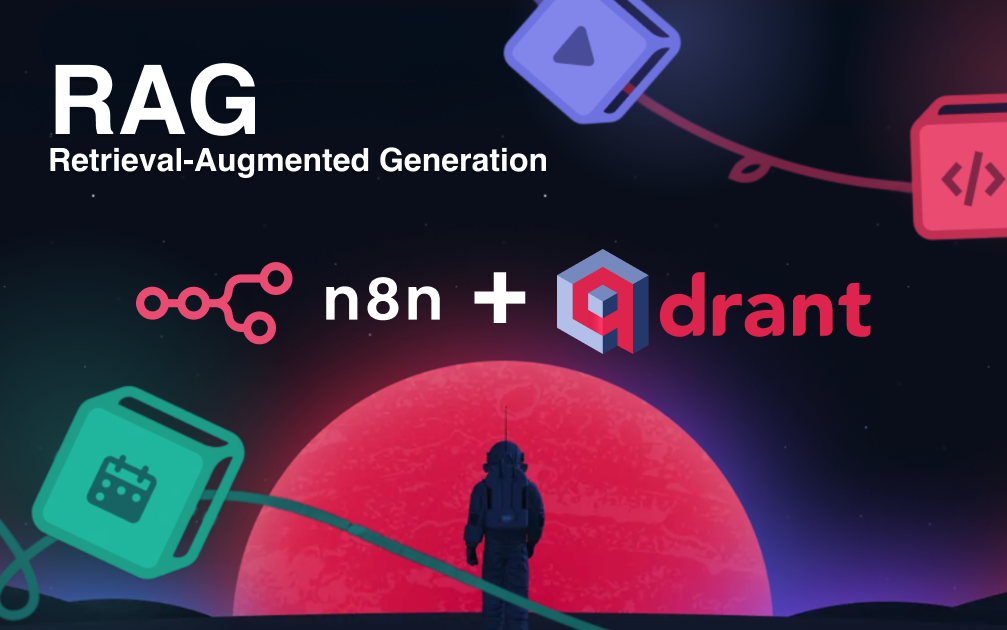
  • AI-Powered RAG Pipeline Template

    CloudStation

    AI-Powered RAG Pipeline Template: Build Semantic Search & LLM Chatbots with n8n + Qdrant Accelerate AI app development with this production-ready RAG (Retrieval-Augmented Generation) template, combining n8n's automation and Qdrant's high-performance vector search. Deploy context-aware AI chatbots, document search engines, or knowledge assistants in hours, not weeks—with no code. Why This Template? End-to-End RAG Workflow : Complete pipeline from document ingestion through vector embeddings to LLM response generation. Optimized for Scale : Qdrant handles thousands of queries per second while n8n orchestrates all workflow components. Customizable & Modular : Easily swap LLMs or modify components without rebuilding your entire application. Enterprise-Ready : Includes error handling, logging, and API endpoints for seamless integration. Setup Instructions Configure Qdrant Credentials in n8n : In n8n, navigate to "Credentials" Click "Create New" Search for "Qdrant" and select "QdrantApi" For the API key, locate the "QDRANT_SERVICE_API_KEY" in the CloudStation interface: Open your Qdrant CloudStation dashboard Click on the "Variables" tab Copy the value of "QDRANT_SERVICE_API_KEY" For the "Qdrant URL" field in n8n, use the expression: {{ $env.QDRANT_URL }} Note: You may see an "[ERROR: not accessible via UI]" message - this is expected as the URL is injected into the n8n environment Click "Save" to store your credentials Environment Variable Configuration : The QDRANT_URL environment variable is automatically injected into the n8n container No additional configuration is needed for this variable #RAG #QDRANT #N8N

    52 deployments

  • Dify

    CloudStation

    Dify Deploy Dify on CloudStation Without Managing Servers What is Dify? Dify is an open-source LLM app development platform for building AI workflows, chat apps, agents, RAG pipelines, and API-backed AI applications. It combines a visual workflow builder, model management, knowledge features, and observability-oriented tooling so teams can move from prototype to production faster than stitching the stack together by hand. Deploy Dify on CloudStation when you want self-hosted control over your AI application layer without spending your time on Docker Compose, reverse proxy setup, database wiring, Redis, SSL, backups, or multi-service hosting work. It is a strong fit for teams that want a visual AI builder with more ownership than SaaS-only AI app platforms. Best For and Not Best For Best for: teams building internal copilots, RAG apps, AI workflows, agentic apps, and API-backed AI features with a visual interface and bring-your-own-model approach. Not best for: teams that only need a simple AI chat interface. If the main goal is a private ChatGPT-style workspace rather than app building, Open WebUI is usually the better fit. Why Teams Choose Dify Visual AI Workflow Builder Build and test AI workflows on a visual canvas instead of wiring every step in code Connect prompts, tools, branching logic, datasets, and model calls in one interface Reduce the overhead of hand-building orchestration for every AI use case RAG, Knowledge, and Agent Capabilities Create document-aware apps with built-in RAG pipeline features Define agents with tool use for search, retrieval, and workflow tasks Use Dify for internal knowledge assistants, support bots, content workflows, and product features Model and API Flexibility Connect many proprietary or open-source LLMs, including OpenAI-compatible models Bring your own provider accounts instead of locking model spend into one builder Publish apps and corresponding APIs so Dify can fit into product and operations workflows From Prototype to Production Use monitoring and application logs to improve prompts, datasets, and workflows over time Support technical teams that want faster AI delivery without giving up deployment control Use self-hosting when AI data flow, ownership, and infrastructure choices matter Dify vs Alternatives Dify vs LangChain : Choose Dify when you want a visual AI workflow builder instead of writing and maintaining orchestration code for every app pattern. Dify vs Flowise or Langflow : Choose Dify when you want a broader platform with workflows, knowledge, apps, APIs, and operational tooling in one product layer. Dify Cloud vs self-hosted Dify : Choose CloudStation when you want Dify on infrastructure you control, with your own domains and deployment environment. Why Deploy Dify on CloudStation? Remove the setup burden : Dify is more than one simple container. CloudStation removes the friction of getting a multi-service AI stack live. Better fit for self-hosted AI builders : Use CloudStation when you want Dify hosting without manually managing Docker Compose files, app services, and supporting infrastructure. Built for operationally heavier templates : Dify often needs app services plus stateful components, so managed deployment matters more here than it does for a lightweight single-app tool. Pricing and Plan Fit 🚀 CloudStation Essential Plan : $58.33/month total ✓ 4 app deployments ✓ 10GB storage per app ✓ Preview environments for testing ✓ Email support ✓ Custom domains with free SSL ✓ Docker support ✓ Automatic backups and monitoring Why Essential? Dify is a multi-service AI platform. A practical deployment can involve app services and supporting components such as a database, Redis, workers, or storage layers. CloudStation Essential is the better fit when the template needs more room than a simple single-app deployment. Common Dify Use Cases RAG chatbot builder : Build document-aware assistants for support, internal knowledge, or customer-facing use cases. Visual AI workflow builder : Launch multi-step AI automations without maintaining every orchestration pattern in code. Agent platform for operations : Create tool-using agents for search, retrieval, and internal process assistance. API-backed AI features : Publish Dify apps and APIs for product teams that need AI features in real software. FAQ Is Dify open source? Yes. Dify positions itself as an open-source LLM app development platform. Can Dify be self-hosted? Yes. Dify documentation and GitHub materials include self-hosting guidance, with Docker Compose presented as the easiest way to start. What is Dify best for? Dify is best for teams that want to build AI apps, workflows, RAG experiences, and agents with a visual interface and API output. Is Dify a ChatGPT alternative? Sometimes, but that is not the full story. Dify can power chat apps, but its bigger value is building and operating AI workflows and applications, not only chat. Start Building AI Apps If you are searching for self-host Dify , Dify hosting , deploy Dify without managing servers , or visual AI workflow builder , this CloudStation template is built for that intent. Launch Dify, connect your model providers, build your workflows, and ship AI applications with less DevOps overhead. Deploy Dify Now → Visual AI workflows. Self-hosted control. Less infrastructure work. Dify on CloudStation: a self-hosted AI app builder for teams that want workflows, RAG, agents, and API publishing without running the deployment stack by hand.

    46 deployments

‹123›