CloudStation
  • How it works
  • Use cases
  • Solo foundersAn assistant that answers your customersStartupsSales, support and research without new hiresAgencies and studiosMore client work from the same teamCTOsAgents behind your own softwareEnterpriseThe whole platform on your own servers

    Industries

    Media and entertainmentResearch and academiaHealthcareFinancial servicesEducationE-commerce and retail
  • Templates
  • Pricing
  • Blog
  • Changelog
Start with Charlie
  • How it works
  • Use cases
  • Templates
  • Pricing
  • Blog
  • Changelog

Built for

  • Solo founders
  • Startups
  • Agencies and studios
  • CTOs
  • Enterprise

Industries

  • Media and entertainment
  • Research and academia
  • Healthcare
  • Financial services
  • Education
  • E-commerce and retail
Start with Charlie

Template store

Ready-made apps, set up by Charlie.

Databases, CRMs, analytics, support desks and workflow tools. CloudStation hosts each one with its own address, storage and logs. Deploy an app yourself, or ask Charlie to set it up for your team.

Browse the appsStart with Charlie
Template storeMost deployed
  1. Picked from the store
  2. Set up by Charlie
  3. Running

The catalog

Search the apps, or browse by category.

Sorted by how often each app has been deployed. Open one to read what it does and deploy it.

How it works

From the store to a working address.

  1. 01

    Pick an app

    Search by name or open a category. Each page says what the app does and how many times it has been deployed.

  2. 02

    Deploy it yourself

    Deploy opens the template in your CloudStation workspace. Fill in the settings it asks for and start it.

  3. 03

    Or ask Charlie

    Tell Charlie which app you want and what your team will use it for. Charlie sets it up and reports back in the thread.

  4. 04

    Share the address

    The app gets its own web address. Point your own domain at it when you want, and CloudStation sets up SSL.

Running today

A sales team's CRM runs on one of these apps.

Twenty CRM is in the store. One sales team runs it on CloudStation, and eight agents work in it.

They find companies, research them, find the decision maker and draft the first email. A person on the team approves every email.

AI CRM for a sales team, on Twenty

  1. 01Company scout
  2. 02Account researcher
  3. 03People finder
  4. 04Outreach writer
  5. 05Follow-up keeper
  6. 06Daily reporter
  7. 07Product expert
  8. 08Coordinator

A person approves each email before it is sent.

Hosting

What every app gets.

The same hosting your own apps get when Charlie builds them.

  • Data that survives restarts

    A storage volume keeps the app's data across restarts and redeployments.

  • Logs in your workspace

    Read the app's logs from your workspace when something looks wrong.

  • Every deployment listed

    The deployment history shows what changed and when.

  • From 1 app to 16

    Basic hosts 1 app, Essential 4, Pro 9 and Team 16. Pricing has the current prices.

Questions

About the apps.

Who makes these apps?

Most are open-source projects, packaged so they start on CloudStation. Each template page shows who packaged it and links to the project when there is a link.

What does it cost to host one?

Hosting comes with the cloud plans. Basic runs 1 app, Essential 4, Pro 9 and Team 16. The pricing page has the current prices.

Can Charlie work inside the app once it runs?

That depends on the app. Charlie works with an app through its API or a connected tool, the way a sales team's eight agents work in their Twenty CRM. Ask Charlie about the app you have in mind before you deploy it.

Is my data kept when the app restarts?

Yes. Data on the app's storage volume stays through restarts and redeployments. A volume is not a backup, and deleting the app deletes its data.

The app I need is not in the store. What now?

CloudStation also runs apps from a Docker image or a Git repository. Tell Charlie what you need and it can deploy one, or build the tool for you.

Tell Charlie which app your team needs.

Name the app and what it is for. Charlie sets it up on CloudStation, and your team opens it at its own address.

Start with Charlie


CloudStation

Charlie runs a team of AI specialists on CloudStation. Work starts from a customer message, a schedule or your own app, and Charlie asks you only when it matters.

Products
  • How it works
  • Use cases
  • Tools
  • Pricing
  • Enterprise
Resources
  • Template Store
  • Use case videos
  • Changelog
  • Blog
  • Careers
  • FAQ
Legal
  • Privacy Policy
  • Terms & Conditions
  • Refund Policy
  • Cancellation Policy
  • Data Processing Agreement

©2026 CloudStation

Template storeMost deployed
  • Evolution Api
  • Bolt.new
  • N8N Advanced
  • N8N Light
  • Redis
  • PostgresSQL
  1. Picked from the store
  2. Set up by Charlie
  3. Running

https://evolution-api-•••.cloud-station.apphttps://bolt-•••.cloud-station.apphttps://n8n+worker-•••.cloud-station.apphttps://n8n-•••.cloud-station.apphttps://redis-•••.cloud-station.apphttps://postgres-•••.cloud-station.app

1 app

All apps 79Dev & Deployment 37AI & Automation 30Data & Databases 20Customer & Marketing 15Communication 14Business & Finance 7Security & Auth 3Content & CMS 2Other 1
  • Horilla HR

    CloudStation

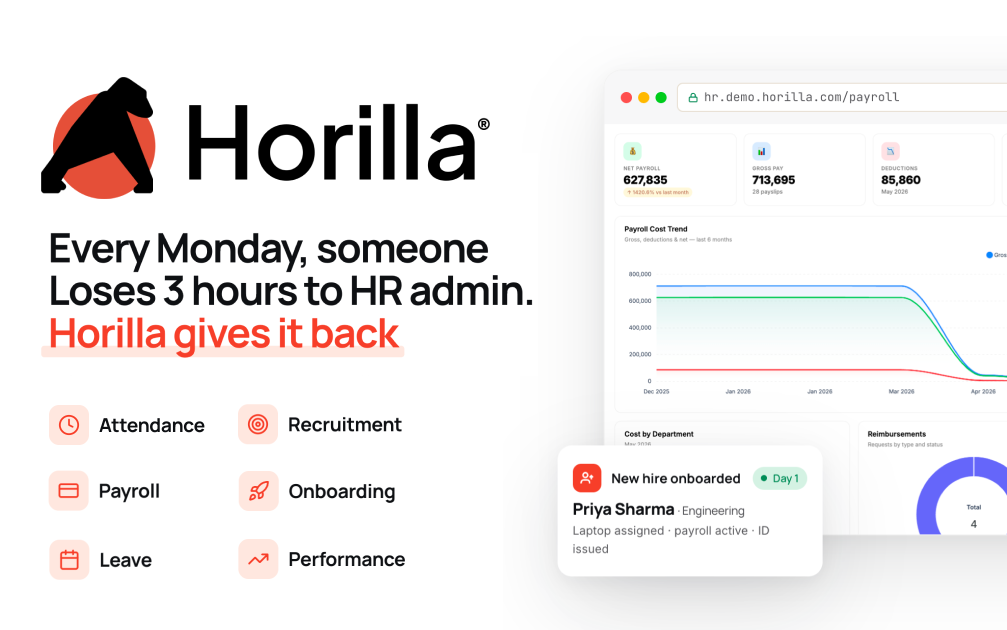
    Horilla HR Deploy Horilla HR on CloudStation Without Managing Servers What is Horilla HR? Horilla is a free, open-source human resource management system (HRMS) built with Django. It covers the whole employee lifecycle in one place: recruitment, onboarding, attendance, leave, payroll, performance, assets, offboarding and an HR helpdesk. It is licensed under LGPL-2.1. Deploy Horilla on CloudStation when you want your own HR system without setting up Postgres, Redis, a background scheduler and HTTPS yourself. This template ships Horilla 2.1.8 in production mode with PostgreSQL 16, Redis and the job scheduler that runs payroll and backups, all wired together, with persistent volumes for your records and uploaded documents. ⚠️ Before you start: No account exists after deploy. Open your Horilla link, click Initialize Database , and enter the setup password stored in the horilla service's environment variables as DB_INIT_PASSWORD . It is generated for each deployment, so nobody else can claim your install. Then create your administrator and company. Best For and Not Best For Best for: small and mid-sized companies, HR teams and agencies who want one HR system for employees, leave, attendance and payroll with the data on a server they control. Not best for: companies that need a vendor-certified payroll engine for a specific country's statutory filings. Check that Horilla's payroll rules fit your jurisdiction before relying on them. Why Teams Choose Horilla Hire and Onboard Recruitment pipeline from job posting to offer Onboarding and offboarding checklists Employee profiles, documents and org structure Time and Leave Attendance tracking with check-in and check-out Biometric device integration Leave policies, balances and approval flows Pay and Performance Payroll with allowances, deductions and payslips Goals, reviews and continuous feedback Asset tracking and an HR helpdesk Horilla vs Alternatives Horilla vs BambooHR : Choose Horilla when you want a full HRMS without per-employee subscription fees and with your data on your own server. Horilla vs OrangeHRM : Choose Horilla when you want payroll, recruitment and helpdesk in the open-source edition rather than in paid add-ons. Horilla vs Odoo HR : Choose Horilla when you want a dedicated HR system instead of a full ERP. Why Deploy Horilla on CloudStation? Production settings out of the box : Debug is off, the secret key and setup password are unique to your deployment, and the site only answers on its own address. Background jobs included : The scheduler that runs payroll batches and backups runs alongside the web app. HTTPS handled for you : CloudStation provides SSL on your web address. Data that persists : Volumes keep the database and uploaded documents across restarts and redeploys. Common Horilla Use Cases Replacing spreadsheets : Move employee records, leave and attendance into one system. Leave and attendance : Let employees request leave and managers approve it. Hiring : Track candidates through each stage and onboard them when they accept. Payroll runs : Generate payslips from attendance and contract data. FAQ Is Horilla free? Yes. Horilla is open source under the LGPL-2.1 license. You pay only for the CloudStation resources it runs on. How do I log in the first time? Open your Horilla link, click Initialize Database, and enter DB_INIT_PASSWORD from the horilla service's environment variables. The wizard then creates your administrator account and company. Which time zone does it use? UTC by default. Set TIME_ZONE on the horilla service and redeploy to change it. Can it send emails? Yes, after you add your mail server in Horilla's settings. Start Managing HR With Horilla If you are searching for self-host Horilla , Horilla HRMS hosting , an open-source HR system , a BambooHR alternative or self-hosted payroll and leave management , this CloudStation template is built for that intent. Deploy Horilla HR Now → Full HRMS. Your own server. Zero server management.

    7 deployments