Template Store
Deploy Production-Ready Apps in Minutes
Browse community templates for AI, web services, databases, and more. One click to deploy on CloudStation.
Browse community templates for AI, web services, databases, and more. One click to deploy on CloudStation.
72 templates


Evolution API: Open-Source WhatsApp Business IntegrationDeploy a production-ready WhatsApp Business API in 60 seconds. Connect directly to WhatsApp protocols without per-message fees or vendor lock-in.What Makes Evolution API Different?Direct WhatsApp Protocol Connection Unlike expensive API services, Evolution API connects directly to WhatsApp servers - no middleman fees or message limits.Complete Cost Control Unlimited messaging for one flat monthly rate. No per-message charges that scale with your business success.Enterprise-Ready Features Multi-instance management, webhook automation, media handling, and contact management - all included.Core CapabilitiesMulti-Instance Management - Run multiple WhatsApp business numbers from one deploymentREST & GraphQL APIs - Complete programmatic access to all WhatsApp functionsWebhook Integration - Real-time notifications for messages, status changes, and interactionsMedia Support - Send/receive images, documents, audio, video, and location dataGroup & Broadcast Management - Handle WhatsApp groups and customer broadcast listsContact & Conversation History - Full customer communication tracking and analyticsPerfect ForE-commerce: Order confirmations, shipping updates, customer supportSaaS Companies: User onboarding, support tickets, product notificationsService Businesses: Appointment booking, reminders, customer follow-upsDigital Agencies: WhatsApp solutions for clients without recurring API costsTechnical SpecificationsStack: Node.js/TypeScript backendDatabase: PostgreSQL, MySQL, or MongoDB supportArchitecture: Docker containerized for reliable deploymentSecurity: End-to-end encryption, API key authentication, audit loggingIntegrations: Comprehensive webhook system with custom payloadsCloudStation Benefits✓ One-Click Deployment - Production-ready in 60 seconds✓ SSL & Monitoring - Enterprise security and uptime tracking included✓ Automatic Scaling - Resources scale with your message volume✓ Backup & Recovery - Automated data protection and disaster recovery✓ Team Access - Multi-user management with role-based permissionsPricingCloudStation Hosting: $17.99/monthUnlimited WhatsApp messagesAll Evolution API features includedSSL certificates and domain managementMonitoring, backups, and automatic scalingCompare to Traditional Providers:Twilio WhatsApp API: $100-500/month for same message volumeWhatsApp Business API: $500-2000/month minimumYou save $482-1982/month with Evolution APIQuick StartDeploy - Click deploy to launch Evolution API on CloudStationConnect - Scan QR code to link your WhatsApp Business numberConfigure - Set up webhooks and API endpoints for your systemsIntegrate - Start sending messages through REST API or webhooksDocumentation & SupportComplete API documentation with code examplesWebhook configuration guidesMulti-instance setup tutorialsActive community forum and GitHub repositoryDeploy NowTransform your customer communication with unlimited WhatsApp messaging at a fraction of traditional API costs.Evolution API on CloudStation: Direct connections. Unlimited messaging. $17.99/month.

Deploy Bolt.diy: The Ultimate BOLT.new Fork for AI-Powered Web DevelopmentOne-Click Deploy Template for Bolt.diyTransform the powerful Bolt.diy into your personal AI-powered development environment with a single click. This template lets you instantly deploy your own instance with support for multiple AI models.Getting StartedIf the LLM modules do not load, try reloading the page or clearing the cache and performing a hard reload of the page.⚠️ Important: API Key ConfigurationFree LLM API resources : https://github.com/cheahjs/free-llm-api-resourcesRequired Environment VariablesYou must configure at least one AI provider's API key in your environment variables tab after deployment. Here are the available providers and their required variables:# Core AI Providers OPENAI_API_KEY # OpenAI (GPT models) ANTHROPIC_API_KEY # Anthropic (Claude models) GROQ_API_KEY # Groq GOOGLE_GENERATIVE_AI_API_KEY # Gemini # Additional Providers OPEN_ROUTER_API_KEY # OpenRouter DEEPSEEK_API_KEY # DeepSeek MISTRAL_API_KEY # Mistral HuggingFace_API_KEY # HuggingFace XAI_API_KEY # xAI/Grok COHERE_API_KEY # Cohere Updating API KeysAfter your initial deployment, you can add or modify API keys through the Variables tab:Navigate to your application's Variables tabAdd your new API key(s) to enable additional AI providersClick "Redeploy" for changes to take effectWhy Choose This Template?Real-time Execution: See your applications executed instantly, streamlining the development processMulti-Model Support: Freedom to choose and switch between different AI modelsBrowser-Based: Complete development environment in your browserIntegrated Debugging: Debug errors as they occurPerfect ForDevelopers: Who want to experiment with different AI modelsStartups: Needing quick deployment of AI-powered development toolsTeams: Who want to use specific AI providersEducators: Teaching web development with customizable AI assistanceSupported FeaturesChoose between multiple AI modelsInstall and run npm packagesExecute Node.js serversInteract with external APIsDeploy to production from chatShare via URLDownload projects as ZIPPublish directly to GitHubLocal folder sync supportExperience the synergy of Bolt.new on CloudStation—your gateway to customizable AI-powered web development.#NoCode #WebDevelopment #CloudStation #FullstackSolutions #AIDevToolsBased on the bolt.diy fork of bolt.new Deploy your own instance and start building with your preferred AI models today!

N8N Advanced: High-Performance Self-Hosted AutomationOptimized n8n Setup with Redis Caching and Worker ManagementExperience enhanced performance and reliability with our advanced n8n configuration, designed for teams running complex automation workflows at scale.Key Features:PostgreSQL Database - Reliable workflow and execution data storageRedis Caching - Improved execution speed and response timesQueue Workers - Efficient parallel workflow processingEnhanced Webhook Management - Better handling of incoming triggersReal-time Execution - Live workflow status trackingAdvanced Recovery - Improved failure handling and retriesPerfect For:High-volume automation needsTeams requiring reliable performanceComplex multi-step integrationsProduction-grade workflowsCloudStation Advantages:Pre-configured PostgreSQL and Redis setupOptimized worker configurationEnhanced reliability for critical workflowsFlexible resource scalingSimplified maintenance#WorkflowAutomation #SelfHosted #Redis #Integration #AutomationAtScale #n8n

N8N Light: Streamlined Self-Hosted AutomationEssential n8n Setup for Individual Users and Small TeamsGet started quickly with a simplified n8n deployment that includes all core automation capabilities in an easy-to-manage package.Key Features:PostgreSQL Backend - Reliable workflow storageStandard Webhooks - Basic trigger handlingCore Automation - Essential workflow executionBasic Recovery - Standard error handlingDirect Access - Built-in database managementPerfect For:Individual developersSmall business automationTesting and developmentBasic workflow requirementsCloudStation Advantages:One-click deploymentMinimal configuration neededCost-effective solutionSimple upgrade path to Advanced#WorkflowAutomation #SelfHosted #Automation #n8n #CloudStation #Development
Supercharge Your Data Handling with Redis on CloudstationDeploy Redis on Cloudstation to elevate your data management capabilities with a high-performance, in-memory data store. Redis is an open-source, advanced key-value store, known for its speed and efficiency in handling vast amounts of data with low latency. It supports various data structures such as strings, hashes, lists, sets, sorted sets with range queries, bitmaps, hyperloglogs, and geospatial indexes with radius queries.Redis is ideal for use cases such as caching, session management, pub/sub, and real-time analytics. Its ability to perform atomic operations on these data types supports complex transactions and enhances overall application responsiveness. Hosting Redis on Cloudstation provides a scalable, secure environment that maximizes the performance of your Redis deployments, ensuring reliability and speed in your critical applications.Opt for Redis on Cloudstation for a robust data management solution that delivers unparalleled speed, flexibility, and scalability, enhancing your applications' performance and user experience.

Leverage Advanced Database Capabilities with PostgreSQL on Cloudstation Deploy PostgreSQL on Cloudstation to access a powerful, open-source object-relational database system renowned for its reliability, robust features, and high performance. With over 35 years of active development, PostgreSQL offers an advanced database solution that supports complex structures and extensive data operations. Ideal for projects demanding a dependable database with a proven track record, integrating PostgreSQL with Cloudstation provides a scalable, secure environment for your data management needs. Elevate your database infrastructure with PostgreSQL on Cloudstation for unmatched reliability and performance.
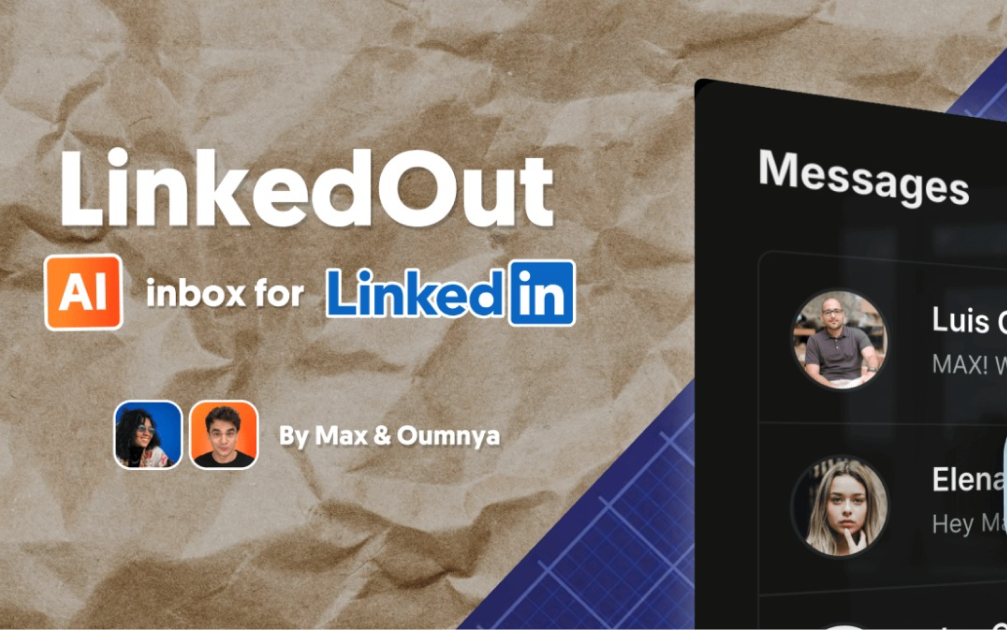

LinkedOut - AI-Powered LinkedIn InboxLinkedOut was built to help manage hectic LinkedIn inboxes on mobile and desktop. It includes AI draft replies and static text snippets library, making it a nimble assistant without being ChatGPT. Front-end built with Next.js, TypeScript, and Tailwind CSS. Backend runs on n8n and PocketBase. Clone it, tweak it, make it yours.FeaturesAI-powered message draftsResponsive design for mobile and desktopBeautiful UI with dark mode supportSecure authenticationSetup wizard to deploy backend and set up databaseOpen source: Self-host it, fork it.Known OutscopeEmoji reactions will not showGroup threads do not show (only Classic LinkedIN inbox, no Sales navigator either). Should be easy to tweak.Draft reply only takes previous message (and name) as context.Text Snippets can be Created/ Updated / Deleted via PocketBase, not yet in-app.FrontendFramework: Next.js (App Router)Language: TypeScriptStyling: Tailwind CSSUI Components: shadcn/uiAuthentication: Custom auth with JWTBackendDatabase & Auth: PocketBaseWorkflows as Backend: n8n via webhook endpoints, and n8n api for /setupLinkedIn API Access: UnipilePrerequisitesn8n instance for automation workflows. Get 50% off n8n cloud for 12 months with MAX50. Enter coupon after free trial when choosing a plan.A Unipile account for LinkedIn API access. Get 50% off Unipile for 3 months with MAXFROMN8N code (message support with code after sign up)InstallationWatch a set up video on YouTube.Via CloudStation TemplateSet up the one-click LinkedOut + PocketBase template on CloudStation: CloudStation LinkedOut Template. You'll need an n8n instance ready by this step.Open LinkedOut front end from CloudStation dashboard and sign in with PocketBase superuser credentials (see them in PocketBase deployment env variables in CloudStation dashboard)Complete the setup wizard (go to /setup if you get redirected to /inbox)Open your n8n workflows and replace any AI model steps with your own (not yet part of setup flow).
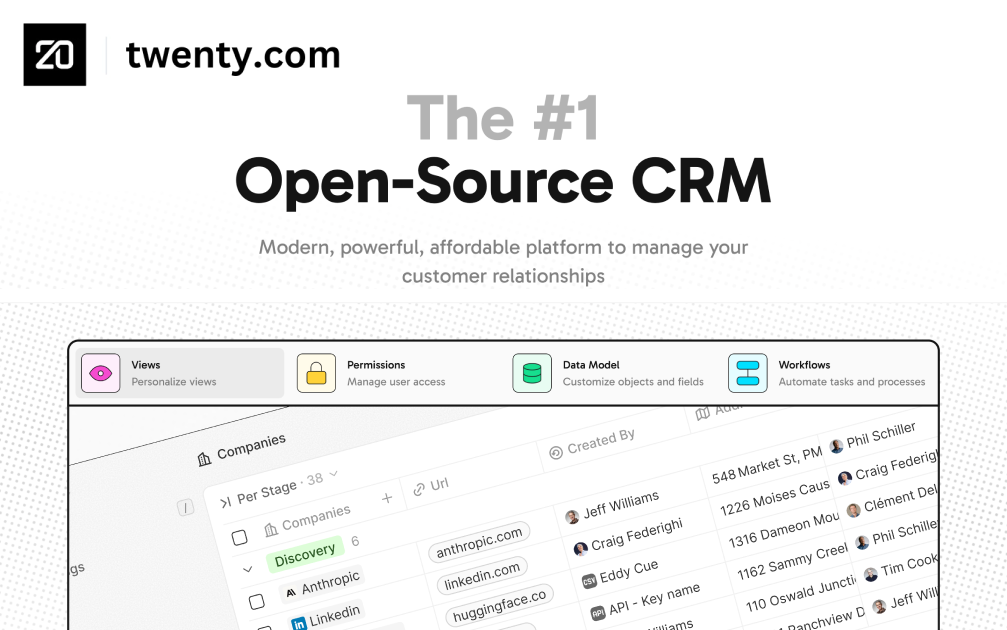

TwentyDeploy Twenty on CloudStation Without Managing ServersWhat is Twenty? Twenty is an open-source CRM positioned as an alternative to Salesforce and designed for modern technical teams. It gives teams CRM building blocks such as objects, views, workflows, and agents, and it can be self-hosted with Docker Compose for organizations that want more control over their CRM stack.Deploy Twenty on CloudStation when you want a self-hosted CRM without setting up servers, databases, domains, SSL, backups, or Docker deployment by hand. It is a strong fit for startups and technical teams that want CRM ownership, a modern interface, and a cleaner path than committing to a heavyweight enterprise CRM from day one.Best For and Not Best ForBest for: startups, agencies, consultants, and technical teams that want a modern self-hosted CRM, stronger data control, and room to shape workflows over time.Not best for: organizations that primarily want a fully managed all-in-one marketing suite or the deepest enterprise CRM ecosystem. In those cases, HubSpot or Salesforce may still be the better fit.Why Teams Choose TwentyModern Open-Source CRM FoundationManage companies, contacts, opportunities, notes, and team workflow in one systemMove beyond spreadsheets or scattered tools to a dedicated CRM workspaceChoose an open CRM direction when long-term ownership mattersBuilt for Technical TeamsTwenty describes itself as the CRM you build, ship, and version like the rest of your stackUse objects, views, workflows, and agents as building blocks for your CRM processSupport teams that want a CRM they can shape rather than only rentPipeline and Relationship ManagementTrack leads, deals, next steps, and account context in one placeUse it for sales pipeline management, partnerships, recruiting, or client operationsKeep follow-ups visible and customer context shared across the teamData Control Without the DIY PainKeep CRM data on infrastructure you controlDeploy on your own CloudStation domain with hosted Docker support and backupsUse self-hosting when ownership and flexibility matter more than default SaaS convenienceTwenty vs AlternativesTwenty vs Salesforce: Choose Twenty when you want a modern open-source CRM and do not need Salesforce's broad enterprise ecosystem and admin complexity.Twenty vs HubSpot: Choose Twenty when CRM ownership and self-hosting matter more than bundled hosted marketing tools.Twenty vs Pipedrive or other SaaS CRMs: Choose Twenty when you want a self-hosted CRM foundation instead of another per-user subscription product.Why Deploy Twenty on CloudStation?Skip manual CRM hosting: CloudStation gives you a faster route than self-managing Twenty with Docker Compose, database setup, domains, and SSL on your own.Good starting point for self-hosted CRM: Use CloudStation when you want the control of self-hosting without turning CRM deployment into an ops project.Practical for growing teams: Get to a real CRM environment faster, then adapt your workflow as the team grows.Pricing and Plan Fit🚀 CloudStation Basic Plan: $17.99/month total for a standard single-app marketplace deployment✓ 1 app deployment✓ 10GB storage✓ 1 vCPU and 2GB RAM per app✓ Custom domains✓ Free SSL✓ Docker support✓ Automatic backupsDeployment note: Use Basic when the CloudStation Twenty template is packaged as a standard marketplace deployment. If your implementation separates additional services or needs more room, Essential or higher is the safer fit.Common Twenty Use CasesOpen-source Salesforce alternative: Give your team a CRM it can run on infrastructure it controls.Self-hosted CRM for startups: Start with a focused CRM before jumping into a larger enterprise suite.CRM data control: Keep customer relationship data in your own environment.Technical-team CRM foundation: Use a CRM designed for teams that care about extensibility and stack ownership.FAQIs Twenty open source?Yes. Twenty positions itself publicly as an open-source CRM and the open alternative to Salesforce.Can Twenty be self-hosted?Yes. Its GitHub documentation describes self-hosting on your own infrastructure with Docker Compose.Who is Twenty best for?Twenty is best for technical teams and growing companies that want a modern CRM with more ownership and flexibility than a typical SaaS-only CRM.Is Twenty a full Salesforce replacement for every enterprise?No. It is strongest for teams that want an open CRM foundation, not for every enterprise requirement covered by Salesforce's broader ecosystem.Start Owning Your CRMIf you are searching for self-host Twenty, Twenty CRM hosting, open-source Salesforce alternative, or deploy Twenty without managing servers, this CloudStation template is built for that intent. Launch Twenty, import your data, add your team, and run your CRM in an environment you control.Deploy Twenty Now → Modern CRM. Self-hosted control. Less infrastructure work.Twenty on CloudStation: a modern self-hosted CRM for teams that want an open Salesforce alternative without running the deployment stack by hand.
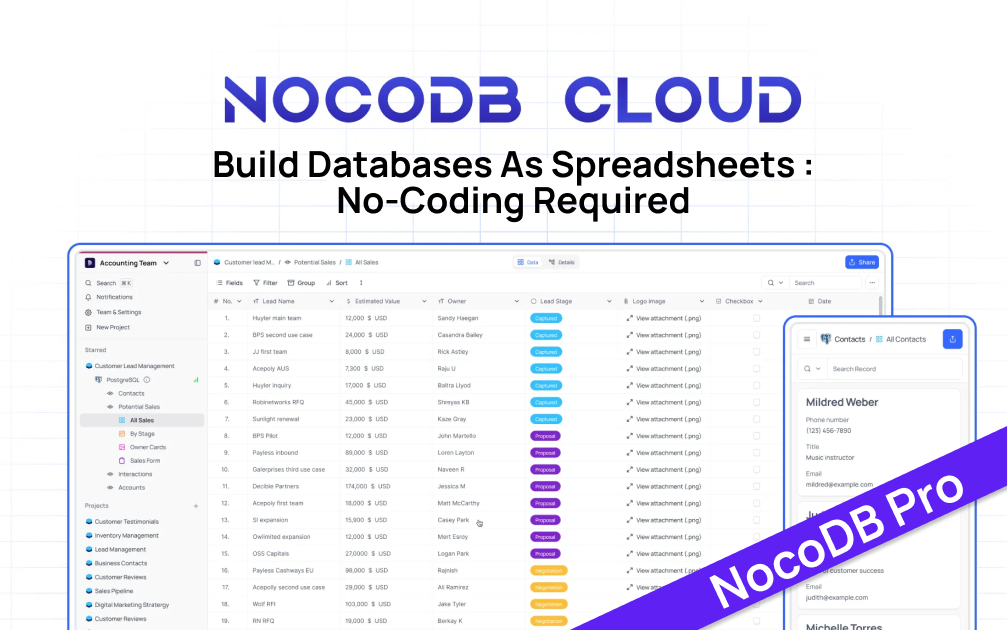
Scalable Data Management for Growing BusinessesNocoDB Pro offers enterprise-grade features built on PostgreSQL, designed for larger datasets and complex operations.Key Features:PostgreSQL backend for enhanced performance and scalabilityRedis caching for improved query performanceAdvanced data integrity and relational database capabilitiesSupport for millions of records per tableMulti-user collaboration toolsIdeal for:Growing startups and SMEsData-intensive applicationsTeams requiring robust data management solutionsCloudStation Advantages:One-click deployment of preconfigured PostgreSQL and Redis setupEasy scalability to accommodate growing data needsEnhanced security features for sensitive data#EnterpriseDatabase #PostgreSQL #RedisCaching #DataManagement #airtable
High-Performance Object Storage with CloudStation's 1-Click DeployMinIO is an open-source object storage solution designed for cloud-native applications and provides high performance, scalability, and reliability.Why Choose This Template?High Performance: MinIO is engineered for high performance, ensuring faster data access and throughput.Scalability: MinIO scales out with ease, handling large-scale data operations efficiently.Reliability: Known for its robust performance, MinIO is trusted by enterprises for its reliability.CloudStation Integration: Seamlessly deploy MinIO on CloudStation with improved management and functionality.CloudStation Advantages:One-Click Deployment: Simplify your setup process with CloudStation's easy, one-click deployment feature.Scalability: Benefit from CloudStation's scalable infrastructure to handle your data growth.Cost-Effectiveness: Manage your budget better with CloudStation's cost-effective services.Easy Integration: Integrate MinIO effortlessly with other CloudStation tools and services.Perfect For:Developers: Who need robust and scalable object storage for their cloud-native applications.Enterprises: Looking for a reliable and high-performance object storage solution.Data Scientists: Managing large datasets that require scalable and quick access storage.Deploy MinIO on CloudStation to enhance your data management with high-performance and reliability, ensuring seamless operation and scalability for your applications.#objectstorage #cloudcomputing #highperformance #scalablestorage #S3
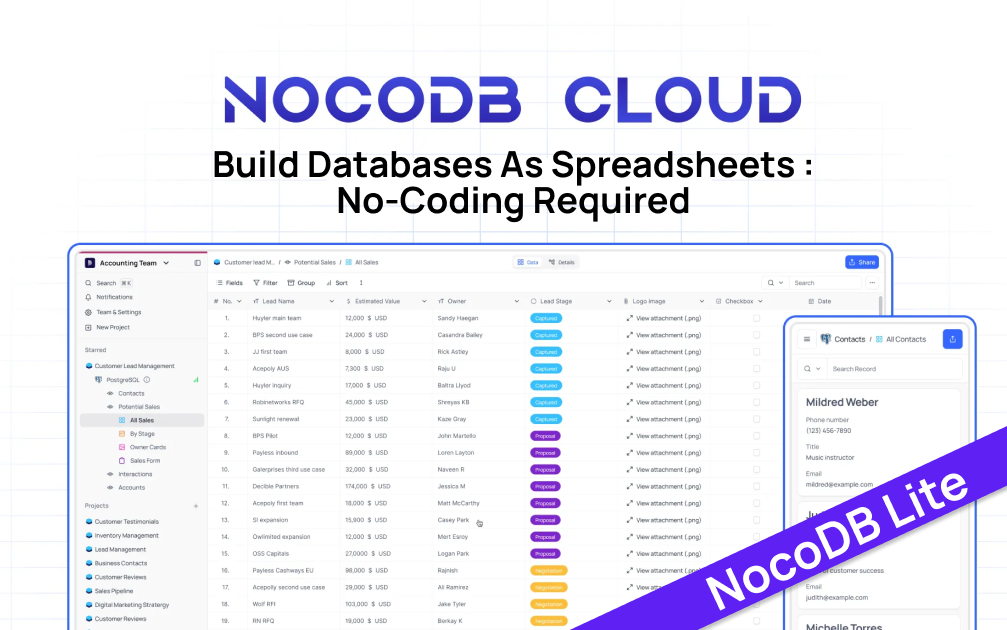
NocoDB Lite: Efficient No-Code Database for Small ProjectsNocoDB Lite is an open-source, spreadsheet-like database solution, ideal for small to medium-sized projects.Key Features:SQLite backend for simplicity and portabilityIntuitive spreadsheet interface for easy data managementRESTful APIs for programmatic accessSuitable for up to 10,000 records per tablePerfect for:Indie developers and startupsSmall business data managementPrototyping and MVPsCloudStation Advantages:One-click deployment for instant setupAutomatic updates and maintenanceIntegrated with CloudStation's ecosystem#OpenSource #NoCodeDatabase #SQLite #CloudComputing #Airtable
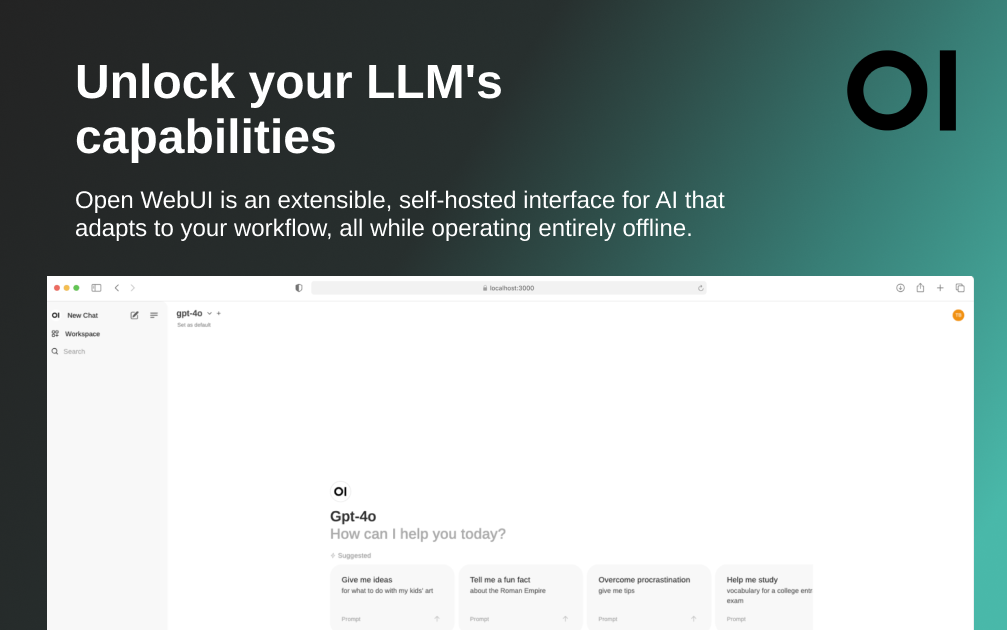

Open WebUIDeploy Open WebUI on CloudStation Without Managing ServersWhat is Open WebUI? Open WebUI is a self-hosted AI platform and chat interface for teams that want a private ChatGPT-style workspace they can run on infrastructure they control. It is designed to work offline, supports Ollama and OpenAI-compatible APIs, and can power local-model chat, team AI portals, and document-assisted workflows from one interface.Deploy Open WebUI on CloudStation when you want a self-hosted AI chat UI without spending your time on Docker setup, domains, SSL, backups, or routine hosting work. It is a strong fit for teams that want model flexibility, more privacy, and a cleaner path to production than a DIY VPS setup.Best For and Not Best ForBest for: teams that want a private AI workspace, an Ollama web UI, a self-hosted ChatGPT alternative, or a shared interface for OpenAI-compatible providers.Not best for: teams that need a full visual AI app builder with workflow orchestration and API publishing first. In that case, Dify is usually the better fit.Why Teams Choose Open WebUIPrivate AI Chat WorkspaceGive users a familiar chat interface for local or API-based modelsUse Open WebUI as a private ChatGPT alternative for internal research, drafting, and team experimentationStandardize how your team accesses AI instead of relying on scattered individual toolsOllama and OpenAI-Compatible FlexibilityConnect Ollama for local models or use OpenAI-compatible endpoints for hosted providersChoose models based on privacy, cost, speed, or quality needsKeep portability across providers instead of locking your team into one AI vendor workflowRAG and Team Knowledge WorkflowsUse document-assisted chat and built-in retrieval features for practical internal knowledge workflowsSupport policy Q&A, research assistance, onboarding help, and support draftingGrow from simple chat to deeper AI workflows as your stack maturesAdmin and Team ControlsManage users, permissions, and shared access in one self-hosted AI workspaceKeep the interface on your own CloudStation domainUse self-hosting when privacy review, vendor control, or offline operation mattersOpen WebUI vs AlternativesOpen WebUI vs ChatGPT Teams: Choose Open WebUI when self-hosting, provider flexibility, and infrastructure control matter more than a fully managed SaaS workspace.Open WebUI vs Dify: Choose Open WebUI for a model-flexible AI workspace and chat interface. Choose Dify when you need visual workflows, agent pipelines, datasets, and API publishing.Open WebUI vs AnythingLLM or LibreChat: Choose Open WebUI when you want a broad self-hosted AI platform with strong Ollama support, team controls, and offline-friendly deployment options.Why Deploy Open WebUI on CloudStation?Deploy without a VPS checklist: CloudStation gives you a faster path than piecing together Open WebUI hosting, reverse proxy setup, SSL, storage, and updates on your own.Good Basic-plan entry point: A standard Open WebUI deployment that connects to external model APIs can fit CloudStation Basic.Upgrade when your stack expands: If you add bundled Ollama, vector databases, or more supporting services, Essential or higher is the safer fit.Pricing and Plan Fit🚀 CloudStation Basic Plan: $17.99/month total✓ 1 app deployment✓ 10GB storage✓ 1 vCPU and 2GB RAM per app✓ Custom domains✓ Free SSL✓ Docker support✓ Automatic backupsBest fit: Use Basic for a standard Open WebUI deployment connected to external model APIs. Use Essential or higher if your implementation includes extra AI infrastructure such as bundled Ollama or additional retrieval services.Common Open WebUI Use CasesPrivate ChatGPT alternative: Give your team a shared AI workspace without defaulting to a consumer SaaS app.Ollama web UI hosting: Run a polished browser interface for local-model workflows.Internal knowledge assistant: Use retrieval and file-based workflows for team documentation and policy answers.Model test bench: Compare local and hosted models from one interface.FAQCan Open WebUI run offline?Yes. Official Open WebUI documentation describes it as a self-hosted AI platform designed to operate entirely offline.Does Open WebUI require Ollama?No. It supports Ollama, but it also supports OpenAI-compatible APIs, so you can use hosted model providers too.Is Open WebUI just for personal use?No. It can also work as a team AI workspace with user management and permission controls.Is Open WebUI the same as Dify?No. Open WebUI is primarily an AI interface and workspace. Dify is better suited to teams that need visual AI workflows, app publishing, and broader AI application building.Start Your Private AI WorkspaceIf you are searching for self-host Open WebUI, Open WebUI hosting, Ollama web UI hosting, or deploy Open WebUI without managing servers, this CloudStation template is built for that intent. Launch the interface, connect your models, invite your team, and use AI in a workspace you control.Deploy Open WebUI Now → Private AI workspace. Flexible model support. Less infrastructure work.Open WebUI on CloudStation: a self-hosted AI workspace for teams that want a private ChatGPT-style interface, Ollama support, and deployment control without running the stack by hand.