For healthcare

Take the admin off your clinical staff.

Reminders, referral letters, the same questions on WhatsApp every day, the procedure nobody can find. Charlie's specialists handle that admin. Anything clinical goes to a person.

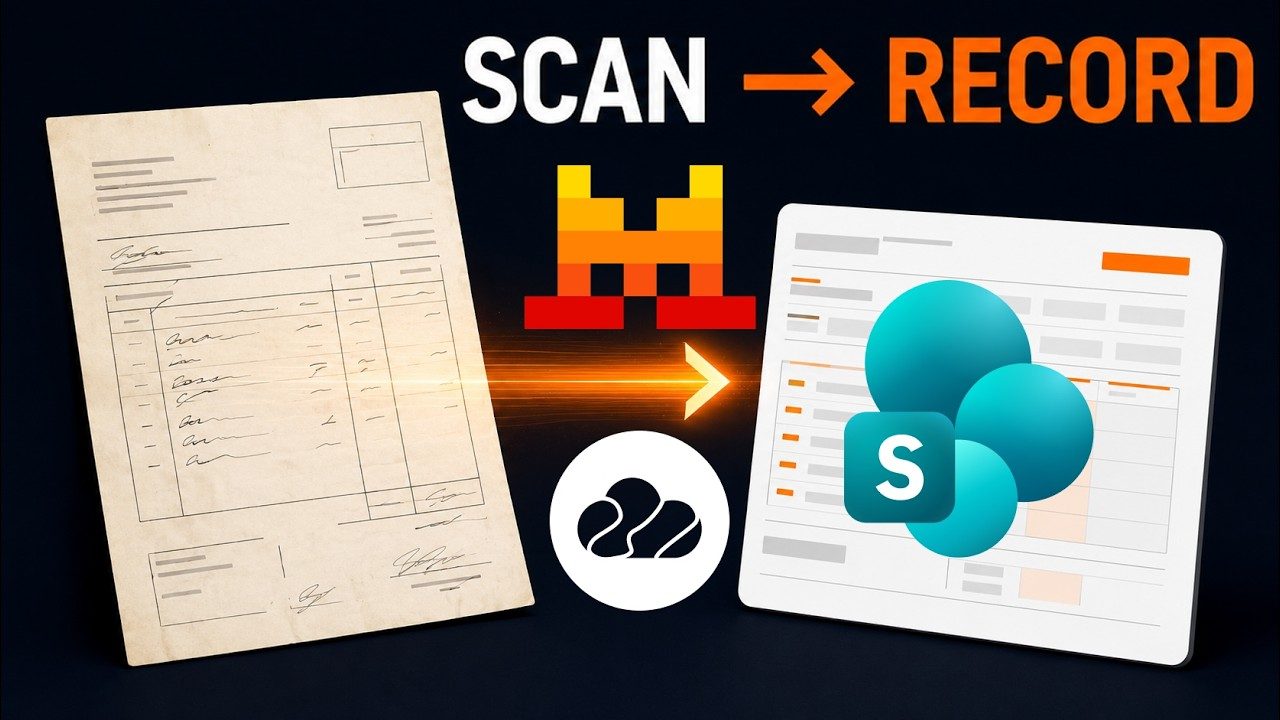
Scanned invoices become recordsFilmed in SharePoint
  1. A scanned PDF invoice comes in
  2. An agent reads it
  3. It is filed as a row in a SharePoint list

What it takes on

Admin a clinic can hand over.

  • Answers to routine questions

  • Appointment reminders and follow-ups

  • Referral letters and visit summaries

  • Protocols staff can ask about

  • Shift handovers as task lists

  • Supplier invoices filed from scans

Where work starts

Three things can start a job.

A customer message, a schedule or a request from your own software. Each one reaches the right specialist.

  • A question on WhatsApp at 10 pm

    The assistant answers from your instructions. In the morning, staff read the conversation and step in if needed.

  • Every evening at six

    Tomorrow's reminders are prepared, and the day's open tasks go to the morning shift.

  • Your booking system, through the Agents API

    A new booking can send its details to an assistant and receive the confirmation text back. This part needs a developer.

Where it stops

Here it stops and asks a person.

Every job shows who is working on it, the tools it used and what came out. You choose which tools the team can use, and you can stop a job at any point.

  • Anything clinical

    Symptoms, results and treatment questions go to a person. You write that rule into the assistant's instructions.

  • Before a letter goes out

    Referral letters and summaries stay drafts until a clinician signs them.

  • When a patient is unhappy

    You see every conversation and can answer the patient yourself in the same thread.

How it keeps you safe

Safe to leave running.

Your agents work on a private machine, one folder per job, and some commands never run.

Your sandbox

Your AI team gets its own computer.

Every customer gets a private machine in the cloud. Your agents read, write, run code and keep files there. Other customers never share it.

Inside your sandboxTerminal
$ ls /workspace/projects
crm-leads    monthly-report    support-bot

Project rooms

Every job works in its own folder.

Each project has its own folder on that machine. An agent working on one client’s job can’t open another project’s files. Even its scratch files stay in its own folder.

What an agent on crm-leads reads when it reaches into another projectProject boundary
/workspace/projects/support-bot: outside your project. Other projects under /workspace/projects are off limits; work inside /workspace/projects/crm-leads.

Guardrails

Some commands never run, however they’re asked for.

Wiping a drive, reading password and key files, erasing project history and deleting cloud resources are blocked before they run. Jev also stops commands that would destroy work for good, and file changes that would save a password into your code.

What the agent reads when it tries rm -rf ~Command guard
BLOCKED: Dangerous command detected!

Command: rm -rf ~
Reason: Recursive removal targeting home directory

This command could cause irreversible data loss or system damage.

Built on CloudStation

Real runs that fit a clinic.

The lead team’s best filmed run targeted private clinics. Filing scanned invoices and running patient webinars are filmed runs too.

Built for a sales team

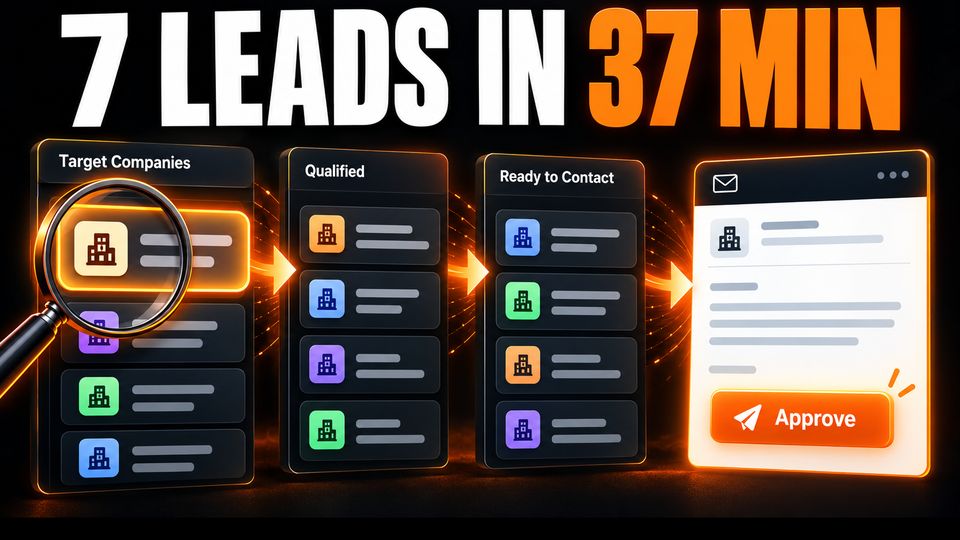
An AI CRM lead team.

Agents find companies, research them, find the decision maker and draft the first message. A person approves each draft. In one filmed run aimed at private clinics, it readied 7 accounts.

37 min for the run$0.60 of AI usage

Scanned PDF invoices become SharePoint records5 min

Filmed in SharePoint

Scanned invoices become records.

Scanned PDF invoices are read and filed as structured rows in a SharePoint list.

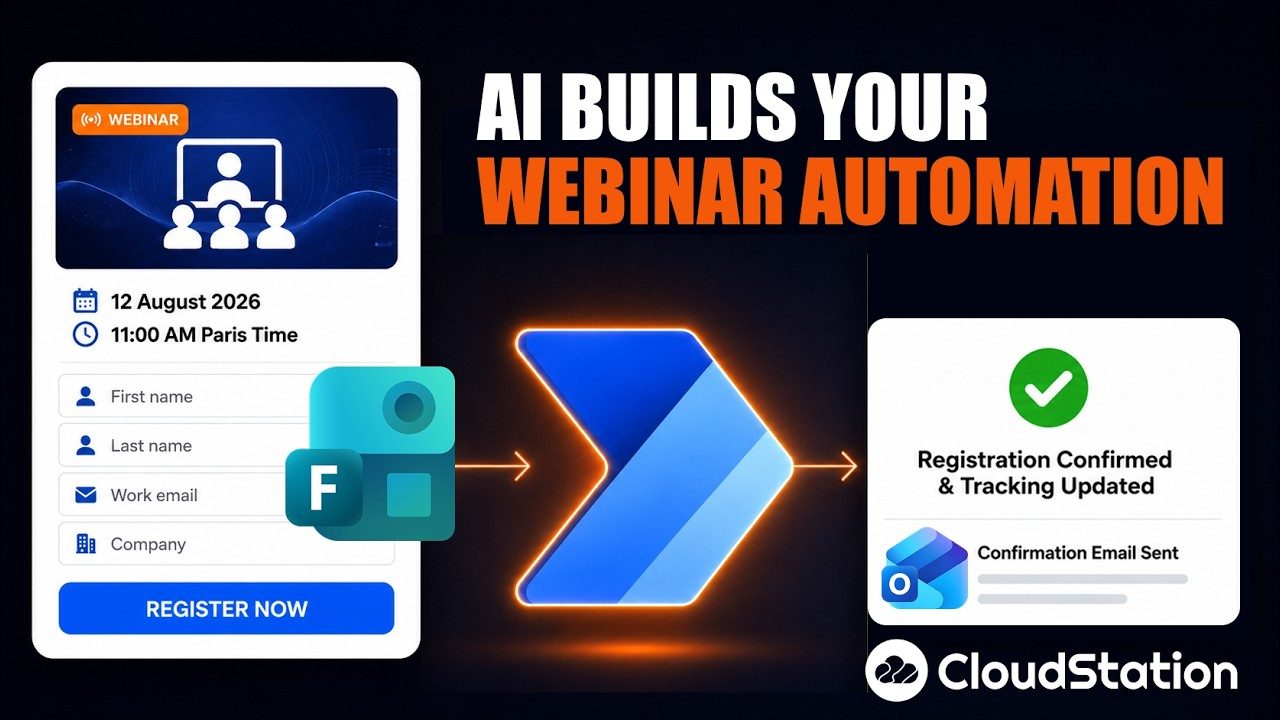
Webinar sign-ups and follow-ups in Microsoft 36515 min

Filmed in Microsoft 365

Webinar sign-ups, reminders and follow-ups.

Registration, reminders and the follow-up after the session, handled across Microsoft 365.

Your tools

It works in the tools you already use.

Connect an account once and the team works from it. Outlook, SharePoint and Microsoft Teams are built-in connections as well.

  • WhatsApp

  • Telegram

  • Gmail

  • Google Calendar

  • Google Drive

  • Slack

Questions

Before you start.

Is CloudStation HIPAA compliant?

Check with your compliance team before any patient record goes in. Organisations that need it can arrange a private deployment of the whole platform on their own infrastructure. A safe first job holds no patient records, like answering staff questions about procedures.

Can it connect to our EHR?

There is no built-in EHR connection. If your system has an API, a developer can add it as a custom tool. You choose what the assistant may read or change.

Who can see patient conversations?

Members of your workspace, according to their role as owner, admin or member. Each conversation shows every step the assistant took.

Can each department have its own assistant?

Yes. Each assistant has its own instructions, tools and access, and you share it with the staff who need it.

Does it understand medical terms?

The models you connect know common medical vocabulary. Add your own abbreviations and drug lists to the assistant's instructions. Clinical decisions stay with your staff.


Give Charlie the front desk questions first.

Write down the ten questions patients ask most. Set up an assistant that answers them, and read its conversations for a week.

Start with Charlie