Your AI Assistant. On WhatsApp. Connected to Everything.
Stop juggling a dozen apps alone. Get an AI assistant that actually knows your business - accessible right from WhatsApp.
You're Running Your Entire Business. Alone.
You built something real. A business that matters. But every day feels like switching between email, calendar, drive, slack - over and over.
Switching between apps - over and over
Email, calendar, drive, slack, messages. You spend more time switching contexts than actually working on your business.
Answering the same questions, doing the same admin
The repetitive stuff eats your day. You know it could be automated, but who has time to set that up?
Can't afford to hire - but desperately need help
A VA costs time to manage. A full-time employee is out of budget. You're stuck doing everything yourself.
Hearing about AI but not knowing how to USE it
Everyone talks about AI. You've tried ChatGPT. But you can't figure out how to make it actually help your day-to-day.
One assistant, connected to everything
Email, calendar, Google Drive, Slack - your assistant knows your business and can access all your tools from one place.
Accessible from WhatsApp - where you already are
No new app to learn. No dashboard to check. Just open WhatsApp and talk to your assistant like you'd talk to a team member.
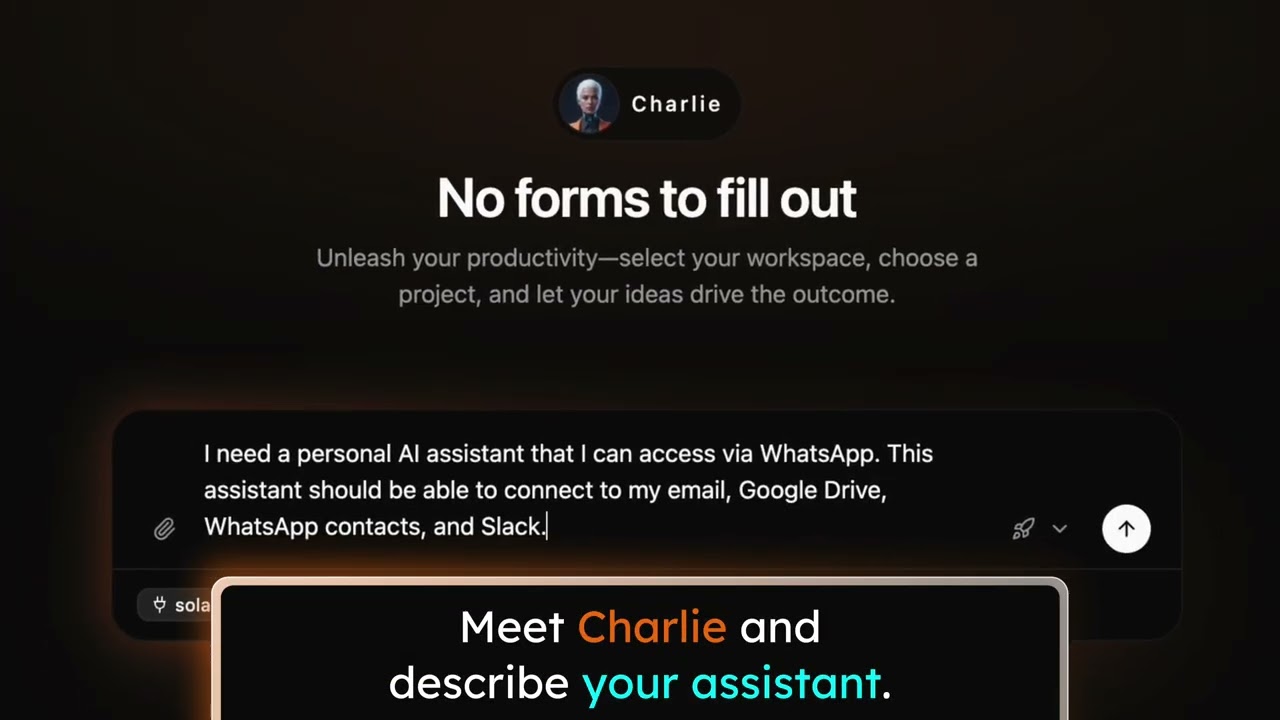
No coding. No configuration. Just describe what you need.
Tell Charlie what kind of assistant you want. Charlie builds it. You start using it. That's the whole process.
Real actions, not just answers
Your assistant doesn't just chat. It sends emails, blocks calendar time, finds files, posts to Slack. Actual work, done for you.
How It Actually Works
From "I need help" to "I have an assistant" in under 60 seconds.
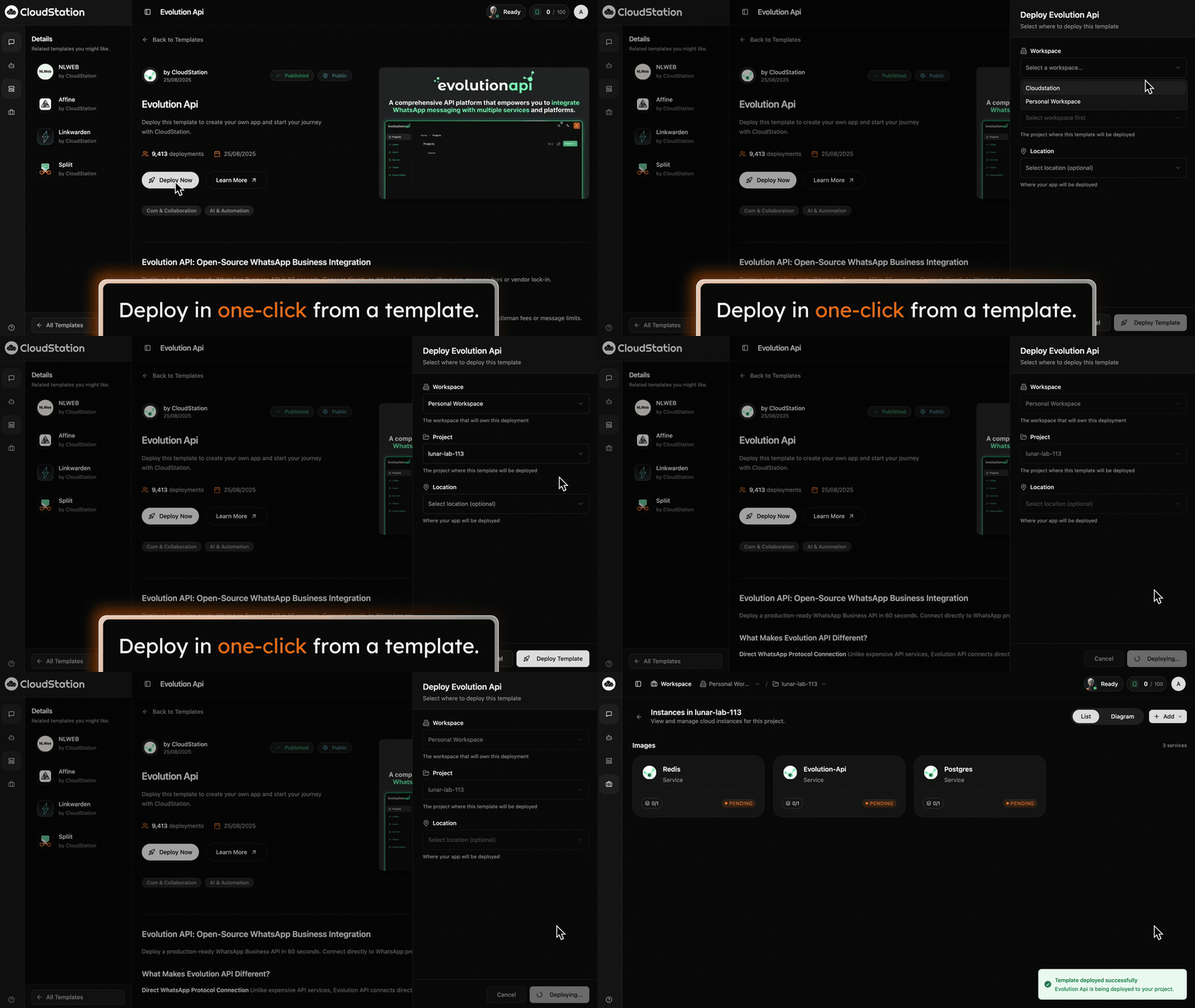
Deploy from Template
One click. That's it. Open the template store. Find the WhatsApp assistant template. Click deploy. Everything starts running automatically.
What Your Assistant Can Do
Your AI assistant connects to the tools you already use.

Gmail
"Did anyone reply to that proposal I sent yesterday?" "Send a follow-up to Sarah about the meeting next week."

Google Calendar
"What's on my schedule today?" "Block off tomorrow afternoon for deep work."

Google Drive
"Find that client contract from last month." "Pull up the presentation I'm working on."

Slack
"Any important messages I missed?" "Let the team know I'm running late."

Notion
"What's on my todo list?" "Remind me to follow up if they don't respond by Wednesday."
And More
Your assistant learns your business. The more you use it, the more helpful it becomes.
Frequently asked questions
You Don't Have to Do This Alone Anymore
Every solopreneur wishes they had help. Now you do.