CloudStation
  • How it works
  • Use cases
  • Solo foundersAn assistant that answers your customersStartupsSales, support and research without new hiresAgencies and studiosMore client work from the same teamCTOsAgents behind your own softwareEnterpriseThe whole platform on your own servers

    Industries

    Media and entertainmentResearch and academiaHealthcareFinancial servicesEducationE-commerce and retail
  • Templates
  • Pricing
  • Blog
  • Changelog
Start with Charlie
  • How it works
  • Use cases
  • Templates
  • Pricing
  • Blog
  • Changelog

Built for

  • Solo founders
  • Startups
  • Agencies and studios
  • CTOs
  • Enterprise

Industries

  • Media and entertainment
  • Research and academia
  • Healthcare
  • Financial services
  • Education
  • E-commerce and retail
Start with Charlie

Template store

Ready-made apps, set up by Charlie.

Databases, CRMs, analytics, support desks and workflow tools. CloudStation hosts each one with its own address, storage and logs. Deploy an app yourself, or ask Charlie to set it up for your team.

Browse the appsStart with Charlie
Template storeMost deployed
  1. Picked from the store
  2. Set up by Charlie
  3. Running

The catalog

Search the apps, or browse by category.

Sorted by how often each app has been deployed. Open one to read what it does and deploy it.

How it works

From the store to a working address.

  1. 01

    Pick an app

    Search by name or open a category. Each page says what the app does and how many times it has been deployed.

  2. 02

    Deploy it yourself

    Deploy opens the template in your CloudStation workspace. Fill in the settings it asks for and start it.

  3. 03

    Or ask Charlie

    Tell Charlie which app you want and what your team will use it for. Charlie sets it up and reports back in the thread.

  4. 04

    Share the address

    The app gets its own web address. Point your own domain at it when you want, and CloudStation sets up SSL.

Running today

A sales team's CRM runs on one of these apps.

Twenty CRM is in the store. One sales team runs it on CloudStation, and eight agents work in it.

They find companies, research them, find the decision maker and draft the first email. A person on the team approves every email.

AI CRM for a sales team, on Twenty

  1. 01Company scout
  2. 02Account researcher
  3. 03People finder
  4. 04Outreach writer
  5. 05Follow-up keeper
  6. 06Daily reporter
  7. 07Product expert
  8. 08Coordinator

A person approves each email before it is sent.

Hosting

What every app gets.

The same hosting your own apps get when Charlie builds them.

  • Data that survives restarts

    A storage volume keeps the app's data across restarts and redeployments.

  • Logs in your workspace

    Read the app's logs from your workspace when something looks wrong.

  • Every deployment listed

    The deployment history shows what changed and when.

  • From 1 app to 16

    Basic hosts 1 app, Essential 4, Pro 9 and Team 16. Pricing has the current prices.

Questions

About the apps.

Who makes these apps?

Most are open-source projects, packaged so they start on CloudStation. Each template page shows who packaged it and links to the project when there is a link.

What does it cost to host one?

Hosting comes with the cloud plans. Basic runs 1 app, Essential 4, Pro 9 and Team 16. The pricing page has the current prices.

Can Charlie work inside the app once it runs?

That depends on the app. Charlie works with an app through its API or a connected tool, the way a sales team's eight agents work in their Twenty CRM. Ask Charlie about the app you have in mind before you deploy it.

Is my data kept when the app restarts?

Yes. Data on the app's storage volume stays through restarts and redeployments. A volume is not a backup, and deleting the app deletes its data.

The app I need is not in the store. What now?

CloudStation also runs apps from a Docker image or a Git repository. Tell Charlie what you need and it can deploy one, or build the tool for you.

Tell Charlie which app your team needs.

Name the app and what it is for. Charlie sets it up on CloudStation, and your team opens it at its own address.

Start with Charlie


CloudStation

Charlie runs a team of AI specialists on CloudStation. Work starts from a customer message, a schedule or your own app, and Charlie asks you only when it matters.

Products
  • How it works
  • Use cases
  • Tools
  • Pricing
  • Enterprise
Resources
  • Template Store
  • Use case videos
  • Changelog
  • Blog
  • Careers
  • FAQ
Legal
  • Privacy Policy
  • Terms & Conditions
  • Refund Policy
  • Cancellation Policy
  • Data Processing Agreement

©2026 CloudStation

Template storeMost deployed
  • Evolution Api
  • Bolt.new
  • N8N Advanced
  • N8N Light
  • Redis
  • PostgresSQL
  1. Picked from the store
  2. Set up by Charlie
  3. Running

https://evolution-api-•••.cloud-station.apphttps://bolt-•••.cloud-station.apphttps://n8n+worker-•••.cloud-station.apphttps://n8n-•••.cloud-station.apphttps://redis-•••.cloud-station.apphttps://postgres-•••.cloud-station.app

15 apps

All apps 79Dev & Deployment 37AI & Automation 30Data & Databases 20Customer & Marketing 15Communication 14Business & Finance 7Security & Auth 3Content & CMS 2Other 1
  • Twenty CRM

    CloudStation

    Twenty Deploy Twenty on CloudStation Without Managing Servers What is Twenty? Twenty is an open-source CRM positioned as an alternative to Salesforce and designed for modern technical teams. It gives teams CRM building blocks such as objects, views, workflows, and agents, and it can be self-hosted with Docker Compose for organizations that want more control over their CRM stack. Deploy Twenty on CloudStation when you want a self-hosted CRM without setting up servers, databases, domains, SSL, backups, or Docker deployment by hand. It is a strong fit for startups and technical teams that want CRM ownership, a modern interface, and a cleaner path than committing to a heavyweight enterprise CRM from day one. Best For and Not Best For Best for: startups, agencies, consultants, and technical teams that want a modern self-hosted CRM, stronger data control, and room to shape workflows over time. Not best for: organizations that primarily want a fully managed all-in-one marketing suite or the deepest enterprise CRM ecosystem. In those cases, HubSpot or Salesforce may still be the better fit. Why Teams Choose Twenty Modern Open-Source CRM Foundation Manage companies, contacts, opportunities, notes, and team workflow in one system Move beyond spreadsheets or scattered tools to a dedicated CRM workspace Choose an open CRM direction when long-term ownership matters Built for Technical Teams Twenty describes itself as the CRM you build, ship, and version like the rest of your stack Use objects, views, workflows, and agents as building blocks for your CRM process Support teams that want a CRM they can shape rather than only rent Pipeline and Relationship Management Track leads, deals, next steps, and account context in one place Use it for sales pipeline management, partnerships, recruiting, or client operations Keep follow-ups visible and customer context shared across the team Data Control Without the DIY Pain Keep CRM data on infrastructure you control Deploy on your own CloudStation domain with hosted Docker support and backups Use self-hosting when ownership and flexibility matter more than default SaaS convenience Twenty vs Alternatives Twenty vs Salesforce : Choose Twenty when you want a modern open-source CRM and do not need Salesforce's broad enterprise ecosystem and admin complexity. Twenty vs HubSpot : Choose Twenty when CRM ownership and self-hosting matter more than bundled hosted marketing tools. Twenty vs Pipedrive or other SaaS CRMs : Choose Twenty when you want a self-hosted CRM foundation instead of another per-user subscription product. Why Deploy Twenty on CloudStation? Skip manual CRM hosting : CloudStation gives you a faster route than self-managing Twenty with Docker Compose, database setup, domains, and SSL on your own. Good starting point for self-hosted CRM : Use CloudStation when you want the control of self-hosting without turning CRM deployment into an ops project. Practical for growing teams : Get to a real CRM environment faster, then adapt your workflow as the team grows. Pricing and Plan Fit 🚀 CloudStation Basic Plan : $17.99/month total for a standard single-app marketplace deployment ✓ 1 app deployment ✓ 10GB storage ✓ 1 vCPU and 2GB RAM per app ✓ Custom domains ✓ Free SSL ✓ Docker support ✓ Automatic backups Deployment note: Use Basic when the CloudStation Twenty template is packaged as a standard marketplace deployment. If your implementation separates additional services or needs more room, Essential or higher is the safer fit. Common Twenty Use Cases Open-source Salesforce alternative : Give your team a CRM it can run on infrastructure it controls. Self-hosted CRM for startups : Start with a focused CRM before jumping into a larger enterprise suite. CRM data control : Keep customer relationship data in your own environment. Technical-team CRM foundation : Use a CRM designed for teams that care about extensibility and stack ownership. FAQ Is Twenty open source? Yes. Twenty positions itself publicly as an open-source CRM and the open alternative to Salesforce. Can Twenty be self-hosted? Yes. Its GitHub documentation describes self-hosting on your own infrastructure with Docker Compose. Who is Twenty best for? Twenty is best for technical teams and growing companies that want a modern CRM with more ownership and flexibility than a typical SaaS-only CRM. Is Twenty a full Salesforce replacement for every enterprise? No. It is strongest for teams that want an open CRM foundation, not for every enterprise requirement covered by Salesforce's broader ecosystem. Start Owning Your CRM If you are searching for self-host Twenty , Twenty CRM hosting , open-source Salesforce alternative , or deploy Twenty without managing servers , this CloudStation template is built for that intent. Launch Twenty, import your data, add your team, and run your CRM in an environment you control. Deploy Twenty Now → Modern CRM. Self-hosted control. Less infrastructure work. Twenty on CloudStation: a modern self-hosted CRM for teams that want an open Salesforce alternative without running the deployment stack by hand.

    106 deployments

  • Ghost

    CloudStation

    Ghost: Professional Publishing with CloudStation's 1-Click Deploy Ghost is a modern, open-source CMS designed specifically for professional publishing. Why Choose This Template? Designed for Publishing : Crafted to meet the needs of professional publishers. Modern CMS : Leverages the latest technologies for a seamless user experience. Open-Source : Fully customizable with an active community offering ongoing support. Enhanced by CloudStation : Quick and efficient deployment on a robust cloud platform. CloudStation Advantages: One-click deployment : Launch your Ghost CMS effortlessly. Scalability : Scale your publishing platform as your audience grows. Cost-effectiveness : Keep your operational costs low with our competitive pricing. Easy integration with other tools : Connect Ghost easily with a multitude of other applications. Perfect For: Professional Publishers : Tailored tools and interface for serious publishing. Bloggers : A perfect platform for personal or professional blogging. Content Creators : Ideal for those focused on creating and managing digital content. Embrace the future of professional publishing with Ghost on CloudStation . Deploy in a click and start creating! Email setup: Ghost sends staff invites, password resets and member emails over SMTP. Fill in the mail__* variables (host, port, user, pass, from) after deploying, or those emails will not be sent. #OpenSource #CMS #CloudHosting #ProfessionalPublishing

    38 deployments

  • Odoo

    CloudStation

    Odoo Deploy Odoo on CloudStation Without Managing Servers What is Odoo? Odoo is the world's most popular open-source business platform: a single suite of integrated apps covering CRM, sales, invoicing, accounting, inventory, e-commerce, HR, projects, and more. You start with the apps you need and activate others as you grow — all sharing one database, one interface, and one source of truth. Deploy Odoo on CloudStation when you want the full ERP/CRM suite without setting up servers, PostgreSQL, domains, SSL, backups, or Docker by hand. This template ships Odoo 18 Community with a dedicated PostgreSQL 16 database, persistent storage for your files, and hardened defaults — the database manager is disabled and no demo data is installed, so you start clean and secure. ⚠️ First login: username admin , password admin — change it immediately after your first login (Settings → Users & Companies → Users). Best For and Not Best For Best for: SMBs, startups, agencies, and operations teams that want CRM, invoicing, inventory, and accounting in one self-hosted system instead of five separate SaaS subscriptions. Not best for: teams that only need a single narrow tool (just a CRM, just invoicing) and will never use the rest of the suite — a focused single-purpose app may be simpler. Why Teams Choose Odoo One Platform, 40+ Business Apps Activate CRM, Sales, Invoicing, Inventory, Accounting, Website, HR, and more from the built-in Apps store — no extra deployments Every app shares the same contacts, products, and data — no sync, no integrations to maintain Start with one app and grow into a full ERP at your own pace True Open Source Odoo Community is LGPL-licensed with full source code and no per-user fees A massive ecosystem of community modules extends every corner of the suite Your business logic and data stay yours — no vendor lock-in Sales-to-Cash in One Flow Track leads in the CRM pipeline, convert to quotations, confirm orders, and invoice — all in one place Automatic tax computation, sequences, and document numbering out of the box Customer portal, email templates, and PDF documents included Data Control Without the DIY Pain Keep your ERP data on infrastructure you control Dedicated PostgreSQL 16 database with persistent volumes for filestore and data Deploy on your own CloudStation domain with free SSL and automatic backups Odoo vs Alternatives Odoo vs Salesforce + QuickBooks + Shopify : Choose Odoo when you want one integrated suite instead of stitching together three subscriptions with sync tools. Odoo vs ERPNext : Choose Odoo for the larger app ecosystem, bigger community, and more polished interface. Odoo vs SAP / NetSuite : Choose Odoo when you want ERP capability without enterprise licensing costs and multi-month implementations. Why Deploy Odoo on CloudStation? Skip manual ERP hosting : CloudStation replaces the usual Docker Compose + PostgreSQL + reverse proxy + SSL setup with one click. Hardened by default : The public database manager is disabled (a common self-hosted Odoo attack surface) and no demo data is installed. Production-shaped resources : 1 vCPU / 2GB RAM for Odoo and a dedicated 0.6 vCPU / 1GB PostgreSQL — enough to run a real team, upgradeable anytime. Pricing and Plan Fit 🚀 CloudStation Basic Plan : $17.99/month total for a standard marketplace deployment ✓ Odoo 18 + dedicated PostgreSQL 16 ✓ 10GB storage per service ✓ Custom domains ✓ Free SSL ✓ Docker support ✓ Automatic backups Deployment note: This template deploys two services (Odoo and its PostgreSQL database). If you plan heavy usage — large inventory, many users, e-commerce traffic — Essential or higher gives you more headroom. Common Odoo Use Cases All-in-one business OS : Run CRM, quotes, invoices, and stock from one login. Open-source ERP for SMBs : Get ERP capability without enterprise pricing. Agency / consultancy back office : Pipeline, timesheets, invoicing, and projects in one system. Self-hosted accounting + invoicing : Keep financial data in your own environment. FAQ Is Odoo open source? Yes. Odoo Community is LGPL-licensed and free to use with unlimited users. What do I get right after deploying? A clean Odoo 18 instance with the Apps store ready — activate CRM, Sales, Invoicing, Inventory, and 40+ other apps with one click each. What are the login credentials? Username admin , password admin . Change the password immediately after your first login. Is demo data installed? No. This template initializes a clean database with no demo records, ready for real data. Can I install community modules? Yes — the instance includes an extra-addons path; contact support to mount custom modules, or install any module from the built-in Apps store. Start Running Your Business on Odoo If you are searching for self-host Odoo , Odoo hosting , open-source ERP , or deploy Odoo without managing servers , this CloudStation template is built for that intent. Launch Odoo, activate your first apps, invite your team, and run your business in an environment you control. Deploy Odoo Now → One platform. Every business app. Zero server management. Odoo on CloudStation: the full open-source business suite — CRM to accounting — without running the deployment stack by hand.

    28 deployments

  • Serpbear

    CloudStation

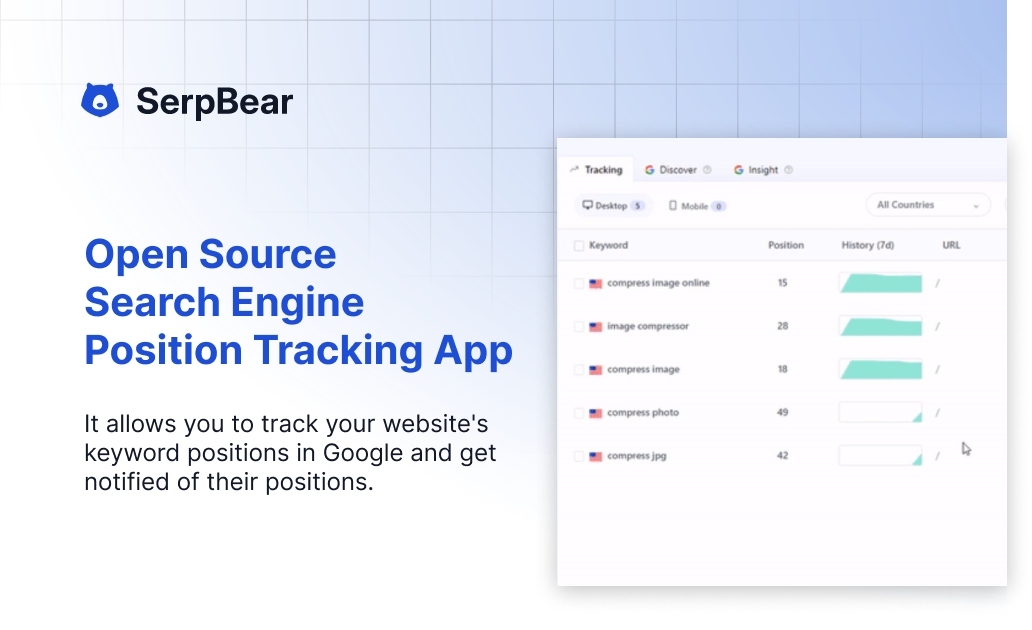
    Effortless Search Ranking Monitoring with CloudStation's 1-Click Deploy Serpbear is a robust open-source solution designed to efficiently track and monitor search engine rankings for your website effortlessly. Why Choose This Template? Open-Source Flexibility : Enjoy the transparency and adaptability of an open-source project. Effortless Setup : Seamlessly deploy with CloudStation’s one-click installation feature. Reliable Monitoring : Keep track of your website’s search rankings with ease. Community Support : Benefit from a community-driven project that constantly evolves. CloudStation Advantages: One-click deployment : Get started instantly with minimal setup. Scalability : Easily scale resources as your monitoring needs grow. Cost-effectiveness : Optimize your budget with CloudStation’s competitive pricing. Easy integration with other tools : Enhance functionality by connecting with CloudStation’s ecosystem of applications. Perfect For: SEO Professionals : Gain insights into search rankings with ease. Digital Marketing Teams : Track and improve your website’s search visibility. Web Developers : Integrate search ranking monitoring into existing workflows seamlessly. Boost your search ranking monitoring capabilities with Serpbear on CloudStation. Enjoy effortless deployment and comprehensive insights, all while leveraging the power of open-source technology. #SEO #OpenSource #CloudStation #SearchRanking

    26 deployments

  • Docuseal

    CloudStation

    DocuSeal Deploy DocuSeal on CloudStation Without Managing Servers What is DocuSeal? DocuSeal is a popular open-source e-signature platform: a self-hosted tool to build PDF forms, collect legally-binding electronic signatures, and manage signing workflows. Create documents with a drag-and-drop builder, send them for signature, and track completion — all from software you host and control, with no per-signature fees. Deploy DocuSeal on CloudStation when you want a self-hosted DocuSign alternative without setting up servers, PostgreSQL, domains, SSL, or Docker by hand. This template ships DocuSeal 3.2.5 with a dedicated PostgreSQL 16 database and a persistent volume for your uploaded and signed documents, so your files survive restarts and redeploys. ⚠️ First login: open your app URL and complete the one-time setup form to create your admin account — there is no default username or password. To send signing invitations and password-reset emails you must configure SMTP (in-app under Settings → Email, or via environment variables); see this template's setup instructions. Best For and Not Best For Best for: businesses, agencies, HR, legal, real estate, and healthcare teams that sign contracts, NDAs, offer letters, and consent forms regularly and want to stop paying per-signature DocuSign fees while keeping documents on infrastructure they control. Not best for: teams that need a fully managed compliance vendor with in-house legal support and enterprise SSO out of the box, or that sign only a document or two per year. Why Teams Choose DocuSeal No Per-Signature Fees Self-host and send unlimited documents for signature without DocuSign's per-envelope pricing Add unlimited templates and reuse them for repeat agreements Predictable hosting cost instead of usage-based signature billing Legally Binding Signatures Signatures are compliant with ESIGN, UETA, and eIDAS and accepted worldwide Every submission produces an audit log and a signed, tamper-evident PDF 12+ field types — signature, initials, date, text, checkbox, file upload, and more Built for Real Workflows Drag-and-drop form builder — turn any PDF into a signable document, no code Multiple signers, signing order, and automatic email reminders REST API, webhooks, and embeddable signing forms to wire into your own apps and Zapier, Make, or n8n Data Control Without the DIY Pain Keep signed contracts on infrastructure you control, not a third-party cloud Dedicated PostgreSQL 16 database and a persistent volume at /data/docuseal for documents and signing certificates Deploy on your own CloudStation domain with free SSL and automatic backups DocuSeal vs Alternatives DocuSeal vs DocuSign : Choose DocuSeal when you want to self-host and avoid per-signature fees, and you are comfortable managing your own email and compliance settings. DocuSeal vs PandaDoc / Dropbox Sign : Choose DocuSeal for open-source control and flat hosting cost instead of per-seat SaaS subscriptions. DocuSeal vs OpenSign : Choose DocuSeal for its mature drag-and-drop builder, broad field types, and active release cadence. Why Deploy DocuSeal on CloudStation? Skip manual e-signature hosting : CloudStation replaces the usual Docker Compose + PostgreSQL + reverse proxy + SSL setup with one click. Documents that persist : A dedicated volume at /data/docuseal keeps uploaded and signed files across restarts — a common self-hosted misconfiguration this template fixes for you. Pricing and Plan Fit 🚀 CloudStation Basic Plan : from $17.99/month for a standard marketplace deployment ✓ DocuSeal 3.2.5 + dedicated PostgreSQL 16 ✓ 10GB persistent storage per service ✓ Custom domains ✓ Free SSL ✓ Docker support ✓ Automatic backups Deployment note: This template deploys two services (DocuSeal and its PostgreSQL database). Heavy PDF rendering or many concurrent signers benefit from Essential or higher for more headroom. Common DocuSeal Use Cases Sales contracts and NDAs : Close deals with instant online signing instead of printing and scanning. HR onboarding : Send offer letters and policy acknowledgements for e-signature. Real estate : Get leases, disclosures, and purchase agreements signed remotely. Healthcare intake : Collect patient consent and intake forms securely. Self-hosted DocuSign alternative : Replace per-signature SaaS billing with flat hosting. FAQ Is DocuSeal open source and free? Yes. DocuSeal is open source and self-hostable with no per-signature fees; you pay only for the CloudStation resources it runs on. Are DocuSeal signatures legally binding? Yes. DocuSeal produces signatures compliant with ESIGN, UETA, and eIDAS, plus an audit trail and a signed PDF for each completed document. What are the login credentials after deploying? There are none by default. On first visit you complete a setup form that creates your admin account. Do I need to configure email? Yes, to send signing invitations and password resets. Configure SMTP in-app under Settings → Email, or via SMTP environment variables — see this template's setup instructions. Never set an empty SMTP_ADDRESS, or in-app email settings are ignored. Will my signed documents survive a restart? Yes. This template mounts a persistent volume at /data/docuseal, so uploaded and signed files and signing certificates are retained. Does DocuSeal have an API? Yes. DocuSeal offers a REST API, webhooks, and embeddable signing forms for integration with your own apps and automation tools. Start Collecting Signatures With DocuSeal If you are searching for self-host DocuSeal , DocuSeal hosting , open-source e-signature , a self-hosted DocuSign alternative , or sign documents online without per-signature fees , this CloudStation template is built for that intent. Launch DocuSeal, build your first template, configure email, and start sending documents for signature in an environment you control. Deploy DocuSeal Now → Legally-binding e-signatures. Your documents. Zero server management. DocuSeal on CloudStation: open-source, self-hosted electronic signatures — a DocuSign alternative without running the deployment stack by hand.

    14 deployments

  • Listmonk

    CloudStation

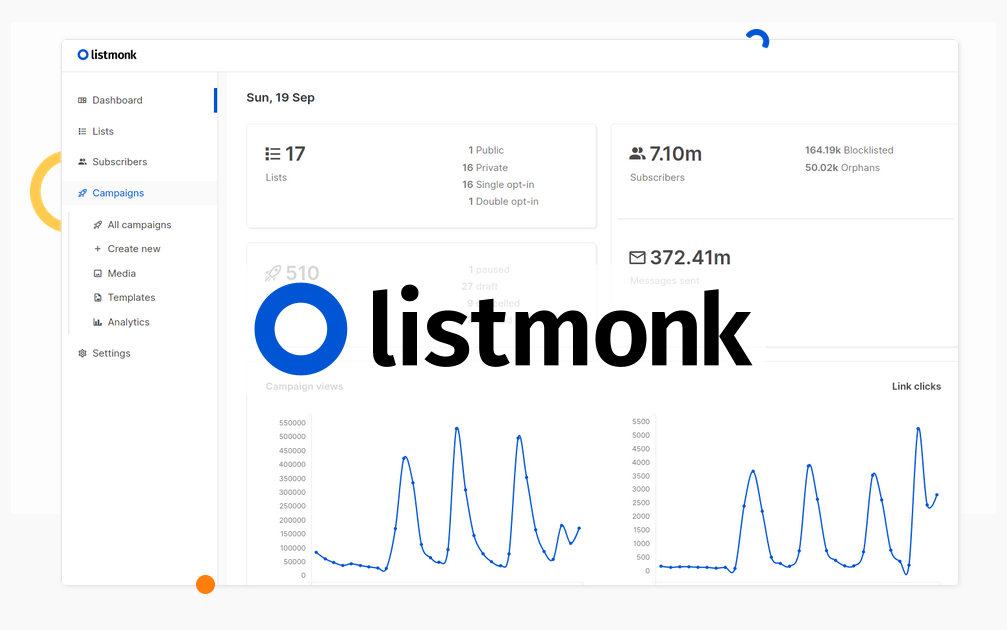
    Simplified Newsletter Management with CloudStation's 1-Click Deploy Listmonk Why Choose This Template? Open-Source: Full access to source code for customization and flexibility. Efficient Subscriber Management: Manage and segment your subscriber lists easily. Newsletter & Campaign Features: Create, send, and track newsletters and campaigns. Scalable Solution: Suitable for both small and large mailing lists. CloudStation Advantages: One-click deployment Scalability Cost-effectiveness Easy integration with other tools Perfect For: Businesses: Streamline your customer communication. Developers: Customize your own newsletter management system. Marketers: Efficiently manage and engage your audience. Using Listmonk on CloudStation ensures hassle-free deployment and management, empowering you to focus on building and maintaining your subscriber base. #EmailMarketing #OpenSourceTools #CloudSolutions #NewsletterManagement

    11 deployments

  • Plausible

    CloudStation

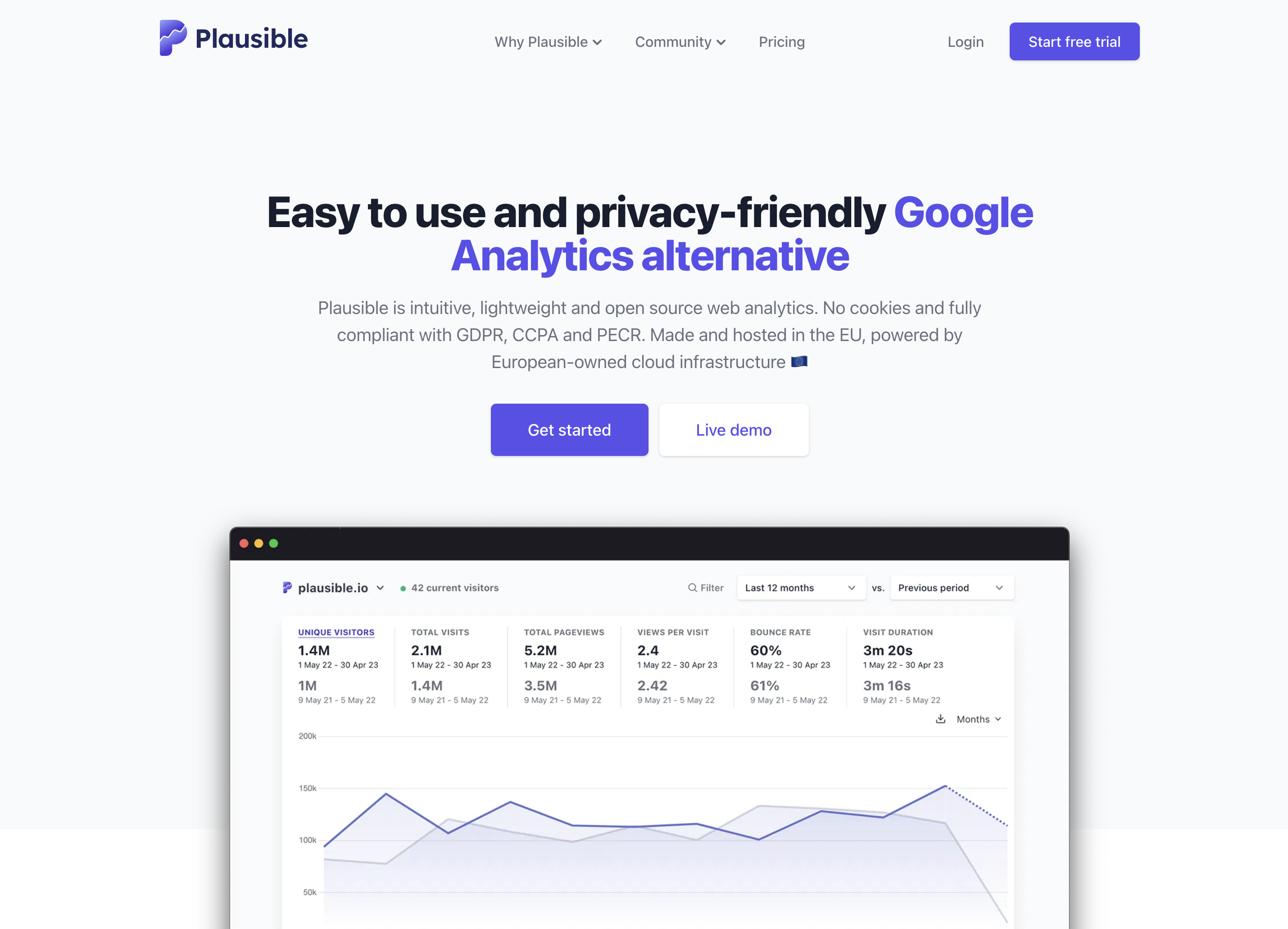
    Plausible Analytics Deploy Plausible on CloudStation Without Managing Servers What is Plausible? Plausible is an open-source, privacy-friendly web analytics tool and a lightweight alternative to Google Analytics. Its tracking script is about 1 KB, it sets no cookies and it stores no personal data, so you can measure your traffic without a cookie banner under GDPR, CCPA and PECR. It is AGPL-3.0 licensed. Deploy Plausible on CloudStation when you want your website analytics on your own server instead of sending visitor data to a third party. This template ships Plausible Community Edition v3.2.1 with Postgres for accounts and settings and ClickHouse for visitor events, each on its own persistent volume. ClickHouse stays private to your deployment and is password protected. ⚠️ Before you start: An owner account is created for your CloudStation email address. The password is stored in the plausible service's environment variables as ADMIN_USER_PWD . Registration is invite-only. Invitations, password resets and email reports need SMTP settings on the plausible service. Best For and Not Best For Best for: websites, blogs, SaaS products, online stores and agencies that want clear traffic numbers on one page, full ownership of the data and no consent banner. Not best for: tracking individual users, session replay, heatmaps or ad attribution. Plausible counts visits and events, not people. Why Teams Choose Plausible One Simple Dashboard Visitors, pageviews, bounce rate and visit duration on one page Top sources, pages, entry and exit pages, countries, devices and browsers Real-time visitors and comparisons with previous periods Goals and Events Pageview goals and custom events such as signups, downloads and outbound clicks Custom properties to break events down by plan, author or any value you send UTM campaign tracking and saved filter segments Imports, Reports and API Import your history from Google Analytics 4 or CSV files, and export to CSV Weekly and monthly email reports and public or password-protected shared links A Stats API, Google Search Console keywords, team invitations and two-factor authentication Plausible vs Alternatives Plausible vs Google Analytics : Choose Plausible when you want a dashboard anyone on the team can read, no cookies and no visitor data shared with an ad company. Plausible vs Matomo : Choose Plausible when you want a lighter script and a single-page dashboard instead of a full analytics suite with many reports to configure. Plausible vs Plausible Cloud : Choose this template when you want unlimited sites and pageviews for the cost of your CloudStation resources and the data on your own server. Why Deploy Plausible on CloudStation? Three services, one click : Plausible, Postgres and ClickHouse are wired together, with migrations run on first start. Production settings from the start : Every secret is unique to your deployment, the owner account is created for you, and registration is invite-only, so nobody else can claim your instance. HTTPS handled for you : CloudStation provides SSL on your Plausible address, so the tracking script loads on any HTTPS site. Data that persists : Volumes keep your accounts and every recorded event across restarts and redeploys. Common Plausible Use Cases Company websites : See which pages and channels bring visitors without adding a cookie banner. SaaS products : Track signups, trials and feature usage as goals and custom events. Agencies : Run analytics for every client site on one server and share a read-only dashboard link with each client. Blogs and docs : Find the articles people read and the searches and referrers that bring them in. FAQ Is Plausible free? Yes. Plausible Community Edition is open source under the AGPL-3.0 license. You pay for the CloudStation resources it runs on. What are the login credentials after deploying? Your CloudStation email address, with the password from ADMIN_USER_PWD in the plausible service's environment variables. Change it under Settings, then Security. How do I add Plausible to my website? Add your domain in the dashboard and paste the script snippet it shows into the head of your site. Visits appear within a minute. Do I need a cookie banner? Plausible sets no cookies and stores no personal data, which is why many sites run it without a consent banner. Check the rules that apply to your own site. Can other people sign up? Only with an invitation. Invite your team from the dashboard once SMTP is set up. Start Using Plausible If you are searching for self-host Plausible , Plausible hosting , Plausible Community Edition , a Google Analytics alternative or privacy-friendly website analytics , this CloudStation template is built for that intent. Deploy Plausible Now → Your analytics. Your server. Zero server management.

    11 deployments

  • NLWEB

    CloudStation

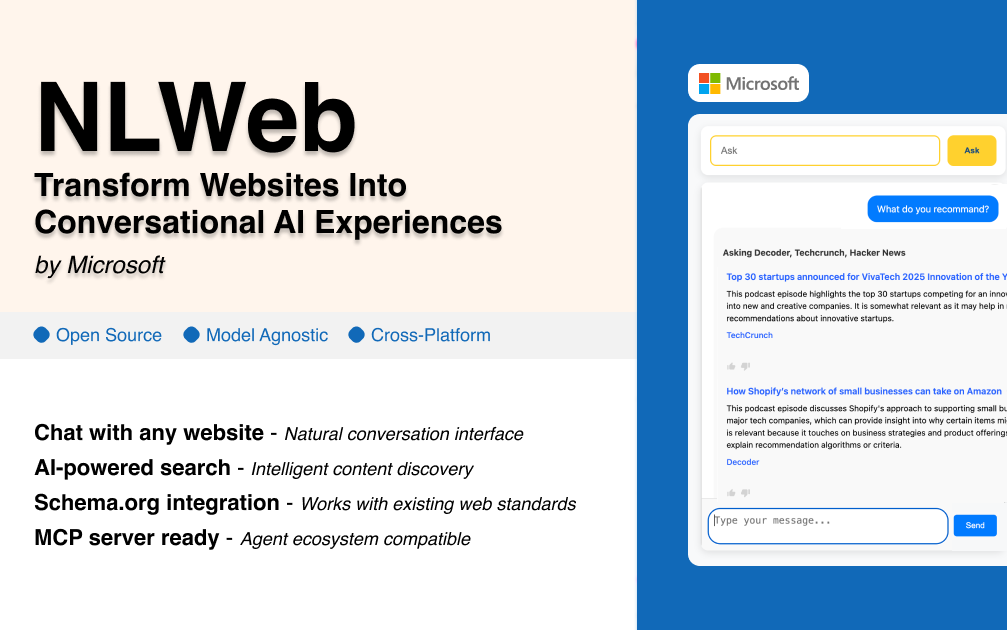
    NLWeb: Build Conversational AI Interfaces for Any Website in Minutes Transform your website into an intelligent, conversational platform that users can interact with naturally. NLWeb makes it incredibly simple to add AI-powered chat capabilities to any website - no complex setup, no technical expertise required. What Makes NLWeb Different? One-Click Website AI Integration Gone are the days of complex chatbot setups that take weeks to implement. NLWeb leverages your existing website content and structure to automatically create intelligent conversational interfaces that understand and respond to natural language queries about your products, services, or content. Works with What You Already Have Your website already contains structured data through Schema.org markup, RSS feeds, and organized content. NLWeb intelligently reads this existing structure to understand your site's content without requiring you to rebuild or restructure anything. True Conversational Intelligence Unlike simple chatbots that follow pre-programmed scripts, NLWeb creates genuine conversational experiences. Users can ask complex questions, request comparisons, seek recommendations, and get detailed information - all in natural language. Perfect for Every Website Type E-commerce Stores "Show me wireless headphones under $100 with good battery life" "What's the difference between your premium and standard plans?" "Find me gifts for outdoor enthusiasts" Content & Media Sites "What are your most popular articles about sustainable living?" "Find recipes that are both vegan and gluten-free" "Show me tutorials for beginner photographers" Service Businesses "What services do you offer for small business marketing?" "Compare your pricing plans and what's included" "Find testimonials from clients in my industry" Educational Platforms "Recommend courses for someone new to data science" "What prerequisites do I need for advanced programming classes?" "Show me free resources to get started" Key Benefits That Drive Results Improved User Experience Visitors can find exactly what they're looking for through natural conversation instead of navigating complex menus or using limited search functions. This dramatically reduces bounce rates and increases engagement time. Higher Conversion Rates When users can easily discover relevant products, services, or content through conversational queries, they're more likely to take action. NLWeb acts as an intelligent sales assistant available 24/7. Reduced Support Burden Many customer questions can be answered instantly through the conversational interface, reducing the load on your support team while providing immediate satisfaction to users. Mobile-First Experience Conversational interfaces are naturally mobile-friendly. Users can quickly type or speak their questions instead of struggling with complex navigation on small screens. SEO and Content Discovery NLWeb helps surface your valuable content that might otherwise be buried deep in your site structure, improving overall content utilization and user satisfaction. Advanced Capabilities Multi-Format Content Understanding NLWeb works with various content types including products, articles, reviews, events, recipes, and more. It automatically understands the relationships between different pieces of content. Intelligent Filtering and Comparison Users can ask for complex comparisons and filtered results that would be difficult or impossible with traditional search and navigation tools. Context-Aware Responses The system maintains conversation context, allowing for follow-up questions and refinements without starting over. Integration Ready NLWeb seamlessly integrates with existing websites, CMSs, e-commerce platforms, and can connect to live databases for real-time information. Use Cases Across Industries Real Estate : "Show me 3-bedroom homes under $400k with good schools nearby" Healthcare : "What services do you offer for preventive care?" Tourism : "Find family-friendly attractions open on weekends" SaaS : "Compare features between your pro and enterprise plans" Publishing : "Recommend articles about remote work productivity" Restaurants : "What vegan options do you have that are also gluten-free?" Why Choose NLWeb? Proven Technology : Built on established web standards like Schema.org that power over 100 million websites Flexible Deployment : Works on any platform - cloud, on-premise, or edge computing Open Source : Full transparency and community-driven development MCP Compatible : Integrates with the Model Context Protocol for advanced AI agent interactions Scalable : From small business websites to enterprise platforms Getting Started With CloudStation's one-click deployment, you can have NLWeb running on your website in minutes, not days. The platform handles all the technical complexity while you focus on creating better user experiences. Ready to Transform Your Website? Deploy NLWeb today and watch your website engagement soar. Give your visitors the intelligent, conversational experience they expect in the age of AI. NLWeb: Making every website intelligently conversational

    10 deployments

  • Postiz

    CloudStation

    Postiz The Open-Source Social Media Platform That Cuts Marketing Costs by 97% Deploy a complete social media management powerhouse in under 2 minutes with CloudStation's one-click setup. Postiz combines enterprise-grade scheduling across 15+ platforms with the freedom of open source - featuring unlimited scheduled posts, unlimited team members, complete data ownership, and AI-powered content creation that turns social media management from a monthly expense into a one-time victory. What Makes Postiz Revolutionary? Escape the Per-Seat Pricing Trap While Sprout Social charges $249-499/user/month and Hootsuite extracts $99-739/month from teams, Postiz on CloudStation gives you UNLIMITED users and UNLIMITED posts for just $17.99/month total. No per-channel fees, no seat limits, no ransom pricing when your team grows. More Platforms Than Any Competitor Buffer supports 6 platforms. Later handles 7. Hootsuite manages 10. Postiz conquers 15+ networks - including Twitter/X, LinkedIn, Instagram, Facebook, TikTok, YouTube, Pinterest, Reddit, Threads, Mastodon, Bluesky, and Dribbble. One dashboard, every audience. Built by Creators, For Creators With 14,000+ GitHub stars and a rapidly growing open-source community, Postiz is trusted by agencies, solopreneurs, and marketing teams who refuse to pay subscription ransoms for basic social media scheduling. Core Capabilities Teams Love Universal Platform Coverage Schedule to 15+ social networks from one interface Twitter/X, LinkedIn, Instagram, Facebook, TikTok, YouTube Pinterest, Reddit, Threads, Mastodon, Bluesky, Dribbble Truly unlimited scheduled posts - no artificial caps AI-Powered Content Engine Generate engaging post copy with built-in AI Auto-adapt content for each platform's style RSS feed integration for auto-posting Bulk scheduling for campaign launches Team Collaboration That Scales Unlimited team members (no per-seat pricing) Multi-workspace support for agencies Post approval workflows and permissions Shared media library and brand assets Analytics & Automation Cross-platform performance insights Custom posting schedules by time zone Visual calendar view of all content Full API access for custom integrations Who's Switching to Postiz? Solo Creators : "Finally affordable multi-platform scheduling without sacrificing features" Marketing Agencies : "Manage 50+ client accounts without per-seat pricing killing our margins" Growing Startups : "Scaled from 2 to 15 team members without paying a cent more" Enterprise Teams : "Open source means we own our data and workflow" Why Deploy with CloudStation? 2-Minute Setup : One click and you're scheduling - no server configuration required Everything Included : Database, media storage, background workers, SSL - all for $17.99 Unlimited Everything : Posts, users, platforms - no artificial limits Zero Maintenance : We handle updates, backups, monitoring, and scaling automatically Pricing That Actually Makes Sense 🚀 CloudStation Basic Plan : $17.99/month total ✓ 1 app deployment ✓ 10GB storage ✓ Custom domains ✓ Free SSL ✓ Docker support ✓ Automatic backups Compare to Sprout Social: 3 users × $249/month = $747/month You save $729/month (97.6%!) with Postiz on CloudStation Start Your Social Media Revolution Join thousands of creators and teams managing their social presence without the subscription shackles. With CloudStation's one-click deployment, you'll have a fully functional, AI-powered social media command center running in under 2 minutes. Deploy Postiz Now → Unlimited posts. Unlimited users. One price. Zero regrets. Postiz on CloudStation: $17.99 for unlimited everything. Buffer charges that for 3 social channels.

    9 deployments

  • Formbricks

    CloudStation

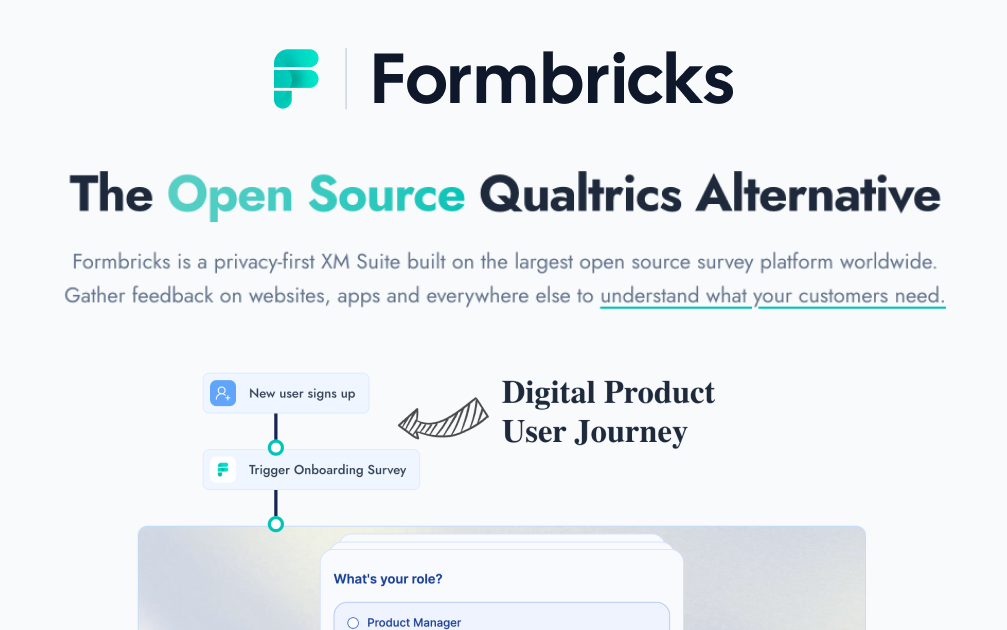
    Seamless Integration with CloudStation's 1-Click Deploy formbricks is an open-source project designed to streamline your form management needs, offering robust solutions for efficient data collection and processing. Why Choose This Template? Open Source: Licensed under open-source terms, formbricks offers transparency and flexibility. User-Friendly Interface: Simplifies data collection and form management. Developer-Friendly: Easy to integrate with existing systems. Community Supported: Benefit from a growing community of contributors and users. CloudStation Advantages: One-Click Deployment: Deploy formbricks instantly with our simple, one-click setup. Scalability: Effortlessly scale your deployment as your needs grow. Cost-Effectiveness: Optimize your budget with CloudStation's affordable hosting plans. Easy Integration: Seamlessly integrate formbricks with other CloudStation tools and services. Perfect For: Developers looking for a flexible and open-source form management solution. Small Businesses needing an efficient way to collect and process form data. Educators aiming to manage surveys and student feedback effectively. Leverage the power of formbricks with CloudStation for a seamless, efficient, and scalable form management experience. #OpenSource #DataCollection #FormManagement #CloudPlatform

    7 deployments

  • Shopware

    Cloudstation

    Elevate Your E-Commerce Experience with Shopware on Cloudstation Deploy Shopware on Cloudstation to transform your online retail presence with a flexible and powerful e-commerce platform. Shopware provides an intuitive, scalable solution for creating unique shopping experiences tailored to your brand and customer needs. With its extensive feature set, including customizable templates, comprehensive product management, and integrated marketing tools, Shopware empowers businesses to innovate and grow in the competitive e-commerce landscape. Leveraging Cloudstation's reliable infrastructure, Shopware deployment becomes seamless, ensuring your online store operates efficiently and scales effortlessly. Enhance your e-commerce strategy with Shopware on Cloudstation for a robust, user-friendly online retail platform.

    3 deployments

  • Umami

    CloudStation

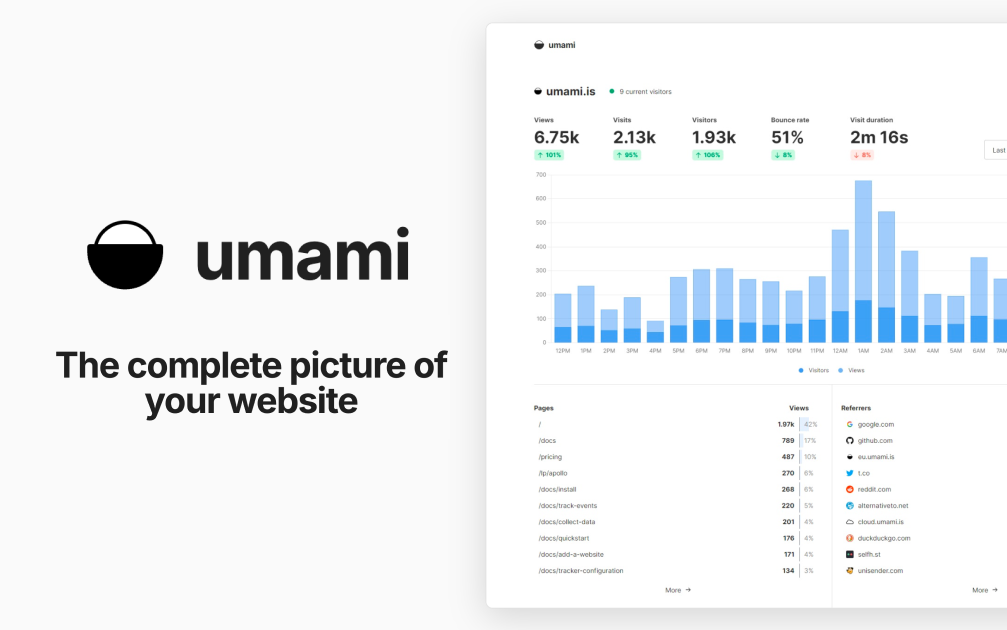
    Umami Deploy Umami on CloudStation Without Managing Servers What is Umami? Umami is an open-source, privacy-focused web analytics platform and a self-hosted alternative to Google Analytics. It shows traffic, referrers, campaigns, events, and conversions in one clean dashboard. According to its documentation, Umami does not use cookies in its tracking code, does not collect personally identifiable information, and anonymizes the data it collects. Deploy Umami on CloudStation when you want your own analytics without setting up Docker, a database server, a reverse proxy, or SSL by hand. This template ships Umami 3.4.0 with a dedicated PostgreSQL 16 database on persistent storage, so your analytics history is kept across restarts and redeploys. Umami's telemetry is disabled. ⚠️ Before you start: Your login username is admin . Umami's well-known default password is replaced on first boot with a unique password generated for each deployment and stored in the service's environment variables as ADMIN_PASSWORD . The default admin/umami login does not work on this template. Best For and Not Best For Best for: startups, agencies, developers, and content sites that want clear website analytics without cookies, with the data stored in their own database. It is a strong fit for teams that track several websites and want to share dashboards with clients. Not best for: teams that need Google Ads integration, cross-site advertising audiences, or tracking of individual people across websites. Umami is built not to do those things. Why Teams Choose Umami Privacy-Focused by Design No cookies in the tracking code, per the Umami docs No personally identifiable information collected, and data is anonymized No cross-site tracking Your analytics data lives in your own PostgreSQL database Analytics That Answer Real Questions Page views, visitors, referrers, browsers, devices, and countries Custom event tracking for clicks, signups, and other actions UTM campaign reports Funnels, goals, retention, and user journeys Revenue tracking Built for Teams and Clients Track multiple websites from one installation Teams to share websites with colleagues Public share URLs for read-only dashboards Developer Friendly A small tracking script you add to any website An API for pulling stats into your own tools Open source under the MIT license Umami vs Alternatives Umami vs Google Analytics : Choose Umami when you want simple, cookie-free analytics and full ownership of your data, instead of an advertising-connected platform. Umami vs Plausible : Choose Umami when you want an MIT-licensed tool with funnels, retention, and journeys that you host yourself. Umami vs Matomo : Choose Umami when you want a lighter, modern dashboard that is quick to learn, rather than a large feature set. Why Deploy Umami on CloudStation? Database included : The template deploys a dedicated PostgreSQL 16 database and connects Umami to it for you. No default password risk : The public admin/umami login is replaced on first boot with a unique password. Data that persists : The database sits on a 10GB persistent volume, so analytics history survives restarts and redeploys. Pricing and Plan Fit 🚀 CloudStation Basic Plan : from $17.99/month for a standard marketplace deployment ✓ Umami 3.4.0 with a unique admin password ✓ Dedicated PostgreSQL 16 database ✓ 10GB persistent database storage ✓ Custom domains ✓ Free SSL ✓ Docker support Deployment note: This template deploys two services: Umami with 1GB of memory and a PostgreSQL 16 database with a 10GB volume. High-traffic sites store more events, so watch database storage as traffic grows. Common Umami Use Cases Website analytics without cookies : See visitors, pages, and referrers without tracking cookies in the analytics script. Marketing campaigns : Compare UTM sources and campaigns to see what drives visits. Product analytics : Track signups and key actions with custom events, funnels, and retention. Agency reporting : Share read-only dashboards with clients through share URLs. Multi-site portfolios : Track every website you run from one installation. Internal dashboards : Pull stats into your own tools with the API. FAQ Is Umami free? Yes. Umami is open source under the MIT license. You pay only for the CloudStation resources it runs on. What are the login credentials after deploying? The username is admin. The password is generated uniquely for each deployment and stored in the service's environment variables as ADMIN_PASSWORD. The default admin/umami login is replaced on first boot. Do I need a cookie banner for Umami? The Umami docs state that its tracking code does not use cookies and that no cookie notice is required for it. Your other website tools and your legal situation may still require one, so check with your own advisor. How do I add Umami to my website? Add a website in the Umami dashboard, copy the tracking code it gives you, and paste it into your site's HTML. Can I track more than one website? Yes. Add as many websites as you want from the same installation and switch between them in the dashboard. Can I share stats with clients? Yes. Enable a share URL for a website to give read-only access to its dashboard, or add people to a team. Where is my data stored? In the dedicated PostgreSQL 16 database that this template deploys, on a 10GB persistent volume. It stays on your deployment, not with a third party. Start Tracking Your Website With Umami If you are searching for self-host Umami , Umami hosting , a Google Analytics alternative , cookie-free analytics , privacy-focused web analytics , or open-source website analytics , this CloudStation template is built for that intent. Launch Umami, sign in as admin, add your website, and start collecting analytics in an environment you control. Deploy Umami Now → Cookie-free analytics. Your own database. Zero server management. Umami on CloudStation: open-source, privacy-focused web analytics with its own PostgreSQL database, without running the deployment stack by hand.

    2 deployments

‹12›