Template Store
Deploy Production-Ready Apps in Minutes
Browse community templates for AI, web services, databases, and more. One click to deploy on CloudStation.
Browse community templates for AI, web services, databases, and more. One click to deploy on CloudStation.
79 templates
.png)

changedetection.ioDeploy changedetection.io on CloudStation Without Managing ServersWhat is changedetection.io? changedetection.io is an open-source tool that watches web pages for changes and alerts you when something you care about changes. It can monitor text, prices, restocks, and JSON API responses, and it sends notifications to email, Discord, Microsoft Teams, Google Chat, and many other channels through the Apprise library. It is a self-hosted alternative to paid website change monitoring services.Deploy changedetection.io on CloudStation when you want your own page monitor running around the clock without setting up Docker, a reverse proxy, or SSL by hand. This template ships changedetection.io 0.60.7 with password login turned on from the first boot and a persistent volume for your watches, history, and settings, so nothing is lost across restarts and redeploys. The version check telemetry is disabled.⚠️ Before you start: There is no username, only a password. A unique password is generated for each deployment and stored in the service's environment variables as LOGIN_PASSWORD. This template fetches pages over plain HTTP and does not include a browser service, so pages that only render their content with JavaScript will not be fully captured.Best For and Not Best ForBest for: shoppers and resellers tracking prices and restocks, marketers watching competitor pages, developers monitoring JSON APIs, and anyone who needs an alert when a policy, job listing, or documentation page changes.Not best for: sites that build their content with JavaScript, browser steps like logging in or clicking buttons, the Visual Selector, or screenshots in notifications. Those need a separate Playwright or sockpuppetbrowser service, which this template does not include.Why Teams Choose changedetection.ioWatch Exactly What MattersCSS selectors and XPath filters to watch one part of a pageTrigger filters such as "Trigger on text", "Ignore text", and "Extract text", with regular expressionsConditions such as a price above or below a set amount, or a keyword appearing or disappearingA diff view that shows exactly what changedPrice and Restock MonitoringRe-stock and price detection for single product pagesUpper and lower price limits and percentage change triggersBack-in-stock and out-of-stock notificationsPrice history graphs over timeNotifications EverywhereEmail, Discord, Microsoft Teams, Google Chat, Rocket.Chat, and more through AppriseJSON notifications to your own API endpointsRSS feeds built from detected changesBuilt for AutomationFull REST API for watches, tags, and notificationsJSON API monitoring with JSONPath or jq filtersRecheck schedules by time zone, day of week, and timeImport website lists from plain text or Excel filesOpen source under the Apache-2.0 licensechangedetection.io vs Alternativeschangedetection.io vs Visualping: Choose changedetection.io when you want to self-host your watches and control how often pages are checked.changedetection.io vs Distill.io: Choose changedetection.io when you want monitoring that runs on a server instead of in your own browser.changedetection.io vs a custom scraper: Choose changedetection.io when you want filters, diffs, scheduling, and notifications already built, with an API for the rest.Why Deploy changedetection.io on CloudStation?Protected from the first boot: The template turns on password login with a unique password per deployment, so your watch list is never public.Always running: Checks keep running on CloudStation even when your laptop is closed.History that persists: A dedicated volume keeps watches, snapshots, and settings across restarts and redeploys.Pricing and Plan Fit🚀 CloudStation Basic Plan: from $17.99/month for a standard marketplace deployment✓ changedetection.io 0.60.7 with password login✓ 5GB persistent storage for watches and history✓ Custom domains✓ Free SSL✓ Docker supportDeployment note: This template deploys one service with 1GB of memory and uses the fast built-in HTTP fetcher. JavaScript rendering needs a separate browser service, which is not part of this template.Common changedetection.io Use CasesPrice drop alerts: Get notified when a product falls below the price you set.Restock alerts: Know when an out-of-stock item is available again.Competitor monitoring: Watch pricing and product pages for changes.Compliance and policy tracking: Catch edits to terms of service, regulations, or official notices.API monitoring: Detect changes in JSON API responses and trigger your own workflows.Job and listing watches: Get an alert when a new job or listing appears.FAQIs changedetection.io free?Yes. It is open source under the Apache-2.0 license. You pay only for the CloudStation resources it runs on.What are the login credentials after deploying?There is no username. The password is generated uniquely for each deployment and stored in the service's environment variables as LOGIN_PASSWORD.Does it work with JavaScript-heavy websites?Not fully with this template. It uses plain HTTP fetching, which works for most regular pages and JSON APIs. Sites that render content with JavaScript need a Playwright or sockpuppetbrowser service, which this template does not include.Where do notifications go?Anywhere Apprise supports, including email, Discord, Microsoft Teams, Google Chat, and custom JSON endpoints. You add the notification URLs in the settings.How often are pages checked?You choose. Each watch has its own recheck interval, and you can limit checks to certain days and times.Can I control it from other tools?Yes. A full REST API lets you add and manage watches, tags, and notifications from scripts.Will my watches survive a restart?Yes. A 5GB persistent volume keeps watches, change history, and settings across restarts and redeploys.Start Monitoring Websites With changedetection.ioIf you are searching for self-host changedetection.io, changedetection.io hosting, a website change monitor, a Visualping alternative, a price drop and restock alert tool, or open-source web page monitoring, this CloudStation template is built for that intent. Launch changedetection.io, sign in with your password, and add your first watch in an environment you control.Deploy changedetection.io Now → Page change alerts. Your own instance. Zero server management.changedetection.io on CloudStation: open-source, password-protected website change and price monitoring, without running the deployment stack by hand.
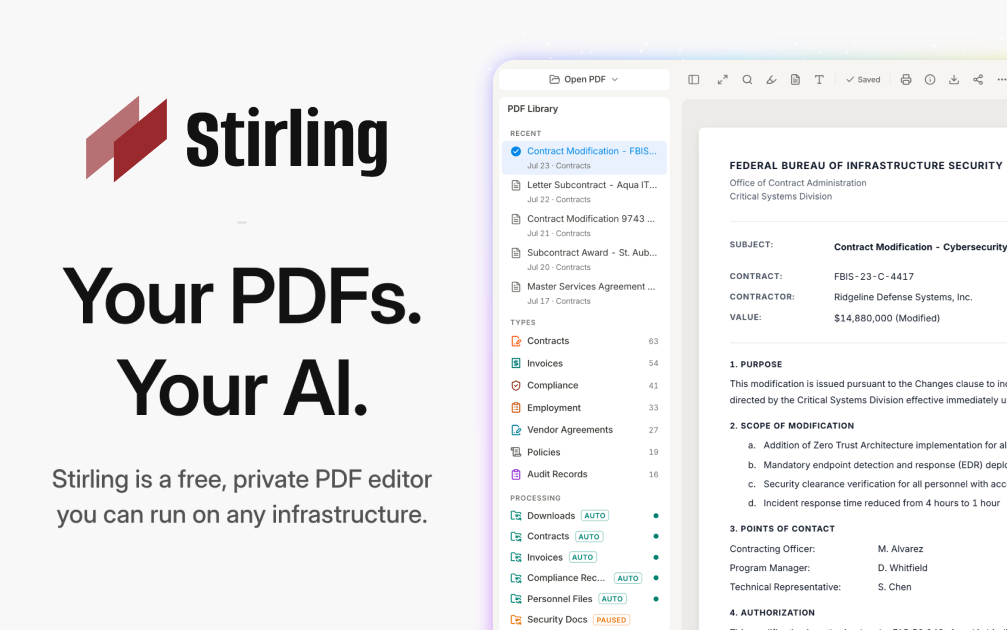

Stirling-PDFDeploy Stirling-PDF on CloudStation Without Managing ServersWhat is Stirling-PDF? Stirling-PDF is an open-source PDF toolkit you run on your own server. It gives you more than 50 PDF tools in one web interface: merge, split, compress, convert, OCR, sign, redact, watermark, and more. Documents are processed by your own instance, never by a third-party service, which makes it a self-hosted alternative to online PDF sites and paid desktop PDF editors.Deploy Stirling-PDF on CloudStation when you want a private PDF workbench for yourself or a small team without setting up Docker, a reverse proxy, or SSL by hand. This template ships Stirling-PDF 2.14.3 with login turned on and a persistent volume for its settings and user database, so accounts and configuration survive restarts and redeploys. The analytics prompt is disabled, and uploaded files are processed and not stored by default.⚠️ Before you start: Your login username is admin. A unique password is generated for each deployment and stored in the service's environment variables. The Stirling-PDF default password from the documentation does not work on this template. OCR works in English out of the box; other OCR languages need extra Tesseract language files.Best For and Not Best ForBest for: small businesses, legal and finance teams, freelancers, and IT admins who handle contracts, invoices, and scans every day and don't want to upload them to free online PDF sites. It is also a good fit for developers who want a PDF REST API they control.Not best for: organizations that need SSO, audit logs, or more than 5 user accounts (those are paid Stirling-PDF editions), OCR in many languages without extra setup, or recognizing tables and formulas inside scanned documents.Why Teams Choose Stirling-PDFOne Toolkit for Everyday PDF WorkMerge, split, reorder, rotate, and remove pagesCompress large PDFs before emailing or archiving themConvert PDFs to and from images, Office documents, and other formatsAdd watermarks, page numbers, and stampsA multi-tool workbench to edit pages visuallyPrivacy by DesignFiles are processed by your own instance, never sent to an outside serviceUploaded files are processed and not stored by defaultLogin protects the instance, so strangers can't use your serverOpen-core: the core is MIT-licensed and you can inspect the codeSecurity and Signing ToolsRedact sensitive text before sharing a documentAdd or remove passwords and set PDF permissionsSign documents and add signatures to PDFsRemove metadata and sanitize files before they leave your teamAutomation and APIREST APIs for nearly all tools, so scripts and apps can process PDFsNo-code pipelines in the UI to chain several operationsTesseract-based OCR to make scanned PDFs searchableInterface available in more than 40 languagesStirling-PDF vs AlternativesStirling-PDF vs Adobe Acrobat: Choose Stirling-PDF when your team needs merging, splitting, compression, OCR, and redaction in a browser, without per-seat desktop licenses.Stirling-PDF vs free online PDF sites: Choose Stirling-PDF when documents are confidential and must not be uploaded to someone else's server.Stirling-PDF vs command-line tools: Choose Stirling-PDF when non-technical colleagues need the same power through a web interface, while developers still get an API.Why Deploy Stirling-PDF on CloudStation?Login from the first boot: The template turns authentication on and generates a unique admin password for each deployment, so the instance is safe on a public web address.Settings that persist: A dedicated volume keeps configuration and the user database across restarts and redeploys.No server work: CloudStation handles HTTPS, the web address, and the container, so you just open the URL and sign in.Pricing and Plan Fit🚀 CloudStation Basic Plan: from $17.99/month for a standard marketplace deployment✓ Stirling-PDF 2.14.3 with login enabled✓ 5GB persistent storage for settings and users✓ Custom domains✓ Free SSL✓ Docker supportDeployment note: This template deploys one service with 2GB of memory. Large files and heavy OCR jobs use more memory, so scale the service up if you process big scanned documents often.Common Stirling-PDF Use CasesContract preparation: Merge, reorder, and sign contract pages before sending them out.Invoice and receipt handling: Compress and split scanned batches into single documents.Searchable archives: Run OCR on scans so their text can be searched and copied.Safe sharing: Redact personal data and strip metadata before sharing a file.Format conversion: Turn PDFs into images or Office documents and back again.Automated document processing: Call the REST API from your own scripts or apps.FAQIs Stirling-PDF free?The self-hosted free edition includes all PDF operations and up to 5 user accounts. You pay for the CloudStation resources it runs on. SSO, audit logs, and larger user counts are part of Stirling-PDF's paid editions.What are the login credentials after deploying?The username is admin. The password is generated uniquely for each deployment and stored in the service's environment variables. The default password from the Stirling-PDF docs does not work here.Are my files stored on the server?No, not by default. Files are processed and the results are returned to you. The volume holds settings and the user database, not your documents.Which OCR languages are included?English OCR works out of the box. Stirling-PDF uses Tesseract, and other languages need their Tesseract language files added to the instance.Can several people use it?Yes. The admin can create additional user accounts, up to 5 users on the free edition.Can I automate PDF tasks?Yes. Nearly every tool is available through a REST API, and you can build multi-step pipelines in the interface.Will my settings survive a restart?Yes. A 5GB persistent volume keeps configuration and user accounts across restarts and redeploys.Start Working With PDFs Privately Using Stirling-PDFIf you are searching for self-host Stirling-PDF, Stirling-PDF hosting, a self-hosted PDF editor, an Adobe Acrobat alternative, a private iLovePDF alternative, or a PDF API you can host yourself, this CloudStation template is built for that intent. Launch Stirling-PDF, sign in as admin, and start merging, converting, and redacting documents on infrastructure you control.Deploy Stirling-PDF Now → 50+ PDF tools. Your own instance. Zero server management.Stirling-PDF on CloudStation: a private, login-protected PDF toolkit and API for your team, without running the deployment stack by hand.
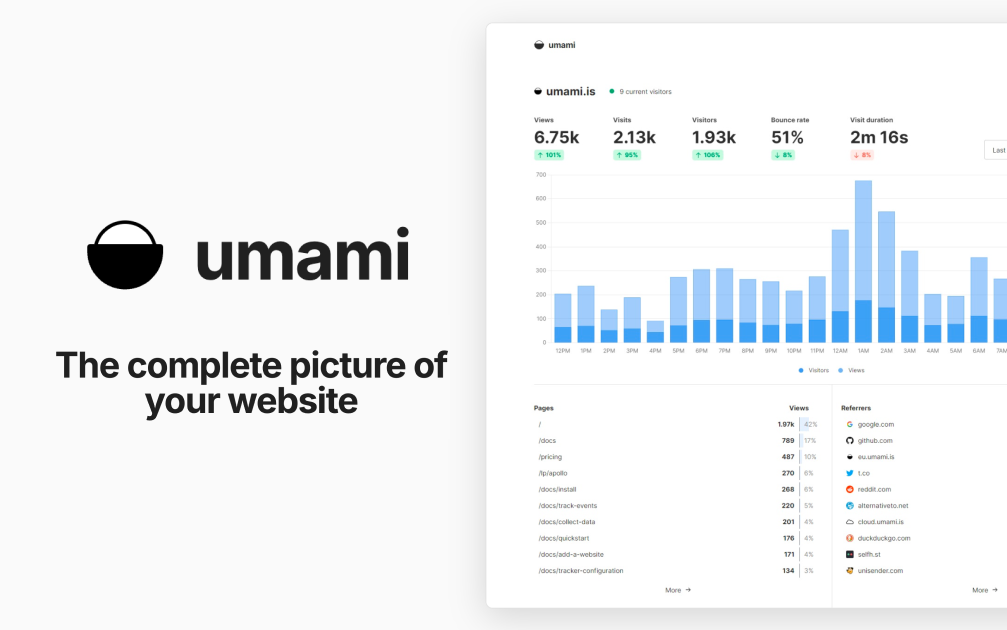

UmamiDeploy Umami on CloudStation Without Managing ServersWhat is Umami? Umami is an open-source, privacy-focused web analytics platform and a self-hosted alternative to Google Analytics. It shows traffic, referrers, campaigns, events, and conversions in one clean dashboard. According to its documentation, Umami does not use cookies in its tracking code, does not collect personally identifiable information, and anonymizes the data it collects.Deploy Umami on CloudStation when you want your own analytics without setting up Docker, a database server, a reverse proxy, or SSL by hand. This template ships Umami 3.4.0 with a dedicated PostgreSQL 16 database on persistent storage, so your analytics history is kept across restarts and redeploys. Umami's telemetry is disabled.⚠️ Before you start: Your login username is admin. Umami's well-known default password is replaced on first boot with a unique password generated for each deployment and stored in the service's environment variables as ADMIN_PASSWORD. The default admin/umami login does not work on this template.Best For and Not Best ForBest for: startups, agencies, developers, and content sites that want clear website analytics without cookies, with the data stored in their own database. It is a strong fit for teams that track several websites and want to share dashboards with clients.Not best for: teams that need Google Ads integration, cross-site advertising audiences, or tracking of individual people across websites. Umami is built not to do those things.Why Teams Choose UmamiPrivacy-Focused by DesignNo cookies in the tracking code, per the Umami docsNo personally identifiable information collected, and data is anonymizedNo cross-site trackingYour analytics data lives in your own PostgreSQL databaseAnalytics That Answer Real QuestionsPage views, visitors, referrers, browsers, devices, and countriesCustom event tracking for clicks, signups, and other actionsUTM campaign reportsFunnels, goals, retention, and user journeysRevenue trackingBuilt for Teams and ClientsTrack multiple websites from one installationTeams to share websites with colleaguesPublic share URLs for read-only dashboardsDeveloper FriendlyA small tracking script you add to any websiteAn API for pulling stats into your own toolsOpen source under the MIT licenseUmami vs AlternativesUmami vs Google Analytics: Choose Umami when you want simple, cookie-free analytics and full ownership of your data, instead of an advertising-connected platform.Umami vs Plausible: Choose Umami when you want an MIT-licensed tool with funnels, retention, and journeys that you host yourself.Umami vs Matomo: Choose Umami when you want a lighter, modern dashboard that is quick to learn, rather than a large feature set.Why Deploy Umami on CloudStation?Database included: The template deploys a dedicated PostgreSQL 16 database and connects Umami to it for you.No default password risk: The public admin/umami login is replaced on first boot with a unique password.Data that persists: The database sits on a 10GB persistent volume, so analytics history survives restarts and redeploys.Pricing and Plan Fit🚀 CloudStation Basic Plan: from $17.99/month for a standard marketplace deployment✓ Umami 3.4.0 with a unique admin password✓ Dedicated PostgreSQL 16 database✓ 10GB persistent database storage✓ Custom domains✓ Free SSL✓ Docker supportDeployment note: This template deploys two services: Umami with 1GB of memory and a PostgreSQL 16 database with a 10GB volume. High-traffic sites store more events, so watch database storage as traffic grows.Common Umami Use CasesWebsite analytics without cookies: See visitors, pages, and referrers without tracking cookies in the analytics script.Marketing campaigns: Compare UTM sources and campaigns to see what drives visits.Product analytics: Track signups and key actions with custom events, funnels, and retention.Agency reporting: Share read-only dashboards with clients through share URLs.Multi-site portfolios: Track every website you run from one installation.Internal dashboards: Pull stats into your own tools with the API.FAQIs Umami free?Yes. Umami is open source under the MIT license. You pay only for the CloudStation resources it runs on.What are the login credentials after deploying?The username is admin. The password is generated uniquely for each deployment and stored in the service's environment variables as ADMIN_PASSWORD. The default admin/umami login is replaced on first boot.Do I need a cookie banner for Umami?The Umami docs state that its tracking code does not use cookies and that no cookie notice is required for it. Your other website tools and your legal situation may still require one, so check with your own advisor.How do I add Umami to my website?Add a website in the Umami dashboard, copy the tracking code it gives you, and paste it into your site's HTML.Can I track more than one website?Yes. Add as many websites as you want from the same installation and switch between them in the dashboard.Can I share stats with clients?Yes. Enable a share URL for a website to give read-only access to its dashboard, or add people to a team.Where is my data stored?In the dedicated PostgreSQL 16 database that this template deploys, on a 10GB persistent volume. It stays on your deployment, not with a third party.Start Tracking Your Website With UmamiIf you are searching for self-host Umami, Umami hosting, a Google Analytics alternative, cookie-free analytics, privacy-focused web analytics, or open-source website analytics, this CloudStation template is built for that intent. Launch Umami, sign in as admin, add your website, and start collecting analytics in an environment you control.Deploy Umami Now → Cookie-free analytics. Your own database. Zero server management.Umami on CloudStation: open-source, privacy-focused web analytics with its own PostgreSQL database, without running the deployment stack by hand.
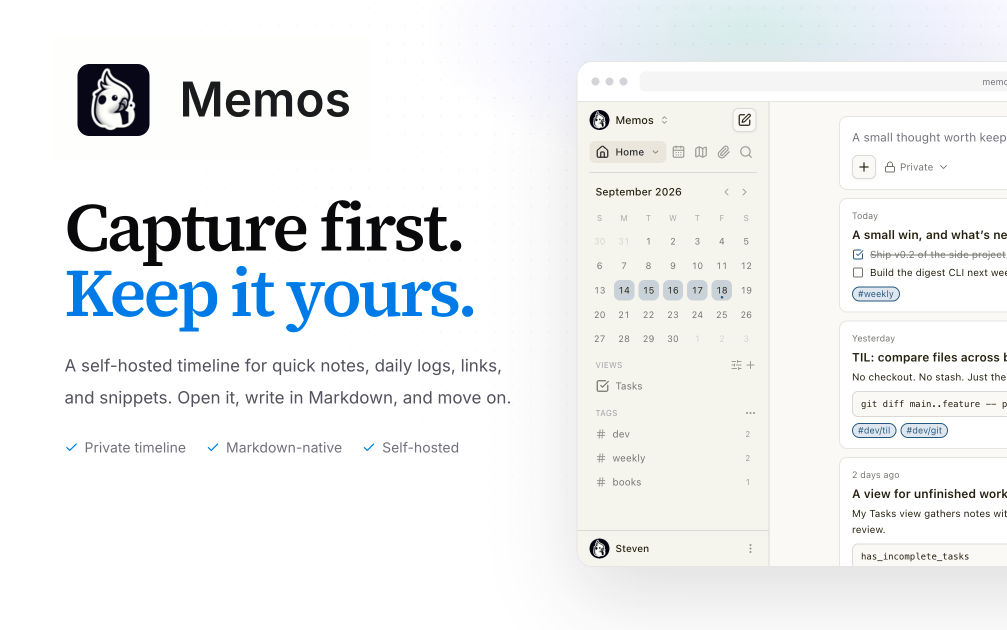

MemosDeploy Memos on CloudStation Without Managing ServersWhat is Memos? Memos is an open-source, self-hosted note-taking app built for quick capture. You write in Markdown and save without choosing a title, folder, or template, and your notes flow into a chronological timeline. It suits daily notes, links, work logs, and snippets, and it is a lightweight self-hosted alternative to Google Keep, Apple Notes, or a private microblog.Deploy Memos on CloudStation when you want your own notes app on a web address you control without setting up Docker, a reverse proxy, or SSL by hand. This template ships Memos 0.30.0 with its SQLite database and attachments on a persistent volume, so your notes and uploaded files survive restarts and redeploys. Memos is MIT-licensed and the project states it has zero telemetry.⚠️ Before you start: The first account created becomes the admin. After that, anyone who finds your address can register until you turn registration off. Open your Memos address right after deploying, create your account, then go to Settings and disable user registration.Best For and Not Best ForBest for: individuals, developers, and small teams who want a fast place to jot down ideas, links, and logs, and who care about owning their notes. It is also a good fit for anyone who wants to publish a few public notes while keeping the rest private.Not best for: teams that need a full wiki with nested pages, real-time collaborative document editing, databases and project boards like Notion, or long-form documentation.Why Teams Choose MemosCapture First, Organize LaterMarkdown-native notes with no title, folder, or template requiredA chronological timeline of everything you writeTags and pins to revisit what mattersSearch across your notesYou Own the DataSelf-hosted, with the database and attachments on your own volumeZero telemetry, according to the Memos projectOpen source under the MIT licensePrivate or Public, Per NoteKeep memos private or publish only what you chooseVisibility controls on each memoAttach images and files to notesBuilt to ConnectREST and gRPC APIs for automation and integrationsWebhooks for event-driven workflowsA web clipper extension for Chrome and Firefox to save pages and selectionsAPI tokens for scripts and other appsMemos vs AlternativesMemos vs Google Keep: Choose Memos when you want quick notes with Markdown, tags, and an API, stored on infrastructure you control.Memos vs Notion: Choose Memos when you want fast capture and a simple timeline instead of a full workspace with pages and databases.Memos vs Obsidian: Choose Memos when you want notes in the browser from any device without syncing a local vault.Why Deploy Memos on CloudStation?Ready in minutes: One service with its database and attachments on a persistent volume, no database server to set up.HTTPS included: CloudStation provides HTTPS and your own web address, so you can reach your notes from any device.Data that persists: A dedicated volume keeps the SQLite database and attachments across restarts and redeploys.Pricing and Plan Fit🚀 CloudStation Basic Plan: from $17.99/month for a standard marketplace deployment✓ Memos 0.30.0 with SQLite✓ 5GB persistent storage for notes and attachments✓ Custom domains✓ Free SSL✓ Docker supportDeployment note: This template deploys one service with 512MB of memory. Notes and attachments share the 5GB volume, so large file uploads use that space.Common Memos Use CasesDaily journal: Write short entries through the day and read them back as a timeline.Work log: Record what you shipped, decided, or learned, tagged by project.Link and snippet library: Save links, commands, and code snippets you want to find again.Web clipping: Save pages and selections from your browser with the web clipper.Personal microblog: Publish selected notes publicly while keeping the rest private.Automated capture: Post notes from scripts or other tools through the API.FAQIs Memos free?Yes. Memos is open source under the MIT license. You pay only for the CloudStation resources it runs on.What are the login credentials after deploying?There are none preset. The first account you create becomes the admin. Create it right after deploying, before anyone else can.How do I stop other people from signing up?After creating your admin account, open Settings and disable user registration. Until you do, anyone with your address can register an account.Can other people use my instance?Yes. Keep registration open while they sign up, or leave it off and manage users as the admin. Each person gets their own notes.Where are my notes stored?In a SQLite database on a 5GB persistent volume, together with your attachments. They survive restarts and redeploys.Can I make some notes public?Yes. Each memo has its own visibility, so you can keep most notes private and publish only the ones you choose. If your instance is fully private, the Memos docs recommend disabling public memo visibility.Is there an API?Yes. Memos provides REST and gRPC APIs and webhooks, and you can create API tokens for scripts and integrations.Start Capturing Notes With MemosIf you are searching for self-host Memos, Memos hosting, a self-hosted note-taking app, a Google Keep alternative, an open-source Markdown notes app, or a private microblog, this CloudStation template is built for that intent. Launch Memos, create your admin account, turn off registration, and start writing in an environment you control.Deploy Memos Now → Markdown notes on a timeline. Your own instance. Zero server management.Memos on CloudStation: open-source, self-hosted quick notes with Markdown, tags, and an API, without running the deployment stack by hand.
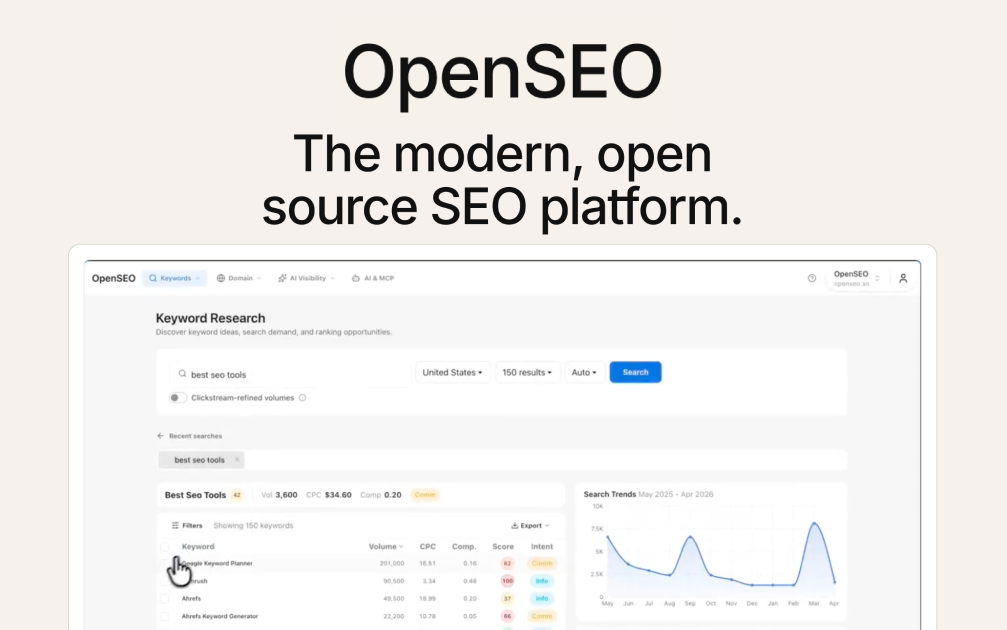

OpenSEODeploy OpenSEO on CloudStation Without Managing ServersWhat is OpenSEO? OpenSEO is an open-source SEO tool and a self-hosted alternative to Semrush and Ahrefs. It covers keyword research, rank tracking, competitor insights, backlinks, site audits, and AI search visibility in one focused interface. There is no subscription: you connect your own DataForSEO account and pay only for the data you actually use.Deploy OpenSEO on CloudStation when you want your own SEO tool without setting up Docker, a reverse proxy, SSL, or a login layer by hand. This template ships OpenSEO 0.1.9 behind a password-protected login, with a persistent volume for your projects, saved keywords, and audit history, so your data survives restarts and redeploys.⚠️ Before you start: OpenSEO needs a DataForSEO API key to show any SEO data. New DataForSEO accounts include $1 of free credit, and the minimum top-up is $50. Your login username is admin, and a unique password is generated for each deployment and stored in the service's environment variables.Best For and Not Best ForBest for: founders, marketers, freelancers, and small agencies who do keyword research and rank tracking a few times a month and don't want to pay for a full Semrush or Ahrefs subscription. It is also a strong fit for anyone who wants AI agents like Claude Code or Codex to run SEO research directly.Not best for: large teams that need separate user accounts and permissions, fully automated daily rank tracking out of the box, or the massive historical backlink index of an enterprise SEO suite.Why Teams Choose OpenSEOPay for Data, Not SeatsNo monthly subscription: pay DataForSEO directly, per requestSelf-hosting avoids the markup the hosted OpenSEO service adds on top of DataForSEO costsOpen source under the MIT license, so you are never locked inThe SEO Workflows That MatterKeyword research with search volume, difficulty, and SERP inspectionRank tracking for your saved keywordsCompetitor and domain research, plus a backlink overviewSite audits with Lighthouse performance checksShareable SEO reports for clients and stakeholdersAI Search VisibilitySee how often your brand is mentioned in ChatGPT and Google AI answersTrack share of voice against competitors in AI searchFind the sources AI answers cite, so you know which pages to earn mentions onBuilt for AI AgentsBuilt-in MCP server: connect Claude Code, Claude Desktop, Cursor, or Codex to your own instanceReady-made agent skills for keyword research, competitor analysis, site audits, local SEO, and SEO reportsOptional in-app SEO assistant powered by OpenRouterOptional Google Search Console connection for real performance and URL inspection dataOpenSEO vs AlternativesOpenSEO vs Semrush: Choose OpenSEO when you use a handful of core workflows and want to pay per request instead of a monthly seat.OpenSEO vs Ahrefs: Choose OpenSEO for keyword research, rank tracking, and backlink overviews without a subscription. Choose Ahrefs if you need its full historical backlink index.OpenSEO vs the hosted OpenSEO service: Choose self-hosting on CloudStation to pay DataForSEO directly and keep your SEO data on infrastructure you control.Why Deploy OpenSEO on CloudStation?Safe to put on the internet: OpenSEO's own Docker setup has no login and is meant for private networks. This template adds a password-protected login in front of the app and the MCP endpoint, so it is safe on a public web address.Fast restarts: The app is built once when the image is built, instead of on every start, so it comes back in seconds after a restart.Data that persists: A dedicated volume keeps your projects, keywords, and audit history across restarts and redeploys.Pricing and Plan Fit🚀 CloudStation Basic Plan: from $17.99/month for a standard marketplace deployment✓ OpenSEO 0.1.9 with a password-protected login✓ 5GB persistent storage✓ Custom domains✓ Free SSL✓ Docker supportDeployment note: This template deploys one service with 2GB of memory. SEO data costs are separate and billed by DataForSEO based on the requests you make.Common OpenSEO Use CasesKeyword research for content: Find keywords worth targeting before you write.Rank tracking: Check where your pages rank for the keywords you care about.Competitor analysis: See which keywords and pages drive a competitor's traffic.Technical site audits: Find broken pages and slow pages that hold your rankings back.AI search visibility: Measure how often ChatGPT and Google AI mention your brand.Agent-driven SEO: Let Claude Code or Codex research keywords and pull rankings through MCP.FAQIs OpenSEO free?The software is free and open source under the MIT license. You pay for the CloudStation resources it runs on and for the DataForSEO data you use.What does DataForSEO cost?DataForSEO is pay-as-you-go. New accounts get $1 of free credit, and the minimum top-up is $50. You only pay for the requests OpenSEO makes on your behalf.What are the login credentials after deploying?The username is admin. The password is generated uniquely for each deployment and stored in the service's environment variables.Can I connect Claude Code or other AI agents?Yes. Add your OpenSEO web address followed by /mcp as an MCP server in Claude Code, Cursor, Codex, or Claude Desktop, and sign in with the same username and password.Does rank tracking run automatically?Not in this self-hosted version. Scheduled rank checks only run on OpenSEO's Cloudflare hosting, so you trigger checks from the Rank Tracking page.Will my data survive a restart?Yes. This template mounts a persistent volume for OpenSEO's database, so projects, keywords, and audit history are kept across restarts and redeploys.Can several people use it?Yes, by sharing the login, but everyone works in the same workspace. OpenSEO's self-hosted mode has a single admin account and no per-user permissions.Start Doing SEO With OpenSEOIf you are searching for self-host OpenSEO, OpenSEO hosting, an open-source SEO tool, a self-hosted Semrush alternative, a cheap Ahrefs alternative, or an SEO MCP server for AI agents, this CloudStation template is built for that intent. Launch OpenSEO, connect DataForSEO, and start researching keywords in an environment you control.Deploy OpenSEO Now → Pay-as-you-go SEO data. Your own instance. Zero server management.OpenSEO on CloudStation: open-source, self-hosted SEO research for you and your AI agents, a Semrush and Ahrefs alternative without running the deployment stack by hand.
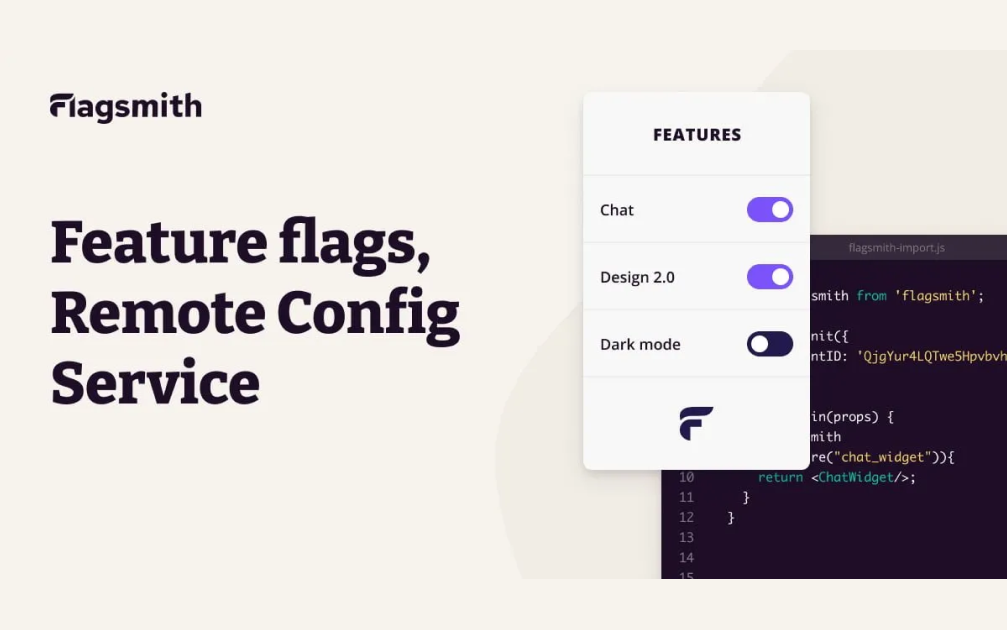

Empower Your Feature Management with Flagsmith on Cloudstation Deploy Flagsmith on Cloudstation to take your feature flag and remote configuration management to the next level. Flagsmith allows developers to control the rollout of new features with precision, enabling A/B testing, toggling functionalities, and customizing user experiences with ease. This open-source platform ensures that teams can implement feature flags across their applications securely and at scale. By leveraging Cloudstation's robust infrastructure, Flagsmith deployment is streamlined, offering a reliable environment for managing feature flags and configurations. With Flagsmith, teams can accelerate their development cycles, improve product quality, and make data-driven decisions about feature releases. Enhance your software development process with Flagsmith on Cloudstation for advanced feature management capabilities.
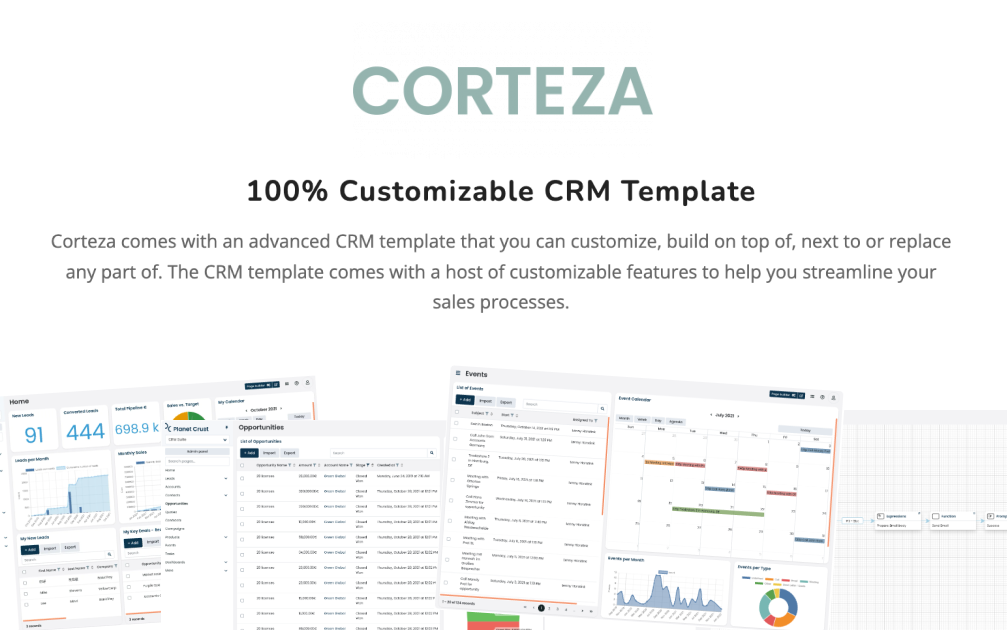

Transform Your Enterprise with Corteza on CloudstationDeploy Corteza on Cloudstation to elevate your business processes with the ultimate open-source digital work platform. Corteza is designed to empower organizations with a suite of powerful tools for CRM, workflow automation, low-code application development, and data integration, all within a secure, unified environment. This platform facilitates the creation of custom digital ecosystems, enabling businesses to manage data, automate processes, and enhance collaboration efficiently. Hosting Corteza on Cloudstation's scalable and secure infrastructure ensures that enterprises of all sizes can leverage its full potential without compromise. With Corteza, you gain the flexibility to tailor your digital workspace to your exact needs, driving innovation and efficiency across your operations. Opt for Corteza on Cloudstation for a comprehensive solution that simplifies complex business challenges through advanced digital transformation.