CloudStation
  • How it works
  • Use cases
  • Solo foundersAn assistant that answers your customersStartupsSales, support and research without new hiresAgencies and studiosMore client work from the same teamCTOsAgents behind your own softwareEnterpriseThe whole platform on your own servers

    Industries

    Media and entertainmentResearch and academiaHealthcareFinancial servicesEducationE-commerce and retail
  • Templates
  • Pricing
  • Blog
  • Changelog
Start with Charlie
  • How it works
  • Use cases
  • Templates
  • Pricing
  • Blog
  • Changelog

Built for

  • Solo founders
  • Startups
  • Agencies and studios
  • CTOs
  • Enterprise

Industries

  • Media and entertainment
  • Research and academia
  • Healthcare
  • Financial services
  • Education
  • E-commerce and retail
Start with Charlie

Template store

Ready-made apps, set up by Charlie.

Databases, CRMs, analytics, support desks and workflow tools. CloudStation hosts each one with its own address, storage and logs. Deploy an app yourself, or ask Charlie to set it up for your team.

Browse the appsStart with Charlie
Template storeMost deployed
  1. Picked from the store
  2. Set up by Charlie
  3. Running

The catalog

Search the apps, or browse by category.

Sorted by how often each app has been deployed. Open one to read what it does and deploy it.

How it works

From the store to a working address.

  1. 01

    Pick an app

    Search by name or open a category. Each page says what the app does and how many times it has been deployed.

  2. 02

    Deploy it yourself

    Deploy opens the template in your CloudStation workspace. Fill in the settings it asks for and start it.

  3. 03

    Or ask Charlie

    Tell Charlie which app you want and what your team will use it for. Charlie sets it up and reports back in the thread.

  4. 04

    Share the address

    The app gets its own web address. Point your own domain at it when you want, and CloudStation sets up SSL.

Running today

A sales team's CRM runs on one of these apps.

Twenty CRM is in the store. One sales team runs it on CloudStation, and eight agents work in it.

They find companies, research them, find the decision maker and draft the first email. A person on the team approves every email.

AI CRM for a sales team, on Twenty

  1. 01Company scout
  2. 02Account researcher
  3. 03People finder
  4. 04Outreach writer
  5. 05Follow-up keeper
  6. 06Daily reporter
  7. 07Product expert
  8. 08Coordinator

A person approves each email before it is sent.

Hosting

What every app gets.

The same hosting your own apps get when Charlie builds them.

  • Data that survives restarts

    A storage volume keeps the app's data across restarts and redeployments.

  • Logs in your workspace

    Read the app's logs from your workspace when something looks wrong.

  • Every deployment listed

    The deployment history shows what changed and when.

  • From 1 app to 16

    Basic hosts 1 app, Essential 4, Pro 9 and Team 16. Pricing has the current prices.

Questions

About the apps.

Who makes these apps?

Most are open-source projects, packaged so they start on CloudStation. Each template page shows who packaged it and links to the project when there is a link.

What does it cost to host one?

Hosting comes with the cloud plans. Basic runs 1 app, Essential 4, Pro 9 and Team 16. The pricing page has the current prices.

Can Charlie work inside the app once it runs?

That depends on the app. Charlie works with an app through its API or a connected tool, the way a sales team's eight agents work in their Twenty CRM. Ask Charlie about the app you have in mind before you deploy it.

Is my data kept when the app restarts?

Yes. Data on the app's storage volume stays through restarts and redeployments. A volume is not a backup, and deleting the app deletes its data.

The app I need is not in the store. What now?

CloudStation also runs apps from a Docker image or a Git repository. Tell Charlie what you need and it can deploy one, or build the tool for you.

Tell Charlie which app your team needs.

Name the app and what it is for. Charlie sets it up on CloudStation, and your team opens it at its own address.

Start with Charlie
CloudStation

Charlie runs a team of AI specialists on CloudStation. Work starts from a customer message, a schedule or your own app, and Charlie asks you only when it matters.

Products
  • How it works
  • Use cases
  • Tools
  • Pricing
  • Enterprise
Resources
  • Template Store
  • Use case videos
  • Changelog
  • Blog
  • Careers
  • FAQ
Legal
  • Privacy Policy
  • Terms & Conditions
  • Refund Policy
  • Cancellation Policy
  • Data Processing Agreement

©2026 CloudStation

Template storeMost deployed
  • Evolution Api
  • Bolt.new
  • N8N Advanced
  • N8N Light
  • Redis
  • PostgresSQL
  1. Picked from the store
  2. Set up by Charlie
  3. Running

https://evolution-api-•••.cloud-station.apphttps://bolt-•••.cloud-station.apphttps://n8n+worker-•••.cloud-station.apphttps://n8n-•••.cloud-station.apphttps://redis-•••.cloud-station.apphttps://postgres-•••.cloud-station.app

20 apps

All apps 79Dev & Deployment 37AI & Automation 30Data & Databases 20Customer & Marketing 15Communication 14Business & Finance 7Security & Auth 3Content & CMS 2Other 1
  • Mariadb

    Cloudstation

    Powerful Database Solutions with CloudStation's 1-Click Deploy MariaDB is an open-source relational database management system that provides fast, scalable, and robust data management solutions. With CloudStation, deploying MariaDB is easier than ever. Why Choose This Template? Reliable Performance: Experience MariaDB's proven database management capabilities for consistent and high-speed data processing. Open-Source Flexibility: Benefit from the open-source nature of MariaDB, ensuring transparency and community-driven improvements. Seamless Cloud Integration: Easily deploy MariaDB in the cloud with CloudStation's streamlined processes. Cost Efficiency: Leverage the economic advantages of using an open-source system in the cloud. CloudStation Advantages: One-click Deployment: Quickly launch MariaDB instances with a simple click. Scalability: Effortlessly scale your database solutions to meet growing demands. Cost-effectiveness: Optimize your budget with CloudStation's efficient pricing models. Easy Integration: Connect seamlessly with other tools to enhance your workflow. Perfect For: Developers seeking a reliable and flexible database solution. Startups needing an efficient and scalable database management system. IT Professionals looking for a robust open-source database in the cloud. Unlock the full potential of MariaDB with CloudStation, where deployment and management are made simple and efficient. #MariaDB #CloudStation #OpenSourceDatabase #1ClickDeploy

    14 deployments

  • Convex

    CloudStation

    Convex The Open-Source Backend Platform That Cuts Infrastructure Costs by 95% Deploy a production-ready reactive backend in under 2 minutes with CloudStation's one-click setup. Convex combines enterprise-grade real-time database with the freedom of open source - featuring type-safe queries end-to-end, serverless TypeScript functions, built-in file storage, scheduled jobs, and vector search that makes Firebase and Supabase feel like they're stuck in 2018. What Makes Convex Revolutionary? Escape the Per-Developer Pricing Trap While Convex's own cloud charges $25/developer/month and Firebase nickel-and-dimes you per read, write, and delete with unpredictable bills that spike without warning, Convex on CloudStation gives you UNLIMITED developers, UNLIMITED function calls, and UNLIMITED query throughput for just $17.99/month total. No per-seat math, no surprise invoices, no "did we just blow past the free tier" panic. Battle-Tested by the Best With 11,500+ GitHub stars, 700+ forks, and $26M in backing from Andreessen Horowitz, Convex was built by the engineers who ran Dropbox's exabyte-scale infrastructure. This isn't a weekend side project — it's the backend platform that production teams at hundreds of startups trust for real-time, collaborative applications. Real-Time Without the Wiring Firebase makes you bolt together Firestore, Cloud Functions, and hand-rolled websockets. Supabase gives you Postgres plus real-time subscriptions you have to configure manually. Convex's reactive sync engine automatically streams database changes to every connected client — no polling, no cache invalidation, no websocket boilerplate. Write a query and the UI updates. That's it. Core Capabilities Teams Love Reactive Real-Time Database Automatic live queries — UI updates when data changes, zero code ACID transactions with strong consistency (not eventual) Type-safe from database schema to frontend component Optimistic updates with automatic rollback on conflict Serverless Functions Engine Write queries, mutations, and actions in pure TypeScript Scheduled jobs (crons) to run recurring backend tasks Node.js actions for integrating with any external API Built-in authentication with 80+ OAuth integrations File Storage & AI Infrastructure Built-in file storage with automatic URL generation Vector search for RAG, semantic search, and AI applications Full-text search across your database without Elasticsearch Streaming data exports for analytics and data pipelines Developer-First Platform CLI, dashboard, and preview deployments for every branch React, Next.js, and TypeScript SDKs with first-class support Open-source backend (MIT license) — audit it, fork it, own it Self-host on your own infrastructure with Docker or bare metal Who's Switching to Convex? Indie Developers : "Finally a backend that feels like magic — write TypeScript functions, get real-time sync for free, never touch a deployment script again" React & Next.js Startups : "Migrated from Firebase to Convex and cut our backend codebase in half — type safety from database to button click" Full-Stack Engineers : "ACID transactions in a real-time database? Vector search without provisioning a separate service? Convex is what Firebase should have been" AI Application Builders : Deployed vector search, file storage, and scheduled ingestion jobs all in one platform — no infrastructure assembly required Why Deploy with CloudStation? 2-Minute Setup : One click and your entire backend is live — PostgreSQL, Convex server, and all services configured Everything Included : Database, file storage, vector search, crons, authentication — all bundled for $17.99 Unlimited Developers : Your entire engineering team connects to one backend at one price Zero Maintenance : We handle backups, updates, monitoring, and scaling — you handle building your product Pricing That Actually Makes Sense 🚀 CloudStation Basic Plan : $17.99/month total ✓ 1 app deployment ✓ 10GB storage ✓ Custom domains ✓ Free SSL ✓ Docker support ✓ Automatic backups Compare to Firebase: Production app with real-time sync, file storage, serverless functions, and 50GB database = $350+/month. Convex Cloud charges $25/dev/month — a 5-person team pays $125/month before usage. You save $332+/month (95%!) with Convex on CloudStation Setup After Deploy The admin key is printed to the Backend service logs on first boot. Open the Backend service in CloudStation, view Logs , and look for a line beginning with ==== CONVEX_ADMIN_KEY: . Paste it into the dashboard login form and into your project's .env.local as CONVEX_SELF_HOSTED_ADMIN_KEY . Environment Variables Variable Description Secret Notes CONVEX_SELF_HOSTED_ADMIN_KEY Admin key for the Convex instance Yes Auto-generated; printed to Backend logs on first boot. Paste into dashboard + project .env.local . INSTANCE_NAME Stable identifier for this Convex instance Yes Defaults to convex-cloudstation . The Postgres database name is the instance name with - replaced by _ . INSTANCE_SECRET Instance secret used to derive the admin key Yes Auto-generated via {{rand(64)}} . To rotate, change the value and restart the Backend service. CONVEX_CLOUD_ORIGIN Public URL of the Convex API (port 3210) No Auto-set to the Backend service's public domain on port 3210. CONVEX_SITE_ORIGIN Public URL of HTTP actions (port 3211) No Auto-set to the Backend service's public domain on port 3211. POSTGRES_URL Postgres connection string (no DB name) Yes Auto-wired from the bundled Postgres service. Convex requires the URL without the database name. NEXT_PUBLIC_DEPLOYMENT_URL Backend URL the dashboard connects to No Auto-set on the Dashboard service to the Backend's public domain on port 3210. Start Your Backend Revolution Join thousands of developers building real-time applications without the infrastructure tax. With CloudStation's one-click deployment, you'll have a fully functional, type-safe reactive backend running in under 2 minutes. Deploy Convex Now → Type-safe. Reactive. One price. No surprises. Convex on CloudStation: $17.99 for a complete reactive backend. Firebase charges that for 100K reads on a slow Tuesday.

    8 deployments

  • PgAdmin

    CloudStation

    PostgreSQL: Effortless Database Management with CloudStation's 1-Click Deploy PostgreSQL provides a robust open-source database system known for its exceptional reliability, feature robustness, and performance. Why Choose This Template? Reliability : PostgreSQL is trusted for its high reliability, making it the go-to choice for many applications. Robust Features : With advanced features, PostgreSQL supports complex queries and transactions. Open-Source Flexibility : As an open-source project, PostgreSQL allows customization and community-driven enhancements. Seamless Integration : Easily integrate PostgreSQL with CloudStation for streamlined deployment. CloudStation Advantages: One-click Deployment : Deploy PostgreSQL with just a single click, reducing setup time and complexity. Scalability : Scale within CloudStation to match your growing database needs effortlessly. Cost-effectiveness : Optimize your deployments with CloudStation's competitive pricing. Easy Integration with Other Tools : Connect PostgreSQL with a suite of tools on CloudStation to enhance productivity. Perfect For: Database Administrators looking for reliable and manageable databases. Developers who require a robust and feature-rich database platform. Small to Medium-sized Enterprises that need a cost-effective yet powerful database solution. Unlock the full potential of PostgreSQL with CloudStation, enhancing your database management experience with ease and efficiency. #PostgreSQL #OpenSourceDatabase #CloudDeployment #DatabaseManagement

    4 deployments

  • Hasura

    CloudStation

    Accelerate Your App Development with Hasura on Cloudstation Deploy Hasura on Cloudstation and supercharge your application development with instant GraphQL APIs. Hasura is an open-source engine that connects directly to your databases and microservices, automating the creation of real-time GraphQL APIs. This powerful tool simplifies data access and manipulation, enabling developers to build scalable, high-performance applications swiftly. With Hasura, you can leverage advanced features like built-in authorization, real-time subscriptions, and seamless integration with existing databases and services. Hosting Hasura on Cloudstation's scalable and secure infrastructure ensures that your development process is accelerated, making it easier to manage and deploy your applications. Opt for Hasura on Cloudstation for a robust development ecosystem that reduces time to market and enhances application performance.

    3 deployments

  • PgVector

    CloudStation

    pgvector The Open-Source Vector Database That Eliminates $840/Year in Pinecone Fees Deploy production-ready vector search in under 2 minutes with CloudStation's one-click pgvector setup. Skip the standalone vector databases and vendor lock-in - pgvector runs directly inside PostgreSQL, giving you AI-powered semantic search, RAG capabilities, and recommendation engines without juggling multiple databases or paying per-vector pricing that scales into thousands monthly. What Makes pgvector Revolutionary? One Database to Rule Them All While Pinecone charges $70-500+/month for a separate vector database, pgvector runs INSIDE your PostgreSQL instance. Store vectors alongside your regular data, join across tables, and leverage ACID transactions - all for just $17.99/month total with CloudStation. Battle-Tested by AI Leaders With 12,000+ GitHub stars and adoption by OpenAI, Supabase, and thousands of AI startups, pgvector has become the de facto standard for adding vector search to PostgreSQL. It's production-ready, actively maintained, and trusted by companies processing billions of embeddings. Works with Your Entire AI Stack Native integrations with LangChain, LlamaIndex, OpenAI, Anthropic, and every major AI framework. If your tool speaks PostgreSQL (and they all do), it speaks pgvector - no proprietary SDKs or API limits to wrestle with. Core Capabilities Teams Love Lightning-Fast Vector Search HNSW indexing for production-scale approximate nearest neighbor search IVFFlat indexing for cost-effective similarity search Exact search when precision trumps speed Query millions of vectors in milliseconds Flexible Distance Metrics Cosine distance for semantic similarity L2 (Euclidean) distance for spatial data Inner product for recommendation engines Support for up to 2000-dimension vectors PostgreSQL Superpowers Store vectors alongside metadata in one table Join vector results with relational data ACID compliance for mission-critical apps Leverage existing Postgres tooling and expertise Universal AI Integration LangChain & LlamaIndex native support OpenAI embeddings drop right in Works with any Postgres client library pgAdmin compatibility for visual management Who's Switching to pgvector? AI Startups : "Went from $200/month Pinecone bill to $17.99 CloudStation - same performance" RAG Applications : "Powers our semantic search across 10M+ documents" E-commerce Teams : "Image similarity search without a separate database to manage" ML Engineers : "Finally, embeddings and metadata in one queryable location" Why Deploy with CloudStation? 2-Minute Setup : One click deploys PostgreSQL with pgvector pre-installed and configured Everything Included : PostgreSQL 16, pgvector extension, automated backups, SSL - all for $17.99 Unlimited Vectors : No per-vector pricing or artificial limits on index size Zero Maintenance : We handle Postgres updates, pgvector upgrades, monitoring, and scaling Pricing That Actually Makes Sense 🚀 CloudStation Basic Plan : $17.99/month total ✓ 1 app deployment ✓ 10GB storage ✓ Custom domains ✓ Free SSL ✓ Docker support ✓ Automatic backups Compare to Pinecone: Standard plan $70/month (limited usage) → Enterprise $500+/month You save $52-482/month (74-96%!) with pgvector on CloudStation Start Your Vector Search Revolution Join thousands of AI developers building smarter applications without the vector database tax. With CloudStation's one-click deployment, you'll have production-ready pgvector running in under 2 minutes - no Kubernetes, no separate infrastructure, no vendor lock-in. Deploy pgvector Now → Unlimited vectors. One database. Zero headaches. pgvector on CloudStation: $17.99 for unlimited vectors. Pinecone charges that every 7.5 days on their cheapest plan.

    2 deployments

  • Stirling-PDF

    CloudStation

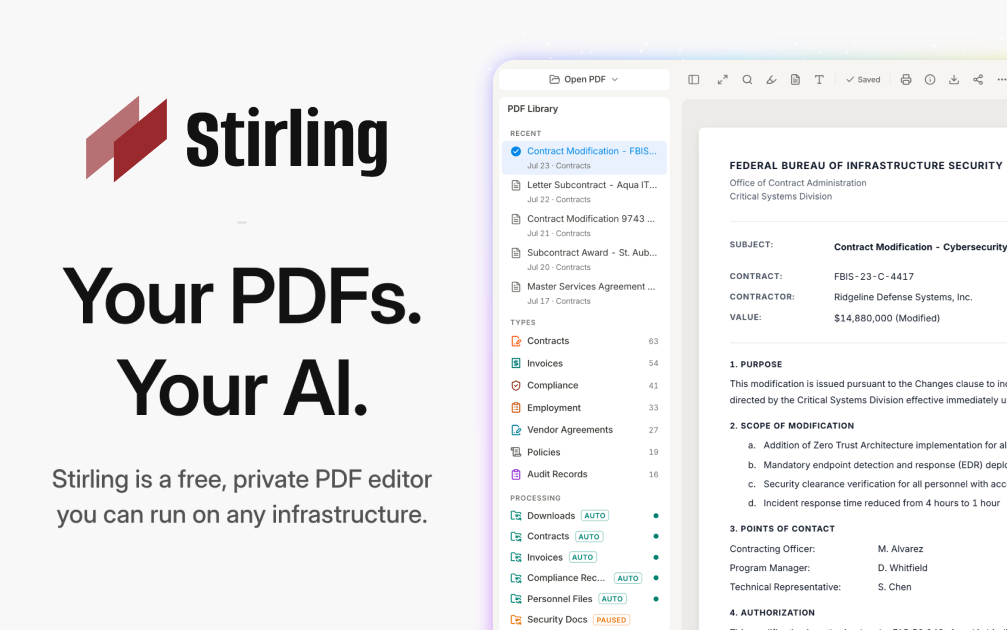
    Stirling-PDF Deploy Stirling-PDF on CloudStation Without Managing Servers What is Stirling-PDF? Stirling-PDF is an open-source PDF toolkit you run on your own server. It gives you more than 50 PDF tools in one web interface: merge, split, compress, convert, OCR, sign, redact, watermark, and more. Documents are processed by your own instance, never by a third-party service, which makes it a self-hosted alternative to online PDF sites and paid desktop PDF editors. Deploy Stirling-PDF on CloudStation when you want a private PDF workbench for yourself or a small team without setting up Docker, a reverse proxy, or SSL by hand. This template ships Stirling-PDF 2.14.3 with login turned on and a persistent volume for its settings and user database, so accounts and configuration survive restarts and redeploys. The analytics prompt is disabled, and uploaded files are processed and not stored by default. ⚠️ Before you start: Your login username is admin . A unique password is generated for each deployment and stored in the service's environment variables. The Stirling-PDF default password from the documentation does not work on this template. OCR works in English out of the box; other OCR languages need extra Tesseract language files. Best For and Not Best For Best for: small businesses, legal and finance teams, freelancers, and IT admins who handle contracts, invoices, and scans every day and don't want to upload them to free online PDF sites. It is also a good fit for developers who want a PDF REST API they control. Not best for: organizations that need SSO, audit logs, or more than 5 user accounts (those are paid Stirling-PDF editions), OCR in many languages without extra setup, or recognizing tables and formulas inside scanned documents. Why Teams Choose Stirling-PDF One Toolkit for Everyday PDF Work Merge, split, reorder, rotate, and remove pages Compress large PDFs before emailing or archiving them Convert PDFs to and from images, Office documents, and other formats Add watermarks, page numbers, and stamps A multi-tool workbench to edit pages visually Privacy by Design Files are processed by your own instance, never sent to an outside service Uploaded files are processed and not stored by default Login protects the instance, so strangers can't use your server Open-core: the core is MIT-licensed and you can inspect the code Security and Signing Tools Redact sensitive text before sharing a document Add or remove passwords and set PDF permissions Sign documents and add signatures to PDFs Remove metadata and sanitize files before they leave your team Automation and API REST APIs for nearly all tools, so scripts and apps can process PDFs No-code pipelines in the UI to chain several operations Tesseract-based OCR to make scanned PDFs searchable Interface available in more than 40 languages Stirling-PDF vs Alternatives Stirling-PDF vs Adobe Acrobat : Choose Stirling-PDF when your team needs merging, splitting, compression, OCR, and redaction in a browser, without per-seat desktop licenses. Stirling-PDF vs free online PDF sites : Choose Stirling-PDF when documents are confidential and must not be uploaded to someone else's server. Stirling-PDF vs command-line tools : Choose Stirling-PDF when non-technical colleagues need the same power through a web interface, while developers still get an API. Why Deploy Stirling-PDF on CloudStation? Login from the first boot : The template turns authentication on and generates a unique admin password for each deployment, so the instance is safe on a public web address. Settings that persist : A dedicated volume keeps configuration and the user database across restarts and redeploys. No server work : CloudStation handles HTTPS, the web address, and the container, so you just open the URL and sign in. Pricing and Plan Fit 🚀 CloudStation Basic Plan : from $17.99/month for a standard marketplace deployment ✓ Stirling-PDF 2.14.3 with login enabled ✓ 5GB persistent storage for settings and users ✓ Custom domains ✓ Free SSL ✓ Docker support Deployment note: This template deploys one service with 2GB of memory. Large files and heavy OCR jobs use more memory, so scale the service up if you process big scanned documents often. Common Stirling-PDF Use Cases Contract preparation : Merge, reorder, and sign contract pages before sending them out. Invoice and receipt handling : Compress and split scanned batches into single documents. Searchable archives : Run OCR on scans so their text can be searched and copied. Safe sharing : Redact personal data and strip metadata before sharing a file. Format conversion : Turn PDFs into images or Office documents and back again. Automated document processing : Call the REST API from your own scripts or apps. FAQ Is Stirling-PDF free? The self-hosted free edition includes all PDF operations and up to 5 user accounts. You pay for the CloudStation resources it runs on. SSO, audit logs, and larger user counts are part of Stirling-PDF's paid editions. What are the login credentials after deploying? The username is admin. The password is generated uniquely for each deployment and stored in the service's environment variables. The default password from the Stirling-PDF docs does not work here. Are my files stored on the server? No, not by default. Files are processed and the results are returned to you. The volume holds settings and the user database, not your documents. Which OCR languages are included? English OCR works out of the box. Stirling-PDF uses Tesseract, and other languages need their Tesseract language files added to the instance. Can several people use it? Yes. The admin can create additional user accounts, up to 5 users on the free edition. Can I automate PDF tasks? Yes. Nearly every tool is available through a REST API, and you can build multi-step pipelines in the interface. Will my settings survive a restart? Yes. A 5GB persistent volume keeps configuration and user accounts across restarts and redeploys. Start Working With PDFs Privately Using Stirling-PDF If you are searching for self-host Stirling-PDF , Stirling-PDF hosting , a self-hosted PDF editor , an Adobe Acrobat alternative , a private iLovePDF alternative , or a PDF API you can host yourself , this CloudStation template is built for that intent. Launch Stirling-PDF, sign in as admin, and start merging, converting, and redacting documents on infrastructure you control. Deploy Stirling-PDF Now → 50+ PDF tools. Your own instance. Zero server management. Stirling-PDF on CloudStation: a private, login-protected PDF toolkit and API for your team, without running the deployment stack by hand.

    2 deployments

  • Umami

    CloudStation

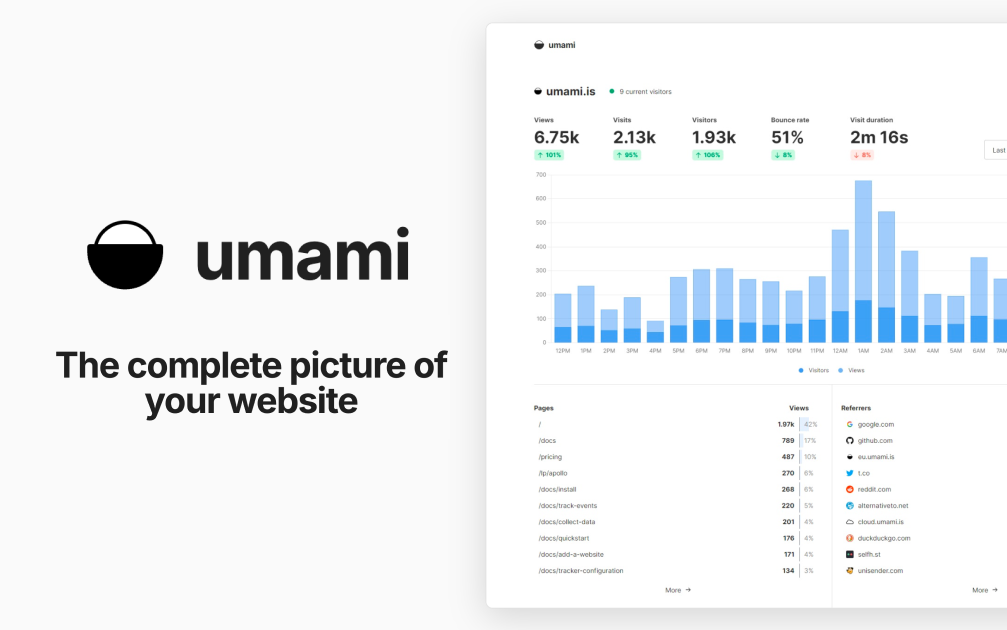
    Umami Deploy Umami on CloudStation Without Managing Servers What is Umami? Umami is an open-source, privacy-focused web analytics platform and a self-hosted alternative to Google Analytics. It shows traffic, referrers, campaigns, events, and conversions in one clean dashboard. According to its documentation, Umami does not use cookies in its tracking code, does not collect personally identifiable information, and anonymizes the data it collects. Deploy Umami on CloudStation when you want your own analytics without setting up Docker, a database server, a reverse proxy, or SSL by hand. This template ships Umami 3.4.0 with a dedicated PostgreSQL 16 database on persistent storage, so your analytics history is kept across restarts and redeploys. Umami's telemetry is disabled. ⚠️ Before you start: Your login username is admin . Umami's well-known default password is replaced on first boot with a unique password generated for each deployment and stored in the service's environment variables as ADMIN_PASSWORD . The default admin/umami login does not work on this template. Best For and Not Best For Best for: startups, agencies, developers, and content sites that want clear website analytics without cookies, with the data stored in their own database. It is a strong fit for teams that track several websites and want to share dashboards with clients. Not best for: teams that need Google Ads integration, cross-site advertising audiences, or tracking of individual people across websites. Umami is built not to do those things. Why Teams Choose Umami Privacy-Focused by Design No cookies in the tracking code, per the Umami docs No personally identifiable information collected, and data is anonymized No cross-site tracking Your analytics data lives in your own PostgreSQL database Analytics That Answer Real Questions Page views, visitors, referrers, browsers, devices, and countries Custom event tracking for clicks, signups, and other actions UTM campaign reports Funnels, goals, retention, and user journeys Revenue tracking Built for Teams and Clients Track multiple websites from one installation Teams to share websites with colleagues Public share URLs for read-only dashboards Developer Friendly A small tracking script you add to any website An API for pulling stats into your own tools Open source under the MIT license Umami vs Alternatives Umami vs Google Analytics : Choose Umami when you want simple, cookie-free analytics and full ownership of your data, instead of an advertising-connected platform. Umami vs Plausible : Choose Umami when you want an MIT-licensed tool with funnels, retention, and journeys that you host yourself. Umami vs Matomo : Choose Umami when you want a lighter, modern dashboard that is quick to learn, rather than a large feature set. Why Deploy Umami on CloudStation? Database included : The template deploys a dedicated PostgreSQL 16 database and connects Umami to it for you. No default password risk : The public admin/umami login is replaced on first boot with a unique password. Data that persists : The database sits on a 10GB persistent volume, so analytics history survives restarts and redeploys. Pricing and Plan Fit 🚀 CloudStation Basic Plan : from $17.99/month for a standard marketplace deployment ✓ Umami 3.4.0 with a unique admin password ✓ Dedicated PostgreSQL 16 database ✓ 10GB persistent database storage ✓ Custom domains ✓ Free SSL ✓ Docker support Deployment note: This template deploys two services: Umami with 1GB of memory and a PostgreSQL 16 database with a 10GB volume. High-traffic sites store more events, so watch database storage as traffic grows. Common Umami Use Cases Website analytics without cookies : See visitors, pages, and referrers without tracking cookies in the analytics script. Marketing campaigns : Compare UTM sources and campaigns to see what drives visits. Product analytics : Track signups and key actions with custom events, funnels, and retention. Agency reporting : Share read-only dashboards with clients through share URLs. Multi-site portfolios : Track every website you run from one installation. Internal dashboards : Pull stats into your own tools with the API. FAQ Is Umami free? Yes. Umami is open source under the MIT license. You pay only for the CloudStation resources it runs on. What are the login credentials after deploying? The username is admin. The password is generated uniquely for each deployment and stored in the service's environment variables as ADMIN_PASSWORD. The default admin/umami login is replaced on first boot. Do I need a cookie banner for Umami? The Umami docs state that its tracking code does not use cookies and that no cookie notice is required for it. Your other website tools and your legal situation may still require one, so check with your own advisor. How do I add Umami to my website? Add a website in the Umami dashboard, copy the tracking code it gives you, and paste it into your site's HTML. Can I track more than one website? Yes. Add as many websites as you want from the same installation and switch between them in the dashboard. Can I share stats with clients? Yes. Enable a share URL for a website to give read-only access to its dashboard, or add people to a team. Where is my data stored? In the dedicated PostgreSQL 16 database that this template deploys, on a 10GB persistent volume. It stays on your deployment, not with a third party. Start Tracking Your Website With Umami If you are searching for self-host Umami , Umami hosting , a Google Analytics alternative , cookie-free analytics , privacy-focused web analytics , or open-source website analytics , this CloudStation template is built for that intent. Launch Umami, sign in as admin, add your website, and start collecting analytics in an environment you control. Deploy Umami Now → Cookie-free analytics. Your own database. Zero server management. Umami on CloudStation: open-source, privacy-focused web analytics with its own PostgreSQL database, without running the deployment stack by hand.

    2 deployments

  • Corteza

    CloudStation

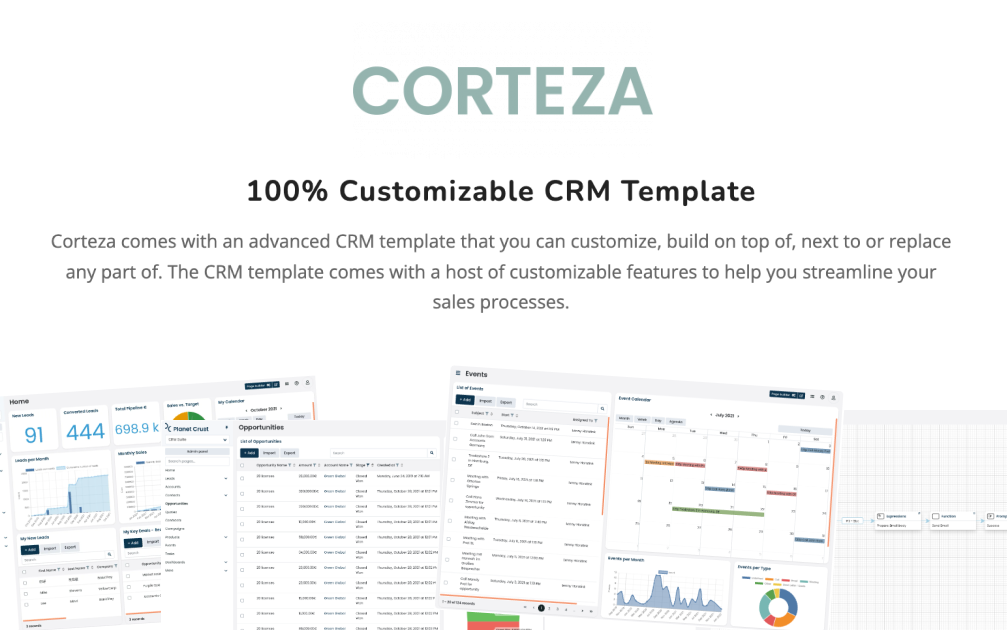
    Transform Your Enterprise with Corteza on Cloudstation Deploy Corteza on Cloudstation to elevate your business processes with the ultimate open-source digital work platform. Corteza is designed to empower organizations with a suite of powerful tools for CRM, workflow automation, low-code application development, and data integration, all within a secure, unified environment. This platform facilitates the creation of custom digital ecosystems, enabling businesses to manage data, automate processes, and enhance collaboration efficiently. Hosting Corteza on Cloudstation's scalable and secure infrastructure ensures that enterprises of all sizes can leverage its full potential without compromise. With Corteza, you gain the flexibility to tailor your digital workspace to your exact needs, driving innovation and efficiency across your operations. Opt for Corteza on Cloudstation for a comprehensive solution that simplifies complex business challenges through advanced digital transformation.

‹12›