
Umami
Deploy Umami on CloudStation Without Managing Servers
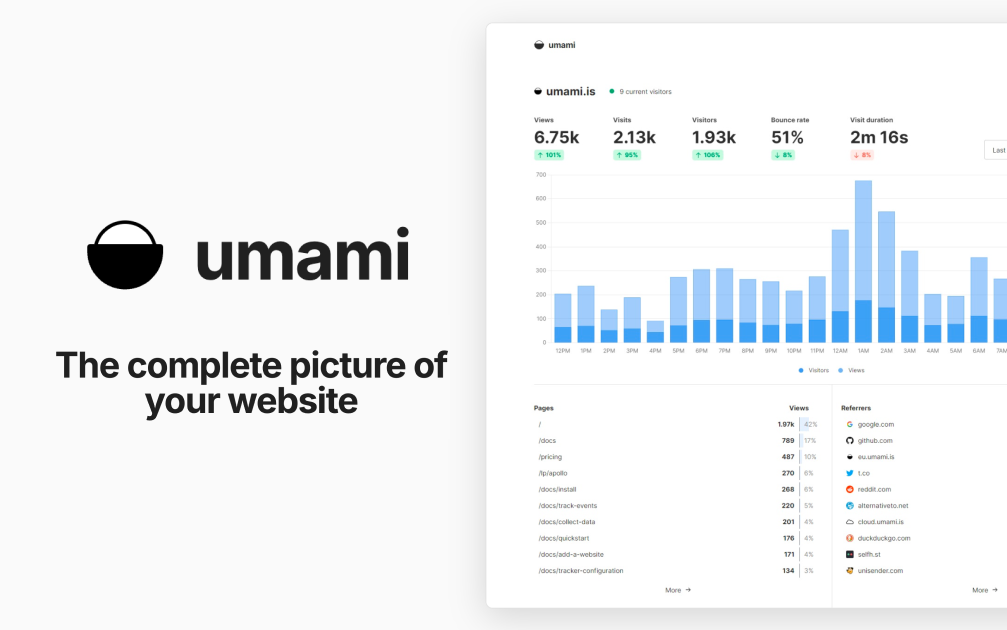
What is Umami? Umami is an open-source, privacy-focused web analytics platform and a self-hosted alternative to Google Analytics. It shows traffic, referrers, campaigns, events, and conversions in one clean dashboard. According to its documentation, Umami does not use cookies in its tracking code, does not collect personally identifiable information, and anonymizes the data it collects.
Deploy Umami on CloudStation when you want your own analytics without setting up Docker, a database server, a reverse proxy, or SSL by hand. This template ships Umami 3.4.0 with a dedicated PostgreSQL 16 database on persistent storage, so your analytics history is kept across restarts and redeploys. Umami's telemetry is disabled.
⚠️ Before you start: Your login username is admin. Umami's well-known default password is replaced on first boot with a unique password generated for each deployment and stored in the service's environment variables as ADMIN_PASSWORD. The default admin/umami login does not work on this template.
Best For and Not Best For
Best for: startups, agencies, developers, and content sites that want clear website analytics without cookies, with the data stored in their own database. It is a strong fit for teams that track several websites and want to share dashboards with clients.
Not best for: teams that need Google Ads integration, cross-site advertising audiences, or tracking of individual people across websites. Umami is built not to do those things.
Why Teams Choose Umami
Privacy-Focused by Design
No cookies in the tracking code, per the Umami docs
No personally identifiable information collected, and data is anonymized
No cross-site tracking
Your analytics data lives in your own PostgreSQL database
Analytics That Answer Real Questions
Page views, visitors, referrers, browsers, devices, and countries
Custom event tracking for clicks, signups, and other actions
UTM campaign reports
Funnels, goals, retention, and user journeys
Revenue tracking
Built for Teams and Clients
Track multiple websites from one installation
Teams to share websites with colleagues
Public share URLs for read-only dashboards
Developer Friendly
A small tracking script you add to any website
An API for pulling stats into your own tools
Open source under the MIT license
Umami vs Alternatives
Umami vs Google Analytics: Choose Umami when you want simple, cookie-free analytics and full ownership of your data, instead of an advertising-connected platform.
Umami vs Plausible: Choose Umami when you want an MIT-licensed tool with funnels, retention, and journeys that you host yourself.
Umami vs Matomo: Choose Umami when you want a lighter, modern dashboard that is quick to learn, rather than a large feature set.
Why Deploy Umami on CloudStation?
Database included: The template deploys a dedicated PostgreSQL 16 database and connects Umami to it for you.
No default password risk: The public admin/umami login is replaced on first boot with a unique password.
Data that persists: The database sits on a 10GB persistent volume, so analytics history survives restarts and redeploys.
Pricing and Plan Fit
🚀 CloudStation Basic Plan: from $17.99/month for a standard marketplace deployment
✓ Umami 3.4.0 with a unique admin password
✓ Dedicated PostgreSQL 16 database
✓ 10GB persistent database storage
✓ Custom domains
✓ Free SSL
✓ Docker support
Deployment note: This template deploys two services: Umami with 1GB of memory and a PostgreSQL 16 database with a 10GB volume. High-traffic sites store more events, so watch database storage as traffic grows.
Common Umami Use Cases
Website analytics without cookies: See visitors, pages, and referrers without tracking cookies in the analytics script.
Marketing campaigns: Compare UTM sources and campaigns to see what drives visits.
Product analytics: Track signups and key actions with custom events, funnels, and retention.
Agency reporting: Share read-only dashboards with clients through share URLs.
Multi-site portfolios: Track every website you run from one installation.
Internal dashboards: Pull stats into your own tools with the API.
FAQ
Is Umami free?
Yes. Umami is open source under the MIT license. You pay only for the CloudStation resources it runs on.
What are the login credentials after deploying?
The username is admin. The password is generated uniquely for each deployment and stored in the service's environment variables as ADMIN_PASSWORD. The default admin/umami login is replaced on first boot.
Do I need a cookie banner for Umami?
The Umami docs state that its tracking code does not use cookies and that no cookie notice is required for it. Your other website tools and your legal situation may still require one, so check with your own advisor.
How do I add Umami to my website?
Add a website in the Umami dashboard, copy the tracking code it gives you, and paste it into your site's HTML.
Can I track more than one website?
Yes. Add as many websites as you want from the same installation and switch between them in the dashboard.
Can I share stats with clients?
Yes. Enable a share URL for a website to give read-only access to its dashboard, or add people to a team.
Where is my data stored?
In the dedicated PostgreSQL 16 database that this template deploys, on a 10GB persistent volume. It stays on your deployment, not with a third party.
Start Tracking Your Website With Umami
If you are searching for self-host Umami, Umami hosting, a Google Analytics alternative, cookie-free analytics, privacy-focused web analytics, or open-source website analytics, this CloudStation template is built for that intent. Launch Umami, sign in as admin, add your website, and start collecting analytics in an environment you control.
Deploy Umami Now → Cookie-free analytics. Your own database. Zero server management.
Umami on CloudStation: open-source, privacy-focused web analytics with its own PostgreSQL database, without running the deployment stack by hand.