Template Store
Deploy Production-Ready Apps in Minutes
Browse community templates for AI, web services, databases, and more. One click to deploy on CloudStation.
Browse community templates for AI, web services, databases, and more. One click to deploy on CloudStation.
78 templates
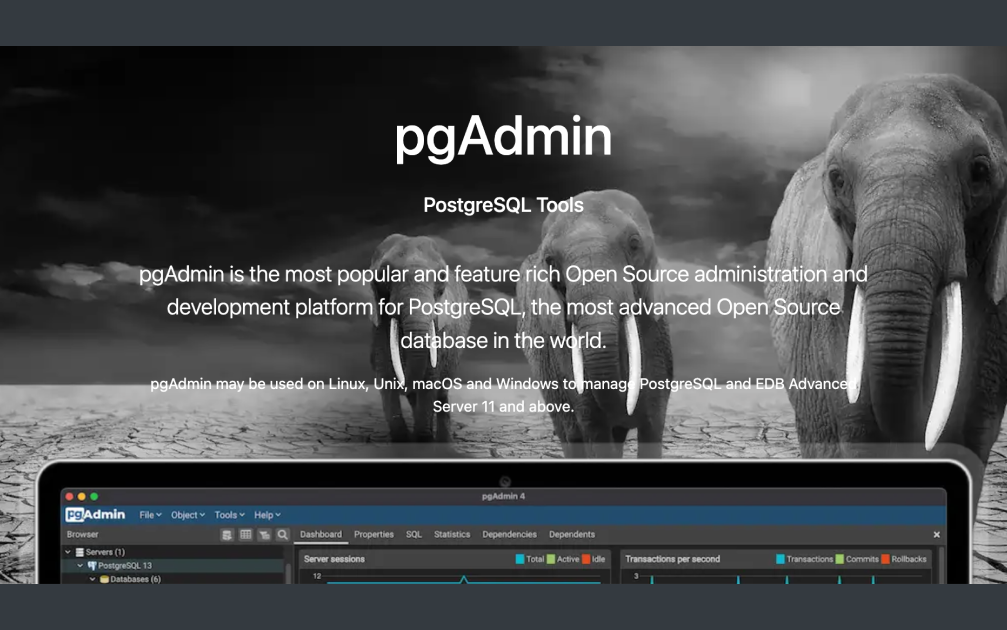

PostgreSQL: Effortless Database Management with CloudStation's 1-Click DeployPostgreSQL provides a robust open-source database system known for its exceptional reliability, feature robustness, and performance.Why Choose This Template?Reliability: PostgreSQL is trusted for its high reliability, making it the go-to choice for many applications.Robust Features: With advanced features, PostgreSQL supports complex queries and transactions.Open-Source Flexibility: As an open-source project, PostgreSQL allows customization and community-driven enhancements.Seamless Integration: Easily integrate PostgreSQL with CloudStation for streamlined deployment.CloudStation Advantages:One-click Deployment: Deploy PostgreSQL with just a single click, reducing setup time and complexity.Scalability: Scale within CloudStation to match your growing database needs effortlessly.Cost-effectiveness: Optimize your deployments with CloudStation's competitive pricing.Easy Integration with Other Tools: Connect PostgreSQL with a suite of tools on CloudStation to enhance productivity.Perfect For:Database Administrators looking for reliable and manageable databases.Developers who require a robust and feature-rich database platform.Small to Medium-sized Enterprises that need a cost-effective yet powerful database solution.Unlock the full potential of PostgreSQL with CloudStation, enhancing your database management experience with ease and efficiency.#PostgreSQL #OpenSourceDatabase #CloudDeployment #DatabaseManagement
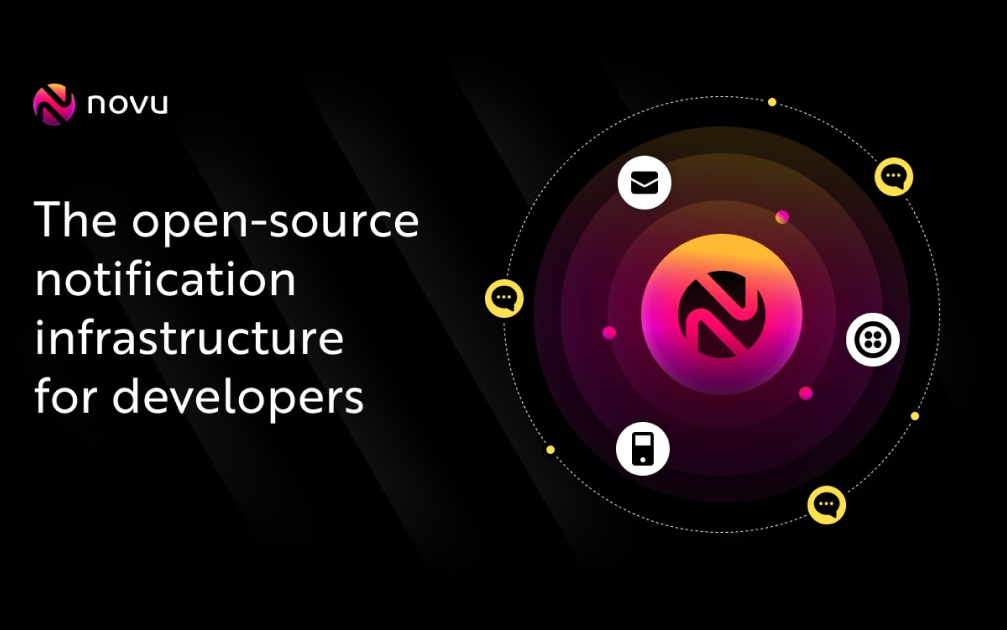

Simplify Multi-Channel Communication with Open-Source Notification Infrastructure on Cloudstation Integrate the open-source notification infrastructure on Cloudstation to centralize and simplify developer communication across multiple channels. This solution streamlines Email, SMS, Direct, In-App, and Push notifications through user-friendly components and APIs, offering a robust platform that enhances scalability and flexibility. Deployed easily on Cloudstation, it enables developers to manage various communication channels efficiently in one unified system. Embrace this streamlined approach to multi-channel communication with the open-source notification infrastructure on Cloudstation, facilitating effortless management and scalability.


StrapiThe #1 Open-Source Headless CMS That Eliminates Content API Bills ForeverDeploy the world's most popular headless CMS in under 2 minutes with CloudStation's one-click setup. Strapi combines enterprise-grade content management with complete API freedom - featuring unlimited API calls, unlimited bandwidth, zero per-seat fees, 65,000+ GitHub stars, and a visual Content-Type Builder that lets marketers create content models without bothering developers.What Makes Strapi Revolutionary?Escape Content Platform PrisonWhile Contentful charges $300-999/month for teams (plus bandwidth overages), Strapi on CloudStation gives you UNLIMITED API calls, UNLIMITED assets, and UNLIMITED users for just $17.99/month total. No usage limits, no vendor lock-in, no surprise bills when your app goes viral.Trusted by the World's Biggest BrandsStrapi powers content for NASA, IBM, Toyota, Walmart, and thousands of startups. With 65,000+ GitHub stars and 600+ contributors, it's the undisputed leader in open-source headless CMS - backed by a community that ships features faster than enterprise vendors can write change request forms.Marketers Build, Developers RelaxForget waiting for dev sprints to add a new content type. Strapi's visual Content-Type Builder lets non-technical teams create complex content models with drag-and-drop simplicity, while auto-generating production-ready REST & GraphQL APIs instantly.Core Capabilities Teams LoveVisual Content ModelingDrag-and-drop Content-Type Builder (zero code required)Dynamic zones for flexible page layoutsRepeatable components for modular contentCustom fields with 20+ field types built-inOmnichannel Content DeliveryAuto-generated REST & GraphQL APIsDeliver content to web, mobile, IoT, digital signage - anywhereReal-time webhooks for instant content updatesMedia library with image optimization & transformationsEnterprise-Grade WorkflowDraft & publish workflow with content versioningMulti-locale internationalization (i18n) built-inGranular role-based permissions (RBAC)SSO/SAML authentication & audit logs availableDeveloper Experience That Ships FastModern Node.js/TypeScript stackPlugin marketplace with 100+ extensionsCustom controller & service hooksFull database customization (PostgreSQL, MySQL, SQLite)Who's Switching to Strapi?E-commerce Teams: "Headless commerce without the $50K Contentful bill"Marketing Agencies: "Build client sites 3x faster without API rate limits"Mobile-First Startups: "One content API for iOS, Android, and web"Global Enterprises: Including NASA's public-facing projects and IBM's content hubsWhy Deploy with CloudStation?2-Minute Launch: One click deploys Strapi, PostgreSQL, media storage - all configuredEverything Included: Database, file storage, SSL certificates, monitoring - bundled at $17.99Unlimited Everything: No API call limits, no bandwidth caps, no user seats to buyZero DevOps Burden: We handle backups, security patches, scaling, and uptimePricing That Actually Makes Sense🚀 CloudStation Basic Plan: $17.99/month total✓ 1 app deployment✓ 10GB storage✓ Custom domains✓ Free SSL✓ Docker support✓ Automatic backupsCompare to Contentful Team: $300/month (limited to 5 users + bandwidth caps)You save $282/month (94%!) with Strapi on CloudStationStart Your Content RevolutionJoin NASA, IBM, and thousands of forward-thinking teams who refused to pay rent on their content infrastructure. With CloudStation's one-click deployment, you'll have a production-ready headless CMS running in under 2 minutes - complete with auto-generated APIs and a beautiful admin panel.Deploy Strapi Now → Unlimited APIs. One price. Zero usage anxiety.Strapi on CloudStation: $17.99 for unlimited everything. Contentful charges that per day for a 5-person team.
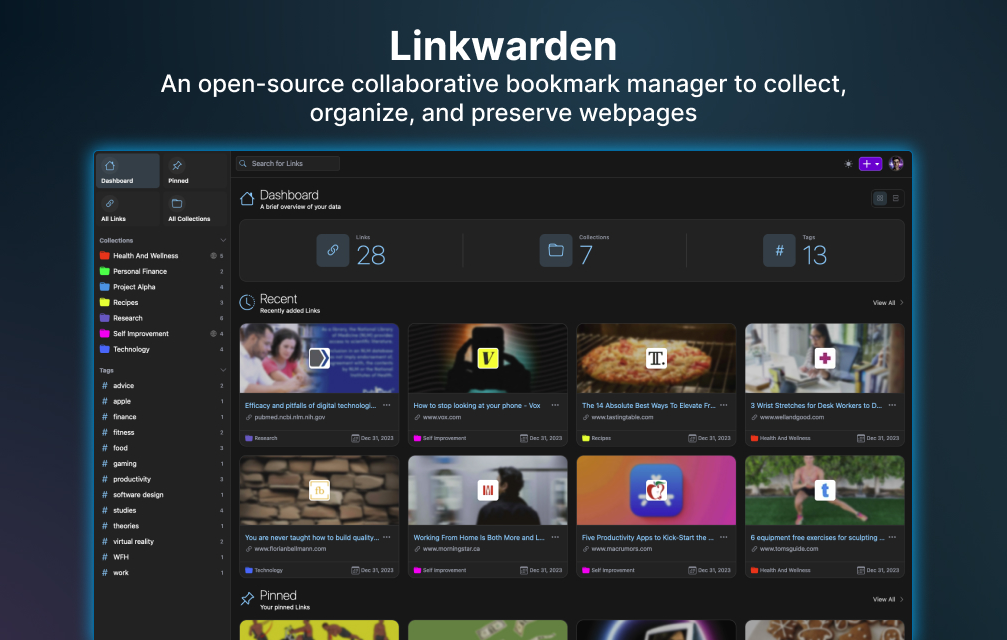

Linkwarden: Optimize Bookmark Management with CloudStation's 1-Click DeployDeploy Linkwarden on CloudStation to optimize bookmark management for both individuals and teams. As an open-source, collaborative bookmark manager, Linkwarden provides a robust platform to collect, organize, and preserve web pages efficiently.Why Choose This Template?Open-source: Benefit from a transparent and secure solution with community-driven improvements.Collaborative: Easily share and manage bookmarks within your team, enhancing productivity.Robust platform: Access a suite of features designed to efficiently collect, organize, and preserve web pages.Efficient organization: Seamlessly categorize and sort your bookmarks for quick retrieval and better management.CloudStation Advantages:One-click deployment: Get Linkwarden up and running with just a single click.Scalability: Effortlessly adjust resources to meet the needs of your growing bookmark database.Cost-effectiveness: Utilize CloudStation’s affordable plans for economical bookmark management.Easy integration with other tools: Enhance your workflow by integrating Linkwarden with your existing toolset.Perfect For:Individuals: Streamline personal bookmark management for better productivity and organization.Teams: Enable seamless bookmark sharing and collaborative web research.Organizations: Implement efficient knowledge preservation and project coordination through organized bookmarking.Optimize your bookmark management experience by deploying Linkwarden on CloudStation. Leverage the power of open-source collaboration and CloudStation's robust platform today.#BookmarkManagement #OpenSource #CloudHosting #CollaborativeTools


Elevate Your E-Commerce Experience with Shopware on Cloudstation Deploy Shopware on Cloudstation to transform your online retail presence with a flexible and powerful e-commerce platform. Shopware provides an intuitive, scalable solution for creating unique shopping experiences tailored to your brand and customer needs. With its extensive feature set, including customizable templates, comprehensive product management, and integrated marketing tools, Shopware empowers businesses to innovate and grow in the competitive e-commerce landscape. Leveraging Cloudstation's reliable infrastructure, Shopware deployment becomes seamless, ensuring your online store operates efficiently and scales effortlessly. Enhance your e-commerce strategy with Shopware on Cloudstation for a robust, user-friendly online retail platform.
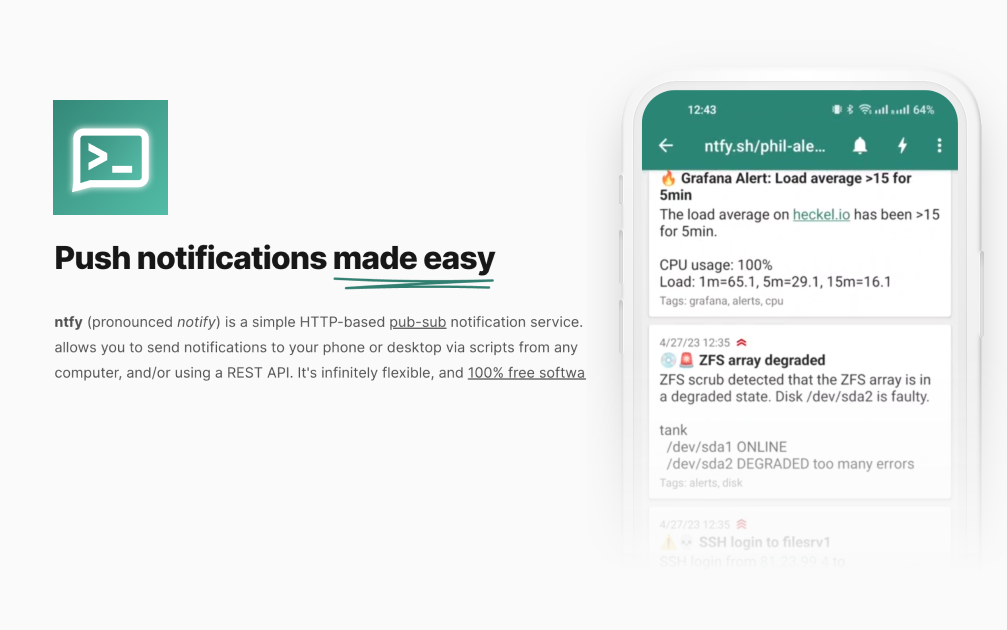
Simplify Notifications with CloudStation's 1-Click DeployNTFY is an intuitive, open-source project designed to streamline notification management, making it easier to handle alerts effectively.Why Choose This Template?Seamless Notifications: Integrate notifications effortlessly, ensuring you never miss crucial updates.Open Source Flexibility: Enjoy the freedom of customization with the robust support of an open-source community.User-Friendly Interface: Experience a clean and intuitive UI that guarantees a smooth user experience.CloudStation Integration: Enhance functionality with CloudStation, offering simplified deployment and management.CloudStation Advantages:One-click deployment: Get started with minimal effort and time.Scalability: Easily adjust resources as your needs grow.Cost-effectiveness: Optimize your budget with efficient use of resources.Perfect For:Developers looking to implement efficient notification systems within their applications.IT teams focusing on streamlined operations and alert management.Organizations wanting to leverage open-source projects for improved communication.Harness the potential of NTFY on CloudStation for a powerful yet simplified notification management experience.#Notifications #OpenSource #CloudStation #AlertManagement


Accelerate Your App Development with Hasura on Cloudstation Deploy Hasura on Cloudstation and supercharge your application development with instant GraphQL APIs. Hasura is an open-source engine that connects directly to your databases and microservices, automating the creation of real-time GraphQL APIs. This powerful tool simplifies data access and manipulation, enabling developers to build scalable, high-performance applications swiftly. With Hasura, you can leverage advanced features like built-in authorization, real-time subscriptions, and seamless integration with existing databases and services. Hosting Hasura on Cloudstation's scalable and secure infrastructure ensures that your development process is accelerated, making it easier to manage and deploy your applications. Opt for Hasura on Cloudstation for a robust development ecosystem that reduces time to market and enhances application performance.
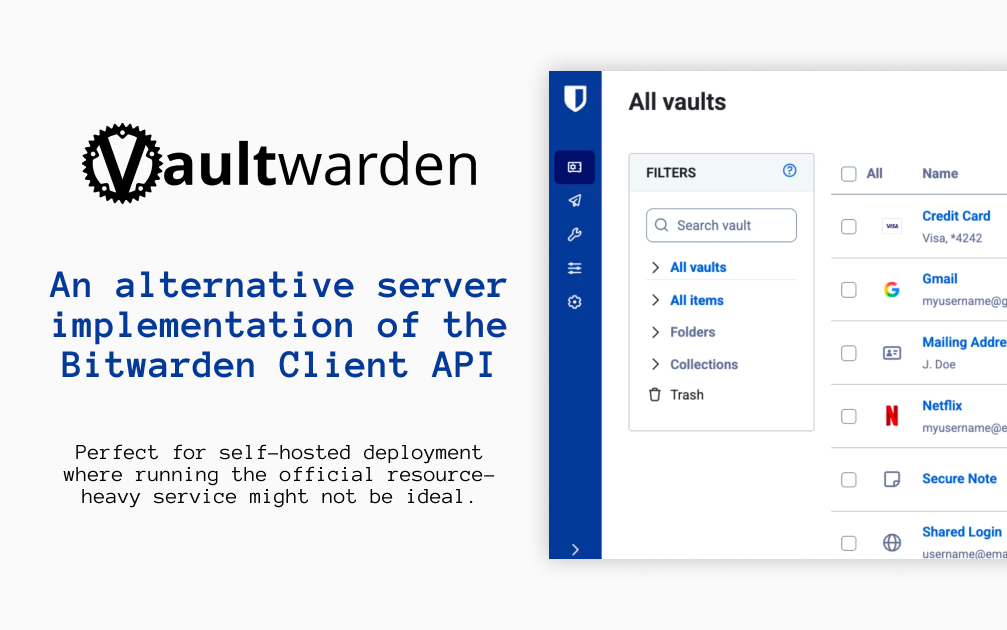

VaultwardenDeploy Vaultwarden on CloudStation Without Managing ServersWhat is Vaultwarden? Vaultwarden is an open-source password manager server written in Rust. It is an alternative implementation of the Bitwarden Client API, compatible with the official Bitwarden apps and browser extensions, and designed for self-hosting where running the official, resource-heavy server is not ideal. Vaultwarden is an unofficial project and is not associated with Bitwarden, Inc.Deploy Vaultwarden on CloudStation when you want your own password vault for yourself, your family, or a small team without setting up Docker, a reverse proxy, or SSL certificates by hand. This template ships Vaultwarden 1.37.3 with public sign-ups turned off and a persistent volume for the vault database and attachments, so your data survives restarts and redeploys. The web vault requires HTTPS, and CloudStation provides it automatically.⚠️ Before you start: Public sign-ups are off. Open /admin on your Vaultwarden address and sign in with the admin token, which is generated for each deployment and stored in the service's environment variables as ADMIN_TOKEN. Invite your own email address, then create your account in the web vault with that email. Without email (SMTP) configured, invited addresses can register directly.Best For and Not Best ForBest for: individuals, families, freelancers, and small organizations who want the Bitwarden apps they already know with a server they control. It suits anyone who wants to share passwords with a few people through organizations and collections.Not best for: companies that need an official vendor support contract or a certified, audited hosted service. Vaultwarden is a community project, so bugs should be reported to Vaultwarden, not to Bitwarden support.Why Teams Choose VaultwardenWorks With the Bitwarden AppsUse the official Bitwarden mobile, desktop, and browser extension clientsPoint each app at your self-hosted server URL before signing inA web vault is bundled in the containerWebsite icons shown next to your loginsYour Vault, Encrypted on Your DevicesBitwarden clients encrypt your data on your device before it is sent to the serverBitwarden documents that the master password is never transmitted to the serverTwo-step login with authenticator apps and FIDO2 WebAuthn security keysOpen source under the AGPL-3.0 licenseSharing for Families and TeamsOrganizations with collections for shared passwordsMember roles and groups to control who sees whatOrganization policies and event logsBitwarden Send to share text and files securelyAdmin ControlAn admin page at /admin to invite users and manage settingsPublic sign-ups off by default on this templateFile attachments on vault itemsPersonal API keys for the Bitwarden CLIVaultwarden vs AlternativesVaultwarden vs Bitwarden cloud: Choose Vaultwarden when you want the same apps with your vault stored on a server you control.Vaultwarden vs the official self-hosted Bitwarden server: Choose Vaultwarden when you want a lighter server that runs as a single container with modest memory.Vaultwarden vs 1Password: Choose Vaultwarden when you want an open-source, self-hosted password manager instead of a hosted subscription.Why Deploy Vaultwarden on CloudStation?HTTPS handled for you: The Bitwarden web vault only works over HTTPS, and CloudStation provides SSL automatically on your web address.Closed by default: Public sign-ups are off and the admin token is unique to your deployment, so strangers cannot create accounts.Data that persists: A dedicated volume keeps the vault database, attachments, and settings across restarts and redeploys.Pricing and Plan Fit🚀 CloudStation Basic Plan: from $17.99/month for a standard marketplace deployment✓ Vaultwarden 1.37.3 with sign-ups disabled✓ 5GB persistent storage for the vault✓ Custom domains✓ Free SSL✓ Docker supportDeployment note: This template deploys one service with 512MB of memory. Email (SMTP) is not configured by default; add SMTP settings if you want invitation emails and email-based features.Common Vaultwarden Use CasesPersonal password manager: Keep every login in a vault you host, synced across phone, laptop, and browser.Family vault: Share streaming, banking, and household logins through an organization.Small team credentials: Give each team a collection of shared service passwords.Secure sharing: Send a password or file to someone with Bitwarden Send.Leaving a hosted password manager: Import your existing vault into the Bitwarden web vault on your own server.FAQIs Vaultwarden free?Yes. Vaultwarden is open source under the AGPL-3.0 license. You pay only for the CloudStation resources it runs on.What are the login credentials after deploying?There is no preset user account. Open /admin and sign in with the admin token stored in the service's environment variables as ADMIN_TOKEN. Invite your email address, then create your account in the web vault with that email and choose your master password.Why can't I sign up directly?Public sign-ups are turned off so strangers cannot create accounts on your server. Only addresses you invite from the admin page can register.Can I use the official Bitwarden apps?Yes. In the Bitwarden app or browser extension, choose the self-hosted option and enter your Vaultwarden web address as the server URL before logging in.Is Vaultwarden made by Bitwarden?No. Vaultwarden is an unofficial, community project and is not associated with Bitwarden, Inc. Report issues to the Vaultwarden project, not to Bitwarden support.Can the server read my passwords?Bitwarden clients encrypt your vault on your device, and Bitwarden documents that the master password is never transmitted to the server. Keep your master password safe: it cannot be recovered from the server.Will my vault survive a restart?Yes. A 5GB persistent volume keeps the vault database and attachments across restarts and redeploys. Keep your own exports as a backup as well.Start Managing Passwords With VaultwardenIf you are searching for self-host Vaultwarden, Vaultwarden hosting, a self-hosted Bitwarden server, a self-hosted password manager, a 1Password alternative, or an open-source family password manager, this CloudStation template is built for that intent. Launch Vaultwarden, invite yourself from the admin page, and start saving passwords in an environment you control.Deploy Vaultwarden Now → Bitwarden-compatible vault. Your own server. Zero server management.Vaultwarden on CloudStation: an unofficial, open-source Bitwarden-compatible password server with HTTPS and sign-ups locked down, without running the deployment stack by hand.
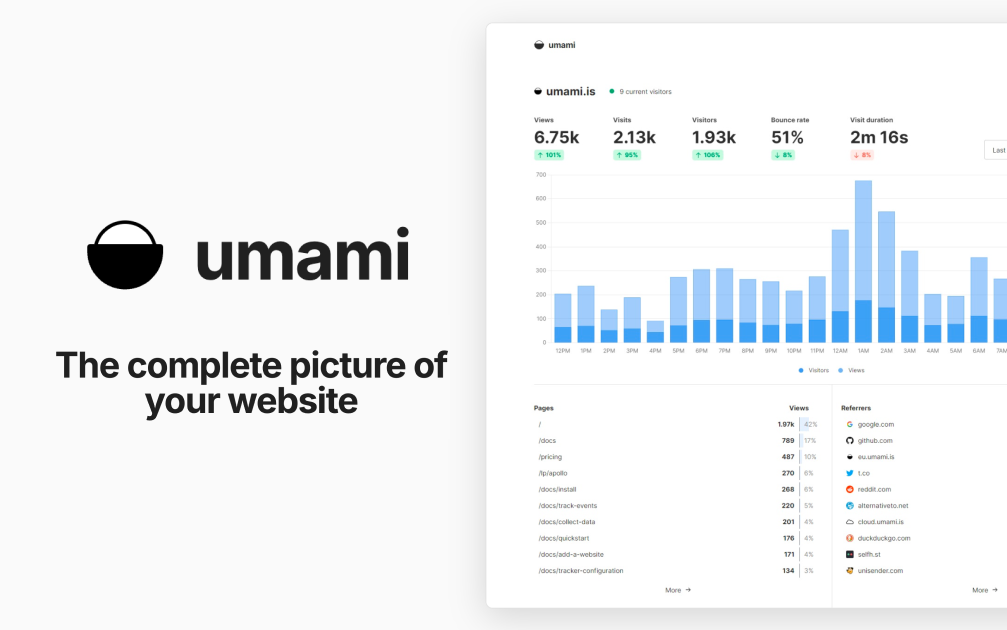

UmamiDeploy Umami on CloudStation Without Managing ServersWhat is Umami? Umami is an open-source, privacy-focused web analytics platform and a self-hosted alternative to Google Analytics. It shows traffic, referrers, campaigns, events, and conversions in one clean dashboard. According to its documentation, Umami does not use cookies in its tracking code, does not collect personally identifiable information, and anonymizes the data it collects.Deploy Umami on CloudStation when you want your own analytics without setting up Docker, a database server, a reverse proxy, or SSL by hand. This template ships Umami 3.4.0 with a dedicated PostgreSQL 16 database on persistent storage, so your analytics history is kept across restarts and redeploys. Umami's telemetry is disabled.⚠️ Before you start: Your login username is admin. Umami's well-known default password is replaced on first boot with a unique password generated for each deployment and stored in the service's environment variables as ADMIN_PASSWORD. The default admin/umami login does not work on this template.Best For and Not Best ForBest for: startups, agencies, developers, and content sites that want clear website analytics without cookies, with the data stored in their own database. It is a strong fit for teams that track several websites and want to share dashboards with clients.Not best for: teams that need Google Ads integration, cross-site advertising audiences, or tracking of individual people across websites. Umami is built not to do those things.Why Teams Choose UmamiPrivacy-Focused by DesignNo cookies in the tracking code, per the Umami docsNo personally identifiable information collected, and data is anonymizedNo cross-site trackingYour analytics data lives in your own PostgreSQL databaseAnalytics That Answer Real QuestionsPage views, visitors, referrers, browsers, devices, and countriesCustom event tracking for clicks, signups, and other actionsUTM campaign reportsFunnels, goals, retention, and user journeysRevenue trackingBuilt for Teams and ClientsTrack multiple websites from one installationTeams to share websites with colleaguesPublic share URLs for read-only dashboardsDeveloper FriendlyA small tracking script you add to any websiteAn API for pulling stats into your own toolsOpen source under the MIT licenseUmami vs AlternativesUmami vs Google Analytics: Choose Umami when you want simple, cookie-free analytics and full ownership of your data, instead of an advertising-connected platform.Umami vs Plausible: Choose Umami when you want an MIT-licensed tool with funnels, retention, and journeys that you host yourself.Umami vs Matomo: Choose Umami when you want a lighter, modern dashboard that is quick to learn, rather than a large feature set.Why Deploy Umami on CloudStation?Database included: The template deploys a dedicated PostgreSQL 16 database and connects Umami to it for you.No default password risk: The public admin/umami login is replaced on first boot with a unique password.Data that persists: The database sits on a 10GB persistent volume, so analytics history survives restarts and redeploys.Pricing and Plan Fit🚀 CloudStation Basic Plan: from $17.99/month for a standard marketplace deployment✓ Umami 3.4.0 with a unique admin password✓ Dedicated PostgreSQL 16 database✓ 10GB persistent database storage✓ Custom domains✓ Free SSL✓ Docker supportDeployment note: This template deploys two services: Umami with 1GB of memory and a PostgreSQL 16 database with a 10GB volume. High-traffic sites store more events, so watch database storage as traffic grows.Common Umami Use CasesWebsite analytics without cookies: See visitors, pages, and referrers without tracking cookies in the analytics script.Marketing campaigns: Compare UTM sources and campaigns to see what drives visits.Product analytics: Track signups and key actions with custom events, funnels, and retention.Agency reporting: Share read-only dashboards with clients through share URLs.Multi-site portfolios: Track every website you run from one installation.Internal dashboards: Pull stats into your own tools with the API.FAQIs Umami free?Yes. Umami is open source under the MIT license. You pay only for the CloudStation resources it runs on.What are the login credentials after deploying?The username is admin. The password is generated uniquely for each deployment and stored in the service's environment variables as ADMIN_PASSWORD. The default admin/umami login is replaced on first boot.Do I need a cookie banner for Umami?The Umami docs state that its tracking code does not use cookies and that no cookie notice is required for it. Your other website tools and your legal situation may still require one, so check with your own advisor.How do I add Umami to my website?Add a website in the Umami dashboard, copy the tracking code it gives you, and paste it into your site's HTML.Can I track more than one website?Yes. Add as many websites as you want from the same installation and switch between them in the dashboard.Can I share stats with clients?Yes. Enable a share URL for a website to give read-only access to its dashboard, or add people to a team.Where is my data stored?In the dedicated PostgreSQL 16 database that this template deploys, on a 10GB persistent volume. It stays on your deployment, not with a third party.Start Tracking Your Website With UmamiIf you are searching for self-host Umami, Umami hosting, a Google Analytics alternative, cookie-free analytics, privacy-focused web analytics, or open-source website analytics, this CloudStation template is built for that intent. Launch Umami, sign in as admin, add your website, and start collecting analytics in an environment you control.Deploy Umami Now → Cookie-free analytics. Your own database. Zero server management.Umami on CloudStation: open-source, privacy-focused web analytics with its own PostgreSQL database, without running the deployment stack by hand.


pgvectorThe Open-Source Vector Database That Eliminates $840/Year in Pinecone FeesDeploy production-ready vector search in under 2 minutes with CloudStation's one-click pgvector setup. Skip the standalone vector databases and vendor lock-in - pgvector runs directly inside PostgreSQL, giving you AI-powered semantic search, RAG capabilities, and recommendation engines without juggling multiple databases or paying per-vector pricing that scales into thousands monthly.What Makes pgvector Revolutionary?One Database to Rule Them AllWhile Pinecone charges $70-500+/month for a separate vector database, pgvector runs INSIDE your PostgreSQL instance. Store vectors alongside your regular data, join across tables, and leverage ACID transactions - all for just $17.99/month total with CloudStation.Battle-Tested by AI LeadersWith 12,000+ GitHub stars and adoption by OpenAI, Supabase, and thousands of AI startups, pgvector has become the de facto standard for adding vector search to PostgreSQL. It's production-ready, actively maintained, and trusted by companies processing billions of embeddings.Works with Your Entire AI StackNative integrations with LangChain, LlamaIndex, OpenAI, Anthropic, and every major AI framework. If your tool speaks PostgreSQL (and they all do), it speaks pgvector - no proprietary SDKs or API limits to wrestle with.Core Capabilities Teams LoveLightning-Fast Vector SearchHNSW indexing for production-scale approximate nearest neighbor searchIVFFlat indexing for cost-effective similarity searchExact search when precision trumps speedQuery millions of vectors in millisecondsFlexible Distance MetricsCosine distance for semantic similarityL2 (Euclidean) distance for spatial dataInner product for recommendation enginesSupport for up to 2000-dimension vectorsPostgreSQL SuperpowersStore vectors alongside metadata in one tableJoin vector results with relational dataACID compliance for mission-critical appsLeverage existing Postgres tooling and expertiseUniversal AI IntegrationLangChain & LlamaIndex native supportOpenAI embeddings drop right inWorks with any Postgres client librarypgAdmin compatibility for visual managementWho's Switching to pgvector?AI Startups: "Went from $200/month Pinecone bill to $17.99 CloudStation - same performance"RAG Applications: "Powers our semantic search across 10M+ documents"E-commerce Teams: "Image similarity search without a separate database to manage"ML Engineers: "Finally, embeddings and metadata in one queryable location"Why Deploy with CloudStation?2-Minute Setup: One click deploys PostgreSQL with pgvector pre-installed and configuredEverything Included: PostgreSQL 16, pgvector extension, automated backups, SSL - all for $17.99Unlimited Vectors: No per-vector pricing or artificial limits on index sizeZero Maintenance: We handle Postgres updates, pgvector upgrades, monitoring, and scalingPricing That Actually Makes Sense🚀 CloudStation Basic Plan: $17.99/month total✓ 1 app deployment✓ 10GB storage✓ Custom domains✓ Free SSL✓ Docker support✓ Automatic backupsCompare to Pinecone: Standard plan $70/month (limited usage) → Enterprise $500+/monthYou save $52-482/month (74-96%!) with pgvector on CloudStationStart Your Vector Search RevolutionJoin thousands of AI developers building smarter applications without the vector database tax. With CloudStation's one-click deployment, you'll have production-ready pgvector running in under 2 minutes - no Kubernetes, no separate infrastructure, no vendor lock-in.Deploy pgvector Now → Unlimited vectors. One database. Zero headaches.pgvector on CloudStation: $17.99 for unlimited vectors. Pinecone charges that every 7.5 days on their cheapest plan.
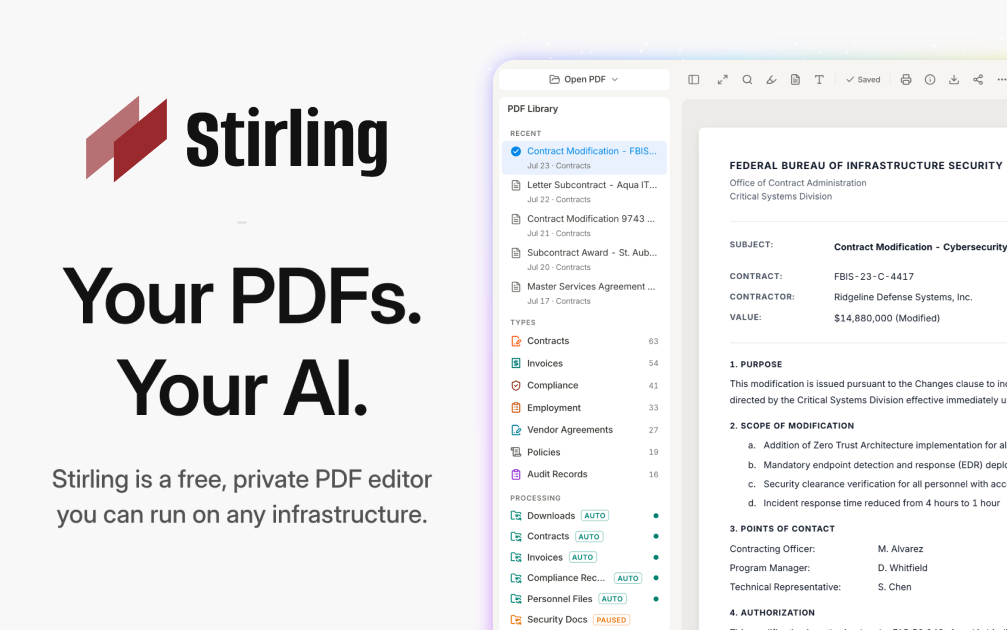

Stirling-PDFDeploy Stirling-PDF on CloudStation Without Managing ServersWhat is Stirling-PDF? Stirling-PDF is an open-source PDF toolkit you run on your own server. It gives you more than 50 PDF tools in one web interface: merge, split, compress, convert, OCR, sign, redact, watermark, and more. Documents are processed by your own instance, never by a third-party service, which makes it a self-hosted alternative to online PDF sites and paid desktop PDF editors.Deploy Stirling-PDF on CloudStation when you want a private PDF workbench for yourself or a small team without setting up Docker, a reverse proxy, or SSL by hand. This template ships Stirling-PDF 2.14.3 with login turned on and a persistent volume for its settings and user database, so accounts and configuration survive restarts and redeploys. The analytics prompt is disabled, and uploaded files are processed and not stored by default.⚠️ Before you start: Your login username is admin. A unique password is generated for each deployment and stored in the service's environment variables. The Stirling-PDF default password from the documentation does not work on this template. OCR works in English out of the box; other OCR languages need extra Tesseract language files.Best For and Not Best ForBest for: small businesses, legal and finance teams, freelancers, and IT admins who handle contracts, invoices, and scans every day and don't want to upload them to free online PDF sites. It is also a good fit for developers who want a PDF REST API they control.Not best for: organizations that need SSO, audit logs, or more than 5 user accounts (those are paid Stirling-PDF editions), OCR in many languages without extra setup, or recognizing tables and formulas inside scanned documents.Why Teams Choose Stirling-PDFOne Toolkit for Everyday PDF WorkMerge, split, reorder, rotate, and remove pagesCompress large PDFs before emailing or archiving themConvert PDFs to and from images, Office documents, and other formatsAdd watermarks, page numbers, and stampsA multi-tool workbench to edit pages visuallyPrivacy by DesignFiles are processed by your own instance, never sent to an outside serviceUploaded files are processed and not stored by defaultLogin protects the instance, so strangers can't use your serverOpen-core: the core is MIT-licensed and you can inspect the codeSecurity and Signing ToolsRedact sensitive text before sharing a documentAdd or remove passwords and set PDF permissionsSign documents and add signatures to PDFsRemove metadata and sanitize files before they leave your teamAutomation and APIREST APIs for nearly all tools, so scripts and apps can process PDFsNo-code pipelines in the UI to chain several operationsTesseract-based OCR to make scanned PDFs searchableInterface available in more than 40 languagesStirling-PDF vs AlternativesStirling-PDF vs Adobe Acrobat: Choose Stirling-PDF when your team needs merging, splitting, compression, OCR, and redaction in a browser, without per-seat desktop licenses.Stirling-PDF vs free online PDF sites: Choose Stirling-PDF when documents are confidential and must not be uploaded to someone else's server.Stirling-PDF vs command-line tools: Choose Stirling-PDF when non-technical colleagues need the same power through a web interface, while developers still get an API.Why Deploy Stirling-PDF on CloudStation?Login from the first boot: The template turns authentication on and generates a unique admin password for each deployment, so the instance is safe on a public web address.Settings that persist: A dedicated volume keeps configuration and the user database across restarts and redeploys.No server work: CloudStation handles HTTPS, the web address, and the container, so you just open the URL and sign in.Pricing and Plan Fit🚀 CloudStation Basic Plan: from $17.99/month for a standard marketplace deployment✓ Stirling-PDF 2.14.3 with login enabled✓ 5GB persistent storage for settings and users✓ Custom domains✓ Free SSL✓ Docker supportDeployment note: This template deploys one service with 2GB of memory. Large files and heavy OCR jobs use more memory, so scale the service up if you process big scanned documents often.Common Stirling-PDF Use CasesContract preparation: Merge, reorder, and sign contract pages before sending them out.Invoice and receipt handling: Compress and split scanned batches into single documents.Searchable archives: Run OCR on scans so their text can be searched and copied.Safe sharing: Redact personal data and strip metadata before sharing a file.Format conversion: Turn PDFs into images or Office documents and back again.Automated document processing: Call the REST API from your own scripts or apps.FAQIs Stirling-PDF free?The self-hosted free edition includes all PDF operations and up to 5 user accounts. You pay for the CloudStation resources it runs on. SSO, audit logs, and larger user counts are part of Stirling-PDF's paid editions.What are the login credentials after deploying?The username is admin. The password is generated uniquely for each deployment and stored in the service's environment variables. The default password from the Stirling-PDF docs does not work here.Are my files stored on the server?No, not by default. Files are processed and the results are returned to you. The volume holds settings and the user database, not your documents.Which OCR languages are included?English OCR works out of the box. Stirling-PDF uses Tesseract, and other languages need their Tesseract language files added to the instance.Can several people use it?Yes. The admin can create additional user accounts, up to 5 users on the free edition.Can I automate PDF tasks?Yes. Nearly every tool is available through a REST API, and you can build multi-step pipelines in the interface.Will my settings survive a restart?Yes. A 5GB persistent volume keeps configuration and user accounts across restarts and redeploys.Start Working With PDFs Privately Using Stirling-PDFIf you are searching for self-host Stirling-PDF, Stirling-PDF hosting, a self-hosted PDF editor, an Adobe Acrobat alternative, a private iLovePDF alternative, or a PDF API you can host yourself, this CloudStation template is built for that intent. Launch Stirling-PDF, sign in as admin, and start merging, converting, and redacting documents on infrastructure you control.Deploy Stirling-PDF Now → 50+ PDF tools. Your own instance. Zero server management.Stirling-PDF on CloudStation: a private, login-protected PDF toolkit and API for your team, without running the deployment stack by hand.
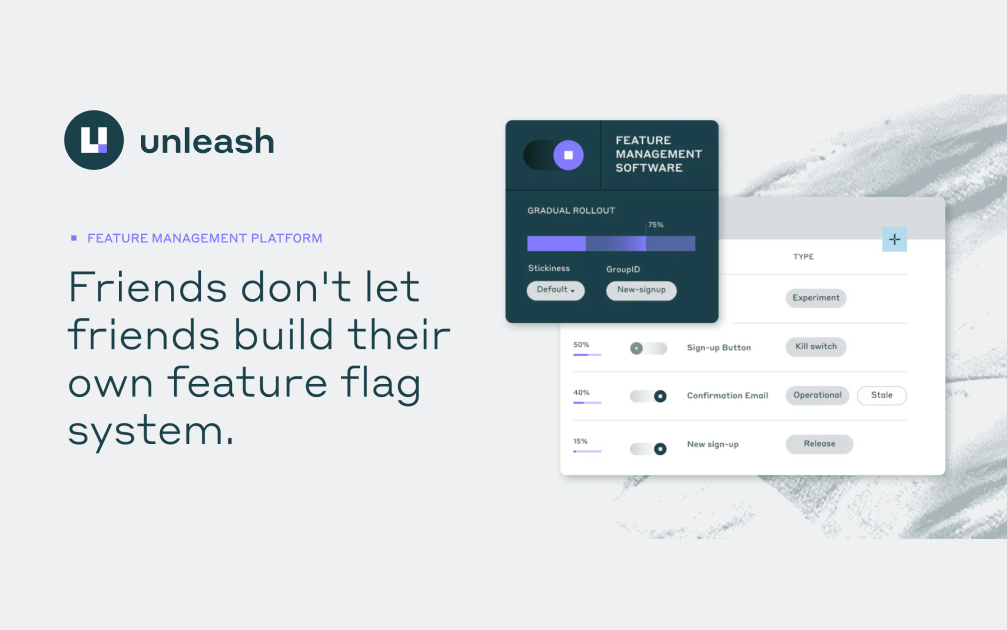

Maximize Feature Control with Unleash on Cloudstation Deploy Unleash on Cloudstation to revolutionize how you manage feature toggles and control software rollouts. Unleash is a leading open-source platform that provides fine-grained feature toggle management, enabling developers to deploy new features safely and progressively. With Unleash, you can implement canary releases, perform A/B testing, and customize feature access for different user segments without deploying new code. Hosted on Cloudstation's reliable and scalable infrastructure, Unleash becomes even more powerful, ensuring seamless integration and management of feature flags across your applications. This setup not only accelerates your development process but also enhances your ability to make strategic decisions based on real-time user feedback. Adopt Unleash on Cloudstation for a comprehensive and secure feature management system that supports dynamic and agile software development.