Template Store
Deploy Production-Ready Apps in Minutes
Browse community templates for AI, web services, databases, and more. One click to deploy on CloudStation.
Browse community templates for AI, web services, databases, and more. One click to deploy on CloudStation.
78 templates

Powerful Database Solutions with CloudStation's 1-Click DeployMariaDB is an open-source relational database management system that provides fast, scalable, and robust data management solutions. With CloudStation, deploying MariaDB is easier than ever.Why Choose This Template?Reliable Performance: Experience MariaDB's proven database management capabilities for consistent and high-speed data processing.Open-Source Flexibility: Benefit from the open-source nature of MariaDB, ensuring transparency and community-driven improvements.Seamless Cloud Integration: Easily deploy MariaDB in the cloud with CloudStation's streamlined processes.Cost Efficiency: Leverage the economic advantages of using an open-source system in the cloud.CloudStation Advantages:One-click Deployment: Quickly launch MariaDB instances with a simple click.Scalability: Effortlessly scale your database solutions to meet growing demands.Cost-effectiveness: Optimize your budget with CloudStation's efficient pricing models.Easy Integration: Connect seamlessly with other tools to enhance your workflow.Perfect For:Developers seeking a reliable and flexible database solution.Startups needing an efficient and scalable database management system.IT Professionals looking for a robust open-source database in the cloud.Unlock the full potential of MariaDB with CloudStation, where deployment and management are made simple and efficient.#MariaDB #CloudStation #OpenSourceDatabase #1ClickDeploy
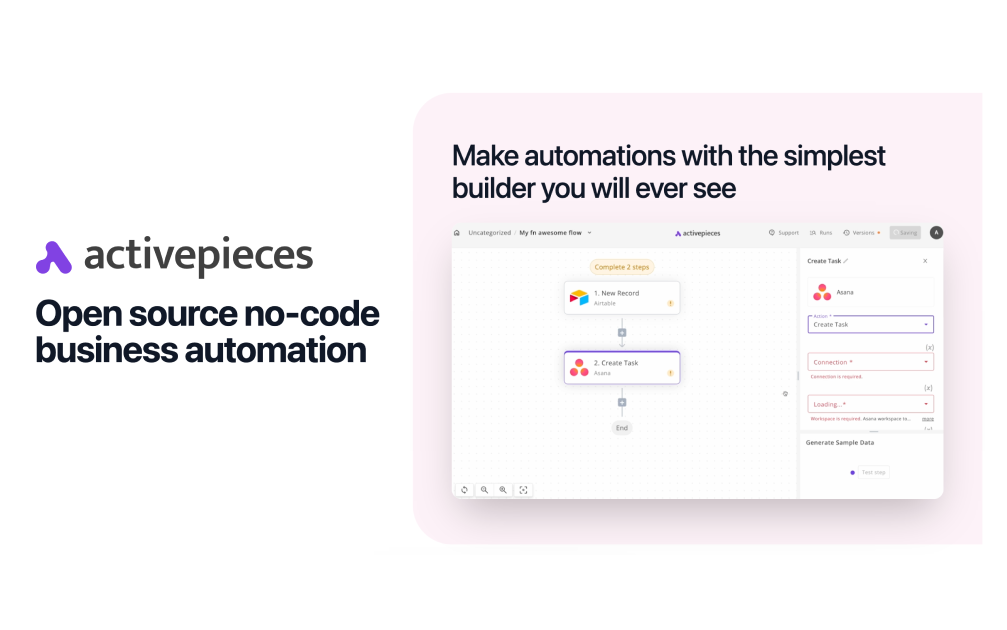

Boost Your Workflow with CloudStation's 1-Click DeployActivepieces is an open-source project designed to enhance your productivity with seamless workflow automation and orchestration capabilities.Why Choose This Template?Open-Source Flexibility: Enjoy the customization benefits and control of open-source software, adapted for versatile usage.Workflow Automation: Simplify complex tasks and automate repetitive processes effectively.Effortless Orchestration: Manage and coordinate multiple workflows to work in harmony.Enhanced Productivity: Increase efficiency by automating routine operations, designed to save time and resources.CloudStation Advantages:One-click deployment: Deploy your activepieces instance instantly with no hassle.Scalability: Easily scale your workflows as your needs grow.Cost-effectiveness: Optimize your budget with CloudStation's affordable pricing.Easy integration: Seamlessly connect with other essential tools and services within the CloudStation ecosystem.Perfect For:Developers looking to automate their development workflows.Businesses aiming to streamline operations and improve efficiency.IT Professionals needing robust orchestration and automated management of tasks.Elevate your productivity with activepieces on CloudStation. Unlock automated workflows with just a click!#Automation #OpenSource #CloudDeployment #WorkflowOrchestration#Make
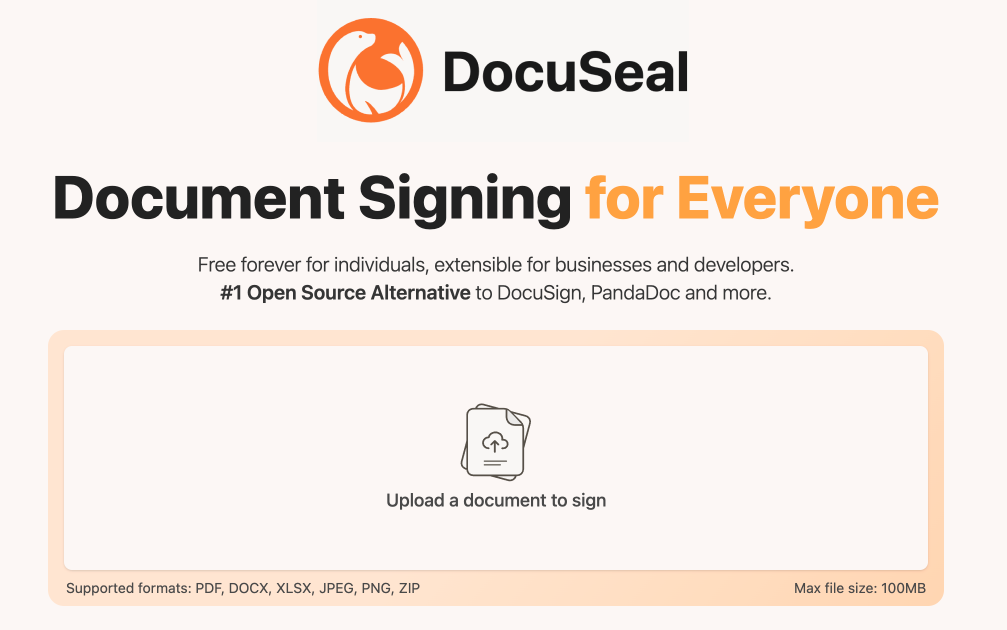

DocuSealDeploy DocuSeal on CloudStation Without Managing ServersWhat is DocuSeal? DocuSeal is a popular open-source e-signature platform: a self-hosted tool to build PDF forms, collect legally-binding electronic signatures, and manage signing workflows. Create documents with a drag-and-drop builder, send them for signature, and track completion — all from software you host and control, with no per-signature fees.Deploy DocuSeal on CloudStation when you want a self-hosted DocuSign alternative without setting up servers, PostgreSQL, domains, SSL, or Docker by hand. This template ships DocuSeal 3.2.5 with a dedicated PostgreSQL 16 database and a persistent volume for your uploaded and signed documents, so your files survive restarts and redeploys.⚠️ First login: open your app URL and complete the one-time setup form to create your admin account — there is no default username or password. To send signing invitations and password-reset emails you must configure SMTP (in-app under Settings → Email, or via environment variables); see this template's setup instructions.Best For and Not Best ForBest for: businesses, agencies, HR, legal, real estate, and healthcare teams that sign contracts, NDAs, offer letters, and consent forms regularly and want to stop paying per-signature DocuSign fees while keeping documents on infrastructure they control.Not best for: teams that need a fully managed compliance vendor with in-house legal support and enterprise SSO out of the box, or that sign only a document or two per year.Why Teams Choose DocuSealNo Per-Signature FeesSelf-host and send unlimited documents for signature without DocuSign's per-envelope pricingAdd unlimited templates and reuse them for repeat agreementsPredictable hosting cost instead of usage-based signature billingLegally Binding SignaturesSignatures are compliant with ESIGN, UETA, and eIDAS and accepted worldwideEvery submission produces an audit log and a signed, tamper-evident PDF12+ field types — signature, initials, date, text, checkbox, file upload, and moreBuilt for Real WorkflowsDrag-and-drop form builder — turn any PDF into a signable document, no codeMultiple signers, signing order, and automatic email remindersREST API, webhooks, and embeddable signing forms to wire into your own apps and Zapier, Make, or n8nData Control Without the DIY PainKeep signed contracts on infrastructure you control, not a third-party cloudDedicated PostgreSQL 16 database and a persistent volume at /data/docuseal for documents and signing certificatesDeploy on your own CloudStation domain with free SSL and automatic backupsDocuSeal vs AlternativesDocuSeal vs DocuSign: Choose DocuSeal when you want to self-host and avoid per-signature fees, and you are comfortable managing your own email and compliance settings.DocuSeal vs PandaDoc / Dropbox Sign: Choose DocuSeal for open-source control and flat hosting cost instead of per-seat SaaS subscriptions.DocuSeal vs OpenSign: Choose DocuSeal for its mature drag-and-drop builder, broad field types, and active release cadence.Why Deploy DocuSeal on CloudStation?Skip manual e-signature hosting: CloudStation replaces the usual Docker Compose + PostgreSQL + reverse proxy + SSL setup with one click.Documents that persist: A dedicated volume at /data/docuseal keeps uploaded and signed files across restarts — a common self-hosted misconfiguration this template fixes for you.Pricing and Plan Fit🚀 CloudStation Basic Plan: from $17.99/month for a standard marketplace deployment✓ DocuSeal 3.2.5 + dedicated PostgreSQL 16✓ 10GB persistent storage per service✓ Custom domains✓ Free SSL✓ Docker support✓ Automatic backupsDeployment note: This template deploys two services (DocuSeal and its PostgreSQL database). Heavy PDF rendering or many concurrent signers benefit from Essential or higher for more headroom.Common DocuSeal Use CasesSales contracts and NDAs: Close deals with instant online signing instead of printing and scanning.HR onboarding: Send offer letters and policy acknowledgements for e-signature.Real estate: Get leases, disclosures, and purchase agreements signed remotely.Healthcare intake: Collect patient consent and intake forms securely.Self-hosted DocuSign alternative: Replace per-signature SaaS billing with flat hosting.FAQIs DocuSeal open source and free?Yes. DocuSeal is open source and self-hostable with no per-signature fees; you pay only for the CloudStation resources it runs on.Are DocuSeal signatures legally binding?Yes. DocuSeal produces signatures compliant with ESIGN, UETA, and eIDAS, plus an audit trail and a signed PDF for each completed document.What are the login credentials after deploying?There are none by default. On first visit you complete a setup form that creates your admin account.Do I need to configure email?Yes, to send signing invitations and password resets. Configure SMTP in-app under Settings → Email, or via SMTP environment variables — see this template's setup instructions. Never set an empty SMTP_ADDRESS, or in-app email settings are ignored.Will my signed documents survive a restart?Yes. This template mounts a persistent volume at /data/docuseal, so uploaded and signed files and signing certificates are retained.Does DocuSeal have an API?Yes. DocuSeal offers a REST API, webhooks, and embeddable signing forms for integration with your own apps and automation tools.Start Collecting Signatures With DocuSealIf you are searching for self-host DocuSeal, DocuSeal hosting, open-source e-signature, a self-hosted DocuSign alternative, or sign documents online without per-signature fees, this CloudStation template is built for that intent. Launch DocuSeal, build your first template, configure email, and start sending documents for signature in an environment you control.Deploy DocuSeal Now → Legally-binding e-signatures. Your documents. Zero server management.DocuSeal on CloudStation: open-source, self-hosted electronic signatures — a DocuSign alternative without running the deployment stack by hand.
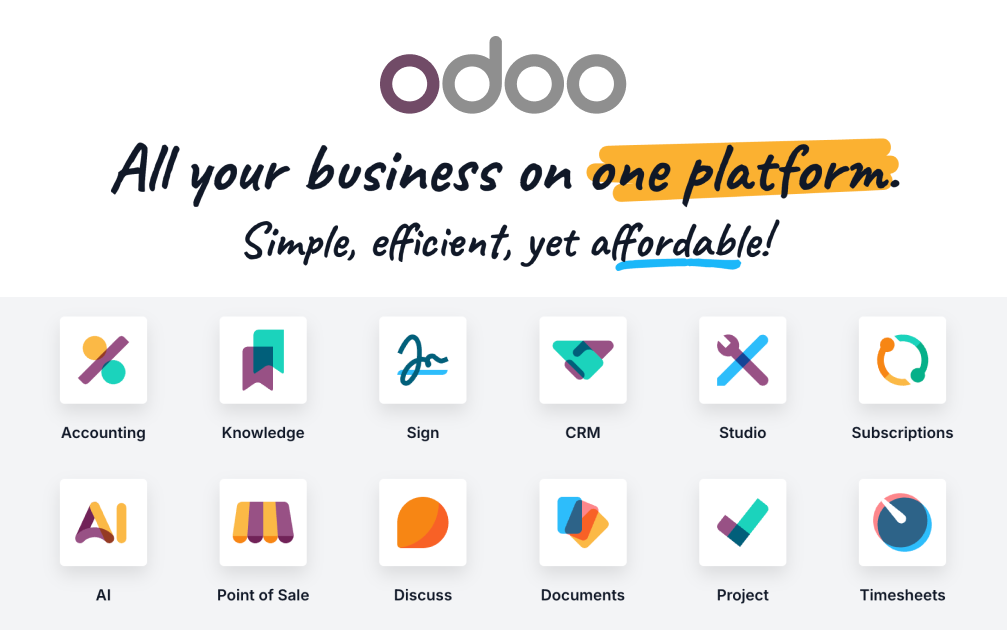
OdooDeploy Odoo on CloudStation Without Managing ServersWhat is Odoo? Odoo is the world's most popular open-source business platform: a single suite of integrated apps covering CRM, sales, invoicing, accounting, inventory, e-commerce, HR, projects, and more. You start with the apps you need and activate others as you grow — all sharing one database, one interface, and one source of truth.Deploy Odoo on CloudStation when you want the full ERP/CRM suite without setting up servers, PostgreSQL, domains, SSL, backups, or Docker by hand. This template ships Odoo 18 Community with a dedicated PostgreSQL 16 database, persistent storage for your files, and hardened defaults — the database manager is disabled and no demo data is installed, so you start clean and secure.⚠️ First login: username admin, password admin — change it immediately after your first login (Settings → Users & Companies → Users).Best For and Not Best ForBest for: SMBs, startups, agencies, and operations teams that want CRM, invoicing, inventory, and accounting in one self-hosted system instead of five separate SaaS subscriptions.Not best for: teams that only need a single narrow tool (just a CRM, just invoicing) and will never use the rest of the suite — a focused single-purpose app may be simpler.Why Teams Choose OdooOne Platform, 40+ Business AppsActivate CRM, Sales, Invoicing, Inventory, Accounting, Website, HR, and more from the built-in Apps store — no extra deploymentsEvery app shares the same contacts, products, and data — no sync, no integrations to maintainStart with one app and grow into a full ERP at your own paceTrue Open SourceOdoo Community is LGPL-licensed with full source code and no per-user feesA massive ecosystem of community modules extends every corner of the suiteYour business logic and data stay yours — no vendor lock-inSales-to-Cash in One FlowTrack leads in the CRM pipeline, convert to quotations, confirm orders, and invoice — all in one placeAutomatic tax computation, sequences, and document numbering out of the boxCustomer portal, email templates, and PDF documents includedData Control Without the DIY PainKeep your ERP data on infrastructure you controlDedicated PostgreSQL 16 database with persistent volumes for filestore and dataDeploy on your own CloudStation domain with free SSL and automatic backupsOdoo vs AlternativesOdoo vs Salesforce + QuickBooks + Shopify: Choose Odoo when you want one integrated suite instead of stitching together three subscriptions with sync tools.Odoo vs ERPNext: Choose Odoo for the larger app ecosystem, bigger community, and more polished interface.Odoo vs SAP / NetSuite: Choose Odoo when you want ERP capability without enterprise licensing costs and multi-month implementations.Why Deploy Odoo on CloudStation?Skip manual ERP hosting: CloudStation replaces the usual Docker Compose + PostgreSQL + reverse proxy + SSL setup with one click.Hardened by default: The public database manager is disabled (a common self-hosted Odoo attack surface) and no demo data is installed.Production-shaped resources: 1 vCPU / 2GB RAM for Odoo and a dedicated 0.6 vCPU / 1GB PostgreSQL — enough to run a real team, upgradeable anytime.Pricing and Plan Fit🚀 CloudStation Basic Plan: $17.99/month total for a standard marketplace deployment✓ Odoo 18 + dedicated PostgreSQL 16✓ 10GB storage per service✓ Custom domains✓ Free SSL✓ Docker support✓ Automatic backupsDeployment note: This template deploys two services (Odoo and its PostgreSQL database). If you plan heavy usage — large inventory, many users, e-commerce traffic — Essential or higher gives you more headroom.Common Odoo Use CasesAll-in-one business OS: Run CRM, quotes, invoices, and stock from one login.Open-source ERP for SMBs: Get ERP capability without enterprise pricing.Agency / consultancy back office: Pipeline, timesheets, invoicing, and projects in one system.Self-hosted accounting + invoicing: Keep financial data in your own environment.FAQIs Odoo open source?Yes. Odoo Community is LGPL-licensed and free to use with unlimited users.What do I get right after deploying?A clean Odoo 18 instance with the Apps store ready — activate CRM, Sales, Invoicing, Inventory, and 40+ other apps with one click each.What are the login credentials?Username admin, password admin. Change the password immediately after your first login.Is demo data installed?No. This template initializes a clean database with no demo records, ready for real data.Can I install community modules?Yes — the instance includes an extra-addons path; contact support to mount custom modules, or install any module from the built-in Apps store.Start Running Your Business on OdooIf you are searching for self-host Odoo, Odoo hosting, open-source ERP, or deploy Odoo without managing servers, this CloudStation template is built for that intent. Launch Odoo, activate your first apps, invite your team, and run your business in an environment you control.Deploy Odoo Now → One platform. Every business app. Zero server management.Odoo on CloudStation: the full open-source business suite — CRM to accounting — without running the deployment stack by hand.


One-Click Error Tracking on CloudStationSupercharge your application reliability with GlitchTip, now available as an instant deployment template on CloudStation PaaS.Why Choose This Template?Zero Configuration: Get started in seconds with our one-click deploymentReal-time Monitoring: Catch and analyze errors as they happenDeveloper-Friendly: Intuitive interface for quick issue resolutionCloudStation-Optimized: Enjoy seamless performance on our robust PaaSCloudStation Advantages:Effortless Scaling: Grow your application without infrastructure headachesCost-Effective: Pay only for resources you useEnhanced Security: Benefit from built-in protection measuresStreamlined CI/CD: Integrate with popular tools for efficient deploymentsPerfect For:Startups launching MVPsEnterprises managing multiple applicationsDevelopment teams seeking efficient workflowsExperience the power of GlitchTip combined with the simplicity of CloudStation. Deploy now and transform your error tracking process!

Seamless Data Handling with CloudStation's 1-Click DeployDiscover the power of Ollama, an open-source project renowned for handling large datasets with ease, now available for instant deployment on CloudStation. Deploy Ollama in just one click and experience unparalleled performance and efficiency.Why Choose This Template?Effortless Deployment: Get Ollama up and running with a single click, saving time and effort.Optimized Performance: Enjoy fast, reliable data processing tailored for high-demand environments.Open-Source Flexibility: Leverage the community-driven enhancements and adaptability of Ollama.Advanced Security: Benefit from built-in security features that ensure data integrity and protection.CloudStation Advantages:Ease of Use: Intuitive interface and hassle-free deployment make getting started simple, even for newcomers.Scalability: Effortlessly scale resources up or down to match your project's demands.Cost-Effectiveness: Pay-as-you-go pricing ensures you only pay for the resources you use.Integration Capabilities: Seamlessly integrate with other tools and services to build a robust tech stack.Perfect For:Data Scientists: Looking to process and analyze large datasets efficiently.Developers: In need of a reliable platform for data-intensive applications.Enterprises: Seeking scalable and secure data handling solutions.Embrace the future of data processing with Ollama on CloudStation. Unlock the full potential of your data with the ease and power of one-click deployment.
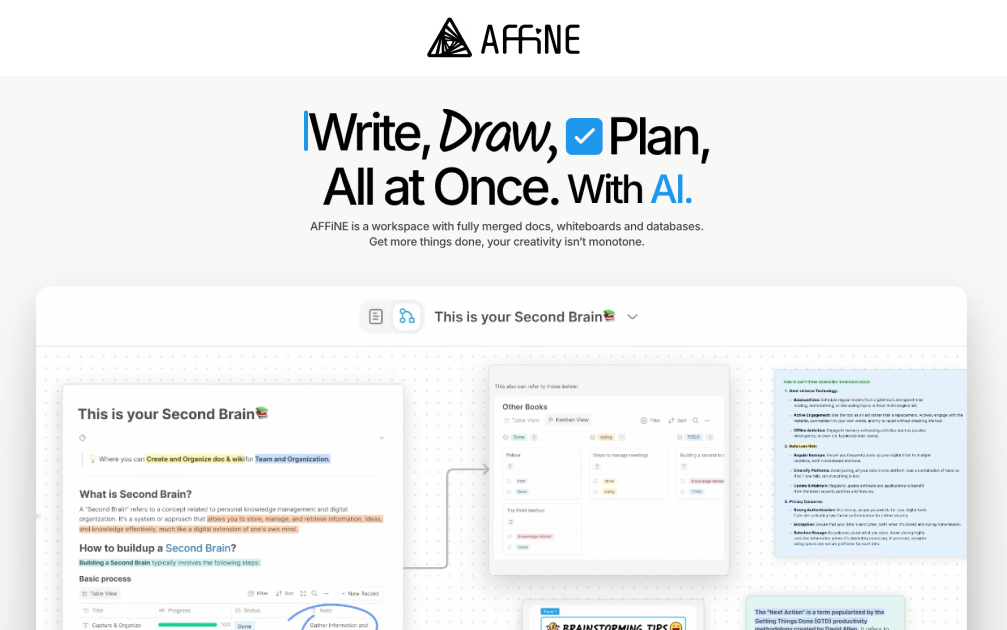

Affine: Seamless Integration with CloudStation's 1-Click DeployAffine is an innovative open-source project designed to enhance integration efficiency and streamline operations.Why Choose This Template?Open-source Flexibility: Harness the power of open-source for customizable solutions tailored to your needs.Efficient Integration: Easily integrate with existing systems to improve workflow and productivity.Streamlined Operations: Optimize processes with Affine’s robust capabilities.CloudStation Compatibility: Seamlessly deploy and manage your project with CloudStation’s advanced platform.CloudStation Advantages:One-Click Deployment: Simplify the setup process and get started quickly.Scalability: Easily scale your operations as your needs grow.Cost-effectiveness: Reduce costs with affordable pricing options.Easy Integration with Other Tools: Connect with various applications to enhance your system’s functionality.Perfect For:Developers: Looking to integrate new solutions efficiently.System Administrators: Seeking streamlined operations.Tech-savvy Businesses: Who want to leverage open-source advantages without the hassle of complex deployments.Experience the full potential of Affine combined with CloudStation's powerful capabilities, ensuring a streamlined, cost-effective deployment that meets your needs.Hashtags#Affine #CloudStation #OpenSource #Integration

Next Shadcn StarterA Next.js 14 template for building apps with Radix UI and Tailwind CSS..FeaturesNext.js 14 App DirectoryRadix UI PrimitivesTailwind CSScons from LucideDark mode with next-themesTailwind CSS class sorting, merging and linting.
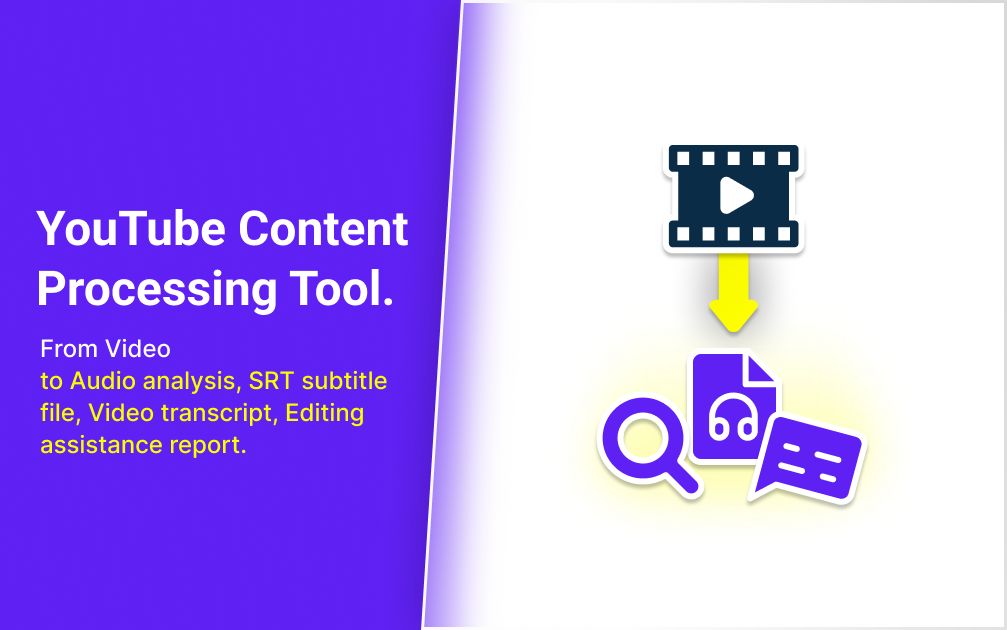

YTAutoMate: YouTube Content Processing ToolYTAutoMate is a Docker image that automates various aspects of YouTube video processing. It utilizes FFmpeg for video manipulation and Whisper AI for speech recognition.Key FunctionalitiesVideo upload to S3/Minio bucketsAudio analysisSRT subtitle file generationVideo transcript creationEditing assistance report generationProcessThe tool processes videos uploaded to specified S3 or Minio buckets. It can run on both CPU and GPU, with GPU offering faster processing for compatible tasks.Primary ComponentsFFmpeg: Video compression and manipulationWhisper AI: Speech recognition and transcriptionPython: Core processing logic and automationYTAutoMate is designed to integrate with workflow management tools and can be incorporated into larger content creation pipelines.Docker VersionYTAutoMate is a Docker version of VoiceScribe. It encapsulates all the functionalities of VoiceScribe in a containerized environment, making it easier to deploy and scale.API EndpointsYTAutoMate exposes the following API endpoints:GET /Returns the index page (upload.html)POST /check_api_keyValidates the provided API keyRequest body: { "api_key": "your_api_key_here" }POST /uploadHandles file uploadsRequires API key authentication in the Authorization headerRequest body: multipart/form-data with 'file' fieldPOST /convert_and_transcribeInitiates audio conversion and transcriptionRequires API key authentication in the Authorization headerRequest body: { "filename": "your_file.mp4" }GET /job_status/<job_id>Retrieves the status of a conversion jobRequires API key authentication in the Authorization headerGET /healthHealth check endpoint
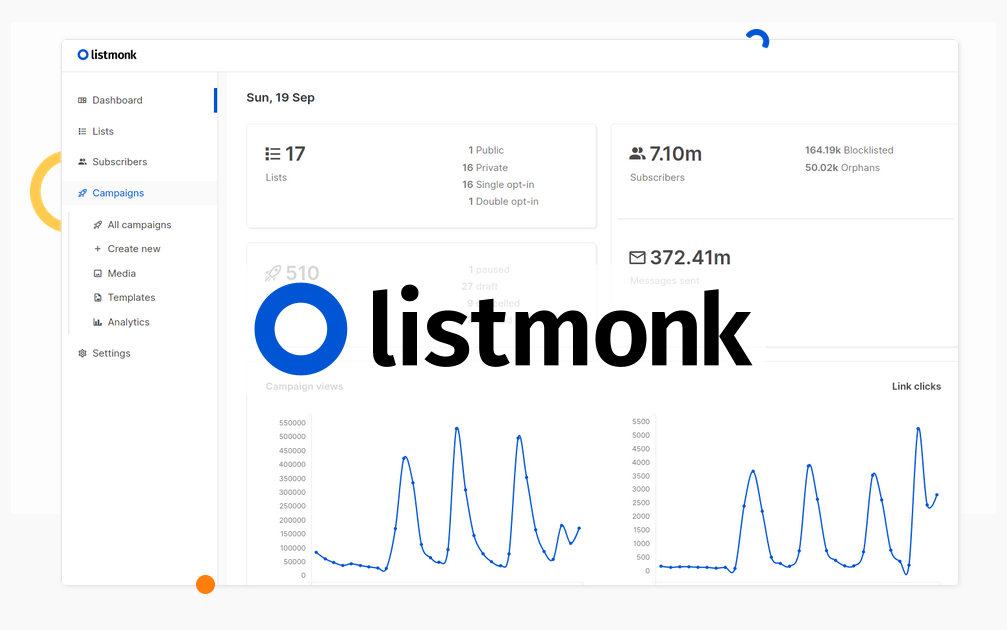

Simplified Newsletter Management with CloudStation's 1-Click DeployListmonkWhy Choose This Template?Open-Source: Full access to source code for customization and flexibility.Efficient Subscriber Management: Manage and segment your subscriber lists easily.Newsletter & Campaign Features: Create, send, and track newsletters and campaigns.Scalable Solution: Suitable for both small and large mailing lists.CloudStation Advantages:One-click deploymentScalabilityCost-effectivenessEasy integration with other toolsPerfect For:Businesses: Streamline your customer communication.Developers: Customize your own newsletter management system.Marketers: Efficiently manage and engage your audience.Using Listmonk on CloudStation ensures hassle-free deployment and management, empowering you to focus on building and maintaining your subscriber base.#EmailMarketing #OpenSourceTools #CloudSolutions #NewsletterManagement
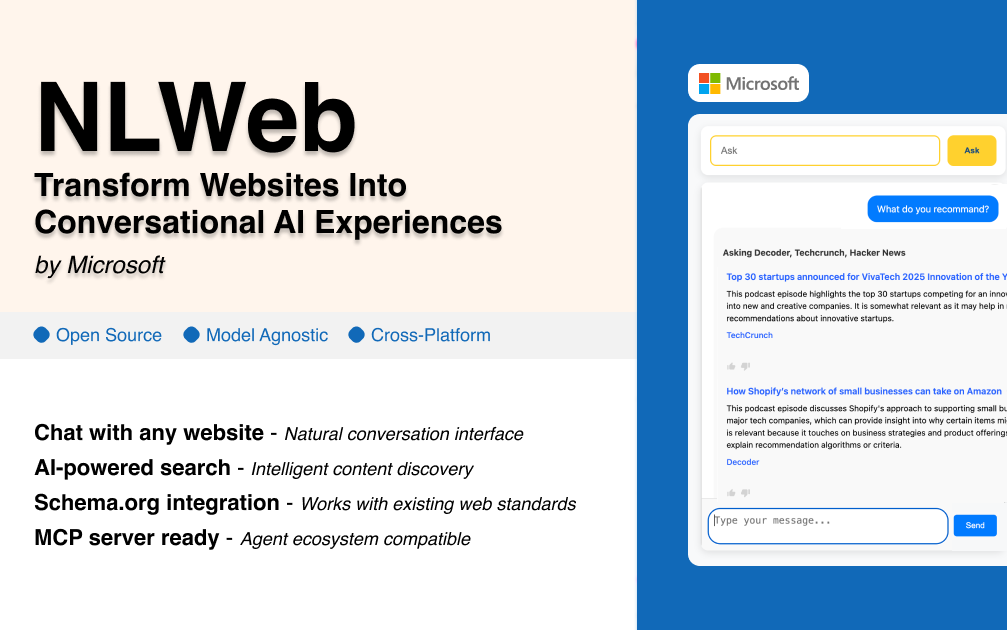
NLWeb: Build Conversational AI Interfaces for Any Website in MinutesTransform your website into an intelligent, conversational platform that users can interact with naturally. NLWeb makes it incredibly simple to add AI-powered chat capabilities to any website - no complex setup, no technical expertise required.What Makes NLWeb Different?One-Click Website AI Integration Gone are the days of complex chatbot setups that take weeks to implement. NLWeb leverages your existing website content and structure to automatically create intelligent conversational interfaces that understand and respond to natural language queries about your products, services, or content.Works with What You Already Have Your website already contains structured data through Schema.org markup, RSS feeds, and organized content. NLWeb intelligently reads this existing structure to understand your site's content without requiring you to rebuild or restructure anything.True Conversational Intelligence Unlike simple chatbots that follow pre-programmed scripts, NLWeb creates genuine conversational experiences. Users can ask complex questions, request comparisons, seek recommendations, and get detailed information - all in natural language.Perfect for Every Website TypeE-commerce Stores"Show me wireless headphones under $100 with good battery life""What's the difference between your premium and standard plans?""Find me gifts for outdoor enthusiasts"Content & Media Sites"What are your most popular articles about sustainable living?""Find recipes that are both vegan and gluten-free""Show me tutorials for beginner photographers"Service Businesses"What services do you offer for small business marketing?""Compare your pricing plans and what's included""Find testimonials from clients in my industry"Educational Platforms"Recommend courses for someone new to data science""What prerequisites do I need for advanced programming classes?""Show me free resources to get started"Key Benefits That Drive ResultsImproved User Experience Visitors can find exactly what they're looking for through natural conversation instead of navigating complex menus or using limited search functions. This dramatically reduces bounce rates and increases engagement time.Higher Conversion Rates When users can easily discover relevant products, services, or content through conversational queries, they're more likely to take action. NLWeb acts as an intelligent sales assistant available 24/7.Reduced Support Burden Many customer questions can be answered instantly through the conversational interface, reducing the load on your support team while providing immediate satisfaction to users.Mobile-First Experience Conversational interfaces are naturally mobile-friendly. Users can quickly type or speak their questions instead of struggling with complex navigation on small screens.SEO and Content Discovery NLWeb helps surface your valuable content that might otherwise be buried deep in your site structure, improving overall content utilization and user satisfaction.Advanced CapabilitiesMulti-Format Content Understanding NLWeb works with various content types including products, articles, reviews, events, recipes, and more. It automatically understands the relationships between different pieces of content.Intelligent Filtering and Comparison Users can ask for complex comparisons and filtered results that would be difficult or impossible with traditional search and navigation tools.Context-Aware Responses The system maintains conversation context, allowing for follow-up questions and refinements without starting over.Integration Ready NLWeb seamlessly integrates with existing websites, CMSs, e-commerce platforms, and can connect to live databases for real-time information.Use Cases Across IndustriesReal Estate: "Show me 3-bedroom homes under $400k with good schools nearby" Healthcare: "What services do you offer for preventive care?" Tourism: "Find family-friendly attractions open on weekends" SaaS: "Compare features between your pro and enterprise plans" Publishing: "Recommend articles about remote work productivity" Restaurants: "What vegan options do you have that are also gluten-free?"Why Choose NLWeb?Proven Technology: Built on established web standards like Schema.org that power over 100 million websites Flexible Deployment: Works on any platform - cloud, on-premise, or edge computing Open Source: Full transparency and community-driven development MCP Compatible: Integrates with the Model Context Protocol for advanced AI agent interactions Scalable: From small business websites to enterprise platformsGetting StartedWith CloudStation's one-click deployment, you can have NLWeb running on your website in minutes, not days. The platform handles all the technical complexity while you focus on creating better user experiences.Ready to Transform Your Website?Deploy NLWeb today and watch your website engagement soar. Give your visitors the intelligent, conversational experience they expect in the age of AI.NLWeb: Making every website intelligently conversational

Enhance Collaborative Drawing with Excalidraw on Cloudstation Deploy Excalidraw on Cloudstation to revolutionize your team’s collaborative drawing and diagramming experience. Excalidraw is a lightweight, open-source virtual whiteboard tool that offers a simple, intuitive interface for sketching, diagramming, and visualizing ideas in real-time. Perfect for remote teams and classrooms, it mimics the feel of drawing on paper while enabling users to share and edit drawings seamlessly across devices. Excalidraw’s key features include privacy-focused collaboration, as drawings are not stored on any server unless explicitly saved by users. Its simplicity allows for quick adoption with minimal learning curve, making it an ideal choice for brainstorming sessions, project planning, and educational purposes. Hosting Excalidraw on Cloudstation enhances its accessibility and performance, providing a stable and scalable environment for all your creative projects. By leveraging Cloudstation’s robust infrastructure, Excalidraw runs smoothly, ensuring that your collaborative sessions are uninterrupted and secure. Opt for Excalidraw on Cloudstation for a superior collaborative drawing tool that encourages creativity and effective communication.