
by CloudStation
18/09/2026
Publishedpublic
Stirling-PDF
Deploy this template to create your own app and start your journey with CloudStation.
1 deployments
18/09/2026
Open-sourceData Managementsolopreneur
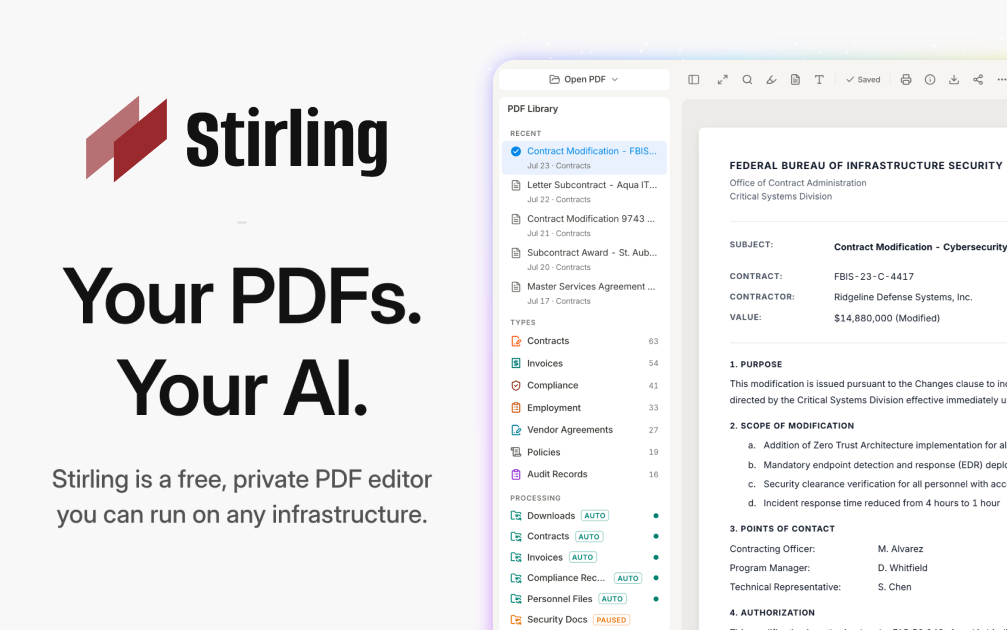
Stirling-PDF
Deploy Stirling-PDF on CloudStation Without Managing Servers
What is Stirling-PDF? Stirling-PDF is an open-source PDF toolkit you run on your own server. It gives you more than 50 PDF tools in one web interface: merge, split, compress, convert, OCR, sign, redact, watermark, and more. Documents are processed by your own instance, never by a third-party service, which makes it a self-hosted alternative to online PDF sites and paid desktop PDF editors.
Deploy Stirling-PDF on CloudStation when you want a private PDF workbench for yourself or a small team without setting up Docker, a reverse proxy, or SSL by hand. This template ships Stirling-PDF 2.14.3 with login turned on and a persistent volume for its settings and user database, so accounts and configuration survive restarts and redeploys. The analytics prompt is disabled, and uploaded files are processed and not stored by default.
⚠️ Before you start: Your login username is admin. A unique password is generated for each deployment and stored in the service's environment variables. The Stirling-PDF default password from the documentation does not work on this template. OCR works in English out of the box; other OCR languages need extra Tesseract language files.
Best For and Not Best For
Best for: small businesses, legal and finance teams, freelancers, and IT admins who handle contracts, invoices, and scans every day and don't want to upload them to free online PDF sites. It is also a good fit for developers who want a PDF REST API they control.
Not best for: organizations that need SSO, audit logs, or more than 5 user accounts (those are paid Stirling-PDF editions), OCR in many languages without extra setup, or recognizing tables and formulas inside scanned documents.
Why Teams Choose Stirling-PDF
One Toolkit for Everyday PDF Work
Merge, split, reorder, rotate, and remove pages
Compress large PDFs before emailing or archiving them
Convert PDFs to and from images, Office documents, and other formats
Add watermarks, page numbers, and stamps
A multi-tool workbench to edit pages visually
Privacy by Design
Files are processed by your own instance, never sent to an outside service
Uploaded files are processed and not stored by default
Login protects the instance, so strangers can't use your server
Open-core: the core is MIT-licensed and you can inspect the code
Security and Signing Tools
Redact sensitive text before sharing a document
Add or remove passwords and set PDF permissions
Sign documents and add signatures to PDFs
Remove metadata and sanitize files before they leave your team
Automation and API
REST APIs for nearly all tools, so scripts and apps can process PDFs
No-code pipelines in the UI to chain several operations
Tesseract-based OCR to make scanned PDFs searchable
Interface available in more than 40 languages
Stirling-PDF vs Alternatives
Stirling-PDF vs Adobe Acrobat: Choose Stirling-PDF when your team needs merging, splitting, compression, OCR, and redaction in a browser, without per-seat desktop licenses.
Stirling-PDF vs free online PDF sites: Choose Stirling-PDF when documents are confidential and must not be uploaded to someone else's server.
Stirling-PDF vs command-line tools: Choose Stirling-PDF when non-technical colleagues need the same power through a web interface, while developers still get an API.
Why Deploy Stirling-PDF on CloudStation?
Login from the first boot: The template turns authentication on and generates a unique admin password for each deployment, so the instance is safe on a public web address.
Settings that persist: A dedicated volume keeps configuration and the user database across restarts and redeploys.
No server work: CloudStation handles HTTPS, the web address, and the container, so you just open the URL and sign in.
Pricing and Plan Fit
🚀 CloudStation Basic Plan: from $17.99/month for a standard marketplace deployment
✓ Stirling-PDF 2.14.3 with login enabled
✓ 5GB persistent storage for settings and users
✓ Custom domains
✓ Free SSL
✓ Docker support
Deployment note: This template deploys one service with 2GB of memory. Large files and heavy OCR jobs use more memory, so scale the service up if you process big scanned documents often.
Common Stirling-PDF Use Cases
Contract preparation: Merge, reorder, and sign contract pages before sending them out.
Invoice and receipt handling: Compress and split scanned batches into single documents.
Searchable archives: Run OCR on scans so their text can be searched and copied.
Safe sharing: Redact personal data and strip metadata before sharing a file.
Format conversion: Turn PDFs into images or Office documents and back again.
Automated document processing: Call the REST API from your own scripts or apps.
FAQ
Is Stirling-PDF free?
The self-hosted free edition includes all PDF operations and up to 5 user accounts. You pay for the CloudStation resources it runs on. SSO, audit logs, and larger user counts are part of Stirling-PDF's paid editions.
What are the login credentials after deploying?
The username is admin. The password is generated uniquely for each deployment and stored in the service's environment variables. The default password from the Stirling-PDF docs does not work here.
Are my files stored on the server?
No, not by default. Files are processed and the results are returned to you. The volume holds settings and the user database, not your documents.
Which OCR languages are included?
English OCR works out of the box. Stirling-PDF uses Tesseract, and other languages need their Tesseract language files added to the instance.
Can several people use it?
Yes. The admin can create additional user accounts, up to 5 users on the free edition.
Can I automate PDF tasks?
Yes. Nearly every tool is available through a REST API, and you can build multi-step pipelines in the interface.
Will my settings survive a restart?
Yes. A 5GB persistent volume keeps configuration and user accounts across restarts and redeploys.
Start Working With PDFs Privately Using Stirling-PDF
If you are searching for self-host Stirling-PDF, Stirling-PDF hosting, a self-hosted PDF editor, an Adobe Acrobat alternative, a private iLovePDF alternative, or a PDF API you can host yourself, this CloudStation template is built for that intent. Launch Stirling-PDF, sign in as admin, and start merging, converting, and redacting documents on infrastructure you control.
Deploy Stirling-PDF Now → 50+ PDF tools. Your own instance. Zero server management.
Stirling-PDF on CloudStation: a private, login-protected PDF toolkit and API for your team, without running the deployment stack by hand.