
by CloudStation
18/09/2026
Publishedpublic
Memos
Deploy this template to create your own app and start your journey with CloudStation.
1 deployments
18/09/2026
Open-sourceCom & Collaborationsolopreneur
Memos
Deploy Memos on CloudStation Without Managing Servers
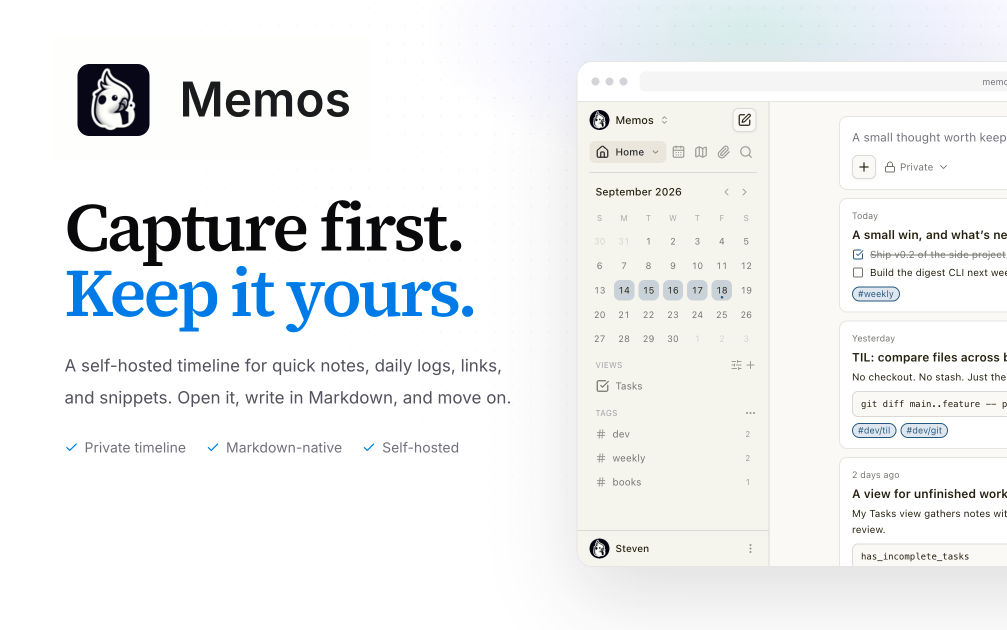
What is Memos? Memos is an open-source, self-hosted note-taking app built for quick capture. You write in Markdown and save without choosing a title, folder, or template, and your notes flow into a chronological timeline. It suits daily notes, links, work logs, and snippets, and it is a lightweight self-hosted alternative to Google Keep, Apple Notes, or a private microblog.
Deploy Memos on CloudStation when you want your own notes app on a web address you control without setting up Docker, a reverse proxy, or SSL by hand. This template ships Memos 0.30.0 with its SQLite database and attachments on a persistent volume, so your notes and uploaded files survive restarts and redeploys. Memos is MIT-licensed and the project states it has zero telemetry.
⚠️ Before you start: The first account created becomes the admin. After that, anyone who finds your address can register until you turn registration off. Open your Memos address right after deploying, create your account, then go to Settings and disable user registration.
Best For and Not Best For
Best for: individuals, developers, and small teams who want a fast place to jot down ideas, links, and logs, and who care about owning their notes. It is also a good fit for anyone who wants to publish a few public notes while keeping the rest private.
Not best for: teams that need a full wiki with nested pages, real-time collaborative document editing, databases and project boards like Notion, or long-form documentation.
Why Teams Choose Memos
Capture First, Organize Later
Markdown-native notes with no title, folder, or template required
A chronological timeline of everything you write
Tags and pins to revisit what matters
Search across your notes
You Own the Data
Self-hosted, with the database and attachments on your own volume
Zero telemetry, according to the Memos project
Open source under the MIT license
Private or Public, Per Note
Keep memos private or publish only what you choose
Visibility controls on each memo
Attach images and files to notes
Built to Connect
REST and gRPC APIs for automation and integrations
Webhooks for event-driven workflows
A web clipper extension for Chrome and Firefox to save pages and selections
API tokens for scripts and other apps
Memos vs Alternatives
Memos vs Google Keep: Choose Memos when you want quick notes with Markdown, tags, and an API, stored on infrastructure you control.
Memos vs Notion: Choose Memos when you want fast capture and a simple timeline instead of a full workspace with pages and databases.
Memos vs Obsidian: Choose Memos when you want notes in the browser from any device without syncing a local vault.
Why Deploy Memos on CloudStation?
Ready in minutes: One service with its database and attachments on a persistent volume, no database server to set up.
HTTPS included: CloudStation provides HTTPS and your own web address, so you can reach your notes from any device.
Data that persists: A dedicated volume keeps the SQLite database and attachments across restarts and redeploys.
Pricing and Plan Fit
🚀 CloudStation Basic Plan: from $17.99/month for a standard marketplace deployment
✓ Memos 0.30.0 with SQLite
✓ 5GB persistent storage for notes and attachments
✓ Custom domains
✓ Free SSL
✓ Docker support
Deployment note: This template deploys one service with 512MB of memory. Notes and attachments share the 5GB volume, so large file uploads use that space.
Common Memos Use Cases
Daily journal: Write short entries through the day and read them back as a timeline.
Work log: Record what you shipped, decided, or learned, tagged by project.
Link and snippet library: Save links, commands, and code snippets you want to find again.
Web clipping: Save pages and selections from your browser with the web clipper.
Personal microblog: Publish selected notes publicly while keeping the rest private.
Automated capture: Post notes from scripts or other tools through the API.
FAQ
Is Memos free?
Yes. Memos is open source under the MIT license. You pay only for the CloudStation resources it runs on.
What are the login credentials after deploying?
There are none preset. The first account you create becomes the admin. Create it right after deploying, before anyone else can.
How do I stop other people from signing up?
After creating your admin account, open Settings and disable user registration. Until you do, anyone with your address can register an account.
Can other people use my instance?
Yes. Keep registration open while they sign up, or leave it off and manage users as the admin. Each person gets their own notes.
Where are my notes stored?
In a SQLite database on a 5GB persistent volume, together with your attachments. They survive restarts and redeploys.
Can I make some notes public?
Yes. Each memo has its own visibility, so you can keep most notes private and publish only the ones you choose. If your instance is fully private, the Memos docs recommend disabling public memo visibility.
Is there an API?
Yes. Memos provides REST and gRPC APIs and webhooks, and you can create API tokens for scripts and integrations.
Start Capturing Notes With Memos
If you are searching for self-host Memos, Memos hosting, a self-hosted note-taking app, a Google Keep alternative, an open-source Markdown notes app, or a private microblog, this CloudStation template is built for that intent. Launch Memos, create your admin account, turn off registration, and start writing in an environment you control.
Deploy Memos Now → Markdown notes on a timeline. Your own instance. Zero server management.
Memos on CloudStation: open-source, self-hosted quick notes with Markdown, tags, and an API, without running the deployment stack by hand.