
by CloudStation
18/09/2026
Publishedpublic
Vaultwarden
Deploy this template to create your own app and start your journey with CloudStation.
2 deployments
18/09/2026
Open-sourceSecurity & Authenticationsolopreneur
Vaultwarden
Deploy Vaultwarden on CloudStation Without Managing Servers
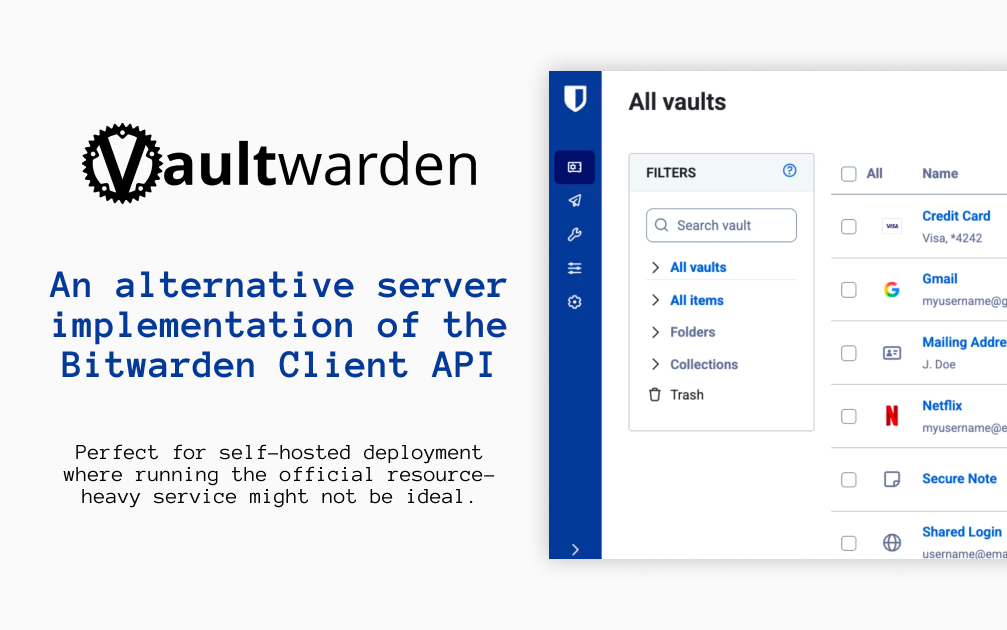
What is Vaultwarden? Vaultwarden is an open-source password manager server written in Rust. It is an alternative implementation of the Bitwarden Client API, compatible with the official Bitwarden apps and browser extensions, and designed for self-hosting where running the official, resource-heavy server is not ideal. Vaultwarden is an unofficial project and is not associated with Bitwarden, Inc.
Deploy Vaultwarden on CloudStation when you want your own password vault for yourself, your family, or a small team without setting up Docker, a reverse proxy, or SSL certificates by hand. This template ships Vaultwarden 1.37.3 with public sign-ups turned off and a persistent volume for the vault database and attachments, so your data survives restarts and redeploys. The web vault requires HTTPS, and CloudStation provides it automatically.
⚠️ Before you start: Public sign-ups are off. Open /admin on your Vaultwarden address and sign in with the admin token, which is generated for each deployment and stored in the service's environment variables as ADMIN_TOKEN. Invite your own email address, then create your account in the web vault with that email. Without email (SMTP) configured, invited addresses can register directly.
Best For and Not Best For
Best for: individuals, families, freelancers, and small organizations who want the Bitwarden apps they already know with a server they control. It suits anyone who wants to share passwords with a few people through organizations and collections.
Not best for: companies that need an official vendor support contract or a certified, audited hosted service. Vaultwarden is a community project, so bugs should be reported to Vaultwarden, not to Bitwarden support.
Why Teams Choose Vaultwarden
Works With the Bitwarden Apps
Use the official Bitwarden mobile, desktop, and browser extension clients
Point each app at your self-hosted server URL before signing in
A web vault is bundled in the container
Website icons shown next to your logins
Your Vault, Encrypted on Your Devices
Bitwarden clients encrypt your data on your device before it is sent to the server
Bitwarden documents that the master password is never transmitted to the server
Two-step login with authenticator apps and FIDO2 WebAuthn security keys
Open source under the AGPL-3.0 license
Sharing for Families and Teams
Organizations with collections for shared passwords
Member roles and groups to control who sees what
Organization policies and event logs
Bitwarden Send to share text and files securely
Admin Control
An admin page at /admin to invite users and manage settings
Public sign-ups off by default on this template
File attachments on vault items
Personal API keys for the Bitwarden CLI
Vaultwarden vs Alternatives
Vaultwarden vs Bitwarden cloud: Choose Vaultwarden when you want the same apps with your vault stored on a server you control.
Vaultwarden vs the official self-hosted Bitwarden server: Choose Vaultwarden when you want a lighter server that runs as a single container with modest memory.
Vaultwarden vs 1Password: Choose Vaultwarden when you want an open-source, self-hosted password manager instead of a hosted subscription.
Why Deploy Vaultwarden on CloudStation?
HTTPS handled for you: The Bitwarden web vault only works over HTTPS, and CloudStation provides SSL automatically on your web address.
Closed by default: Public sign-ups are off and the admin token is unique to your deployment, so strangers cannot create accounts.
Data that persists: A dedicated volume keeps the vault database, attachments, and settings across restarts and redeploys.
Pricing and Plan Fit
🚀 CloudStation Basic Plan: from $17.99/month for a standard marketplace deployment
✓ Vaultwarden 1.37.3 with sign-ups disabled
✓ 5GB persistent storage for the vault
✓ Custom domains
✓ Free SSL
✓ Docker support
Deployment note: This template deploys one service with 512MB of memory. Email (SMTP) is not configured by default; add SMTP settings if you want invitation emails and email-based features.
Common Vaultwarden Use Cases
Personal password manager: Keep every login in a vault you host, synced across phone, laptop, and browser.
Family vault: Share streaming, banking, and household logins through an organization.
Small team credentials: Give each team a collection of shared service passwords.
Secure sharing: Send a password or file to someone with Bitwarden Send.
Leaving a hosted password manager: Import your existing vault into the Bitwarden web vault on your own server.
FAQ
Is Vaultwarden free?
Yes. Vaultwarden is open source under the AGPL-3.0 license. You pay only for the CloudStation resources it runs on.
What are the login credentials after deploying?
There is no preset user account. Open /admin and sign in with the admin token stored in the service's environment variables as ADMIN_TOKEN. Invite your email address, then create your account in the web vault with that email and choose your master password.
Why can't I sign up directly?
Public sign-ups are turned off so strangers cannot create accounts on your server. Only addresses you invite from the admin page can register.
Can I use the official Bitwarden apps?
Yes. In the Bitwarden app or browser extension, choose the self-hosted option and enter your Vaultwarden web address as the server URL before logging in.
Is Vaultwarden made by Bitwarden?
No. Vaultwarden is an unofficial, community project and is not associated with Bitwarden, Inc. Report issues to the Vaultwarden project, not to Bitwarden support.
Can the server read my passwords?
Bitwarden clients encrypt your vault on your device, and Bitwarden documents that the master password is never transmitted to the server. Keep your master password safe: it cannot be recovered from the server.
Will my vault survive a restart?
Yes. A 5GB persistent volume keeps the vault database and attachments across restarts and redeploys. Keep your own exports as a backup as well.
Start Managing Passwords With Vaultwarden
If you are searching for self-host Vaultwarden, Vaultwarden hosting, a self-hosted Bitwarden server, a self-hosted password manager, a 1Password alternative, or an open-source family password manager, this CloudStation template is built for that intent. Launch Vaultwarden, invite yourself from the admin page, and start saving passwords in an environment you control.
Deploy Vaultwarden Now → Bitwarden-compatible vault. Your own server. Zero server management.
Vaultwarden on CloudStation: an unofficial, open-source Bitwarden-compatible password server with HTTPS and sign-ups locked down, without running the deployment stack by hand.